- Home
- Page builders
- ClickFunnels
- Email workflow
ClickFunnels · Guide · 6 steps
How to build an email nurture workflow in ClickFunnels
Seven days of emails that teach first and sell second, with a check before every offer so buyers stop getting them. The First Loaf nurture, step by step.
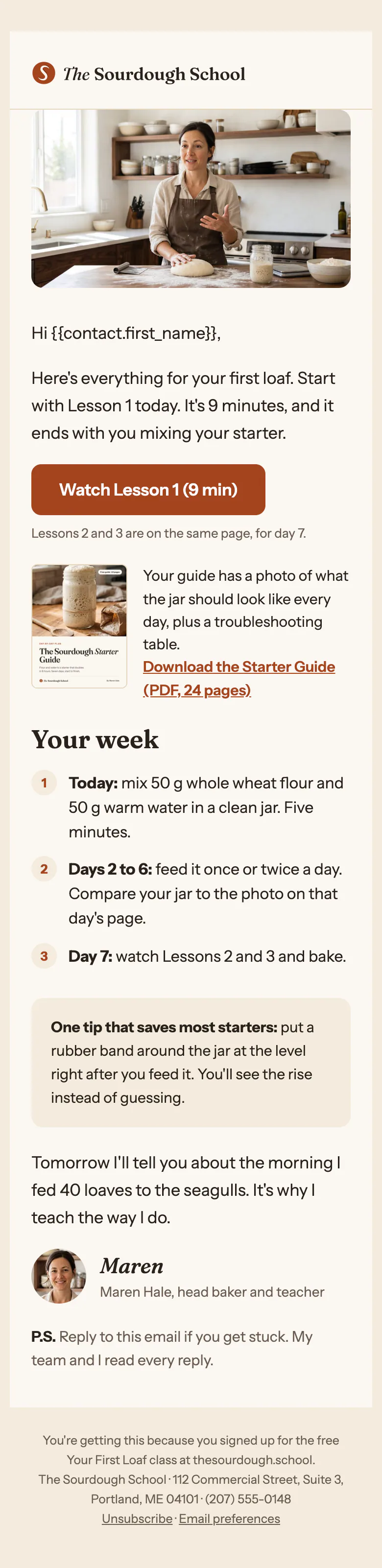
In this guide · 6 steps
Short answer
How do you build a nurture workflow in ClickFunnels?
In Workflows, start on the opt-in form submission, tag the contact with the offer's deadline, then alternate Send Email and Delay steps. Put a Conditional Split before each offer email so buyers drop out, and add Send SMS steps only for people who opted in to texts.
In short
- Start on the opt-in form.
- Tag the deadline on day 0.
- Teach first, offer on day 3.
- Check for buyers before every offer.
- Texts only for people who asked.
A free class gets the email. The seven days after it decide whether people buy. A workflow that teaches while the starter grows, and stops selling to buyers, does that without anyone pressing send.
The First Loaf nurture, step by step
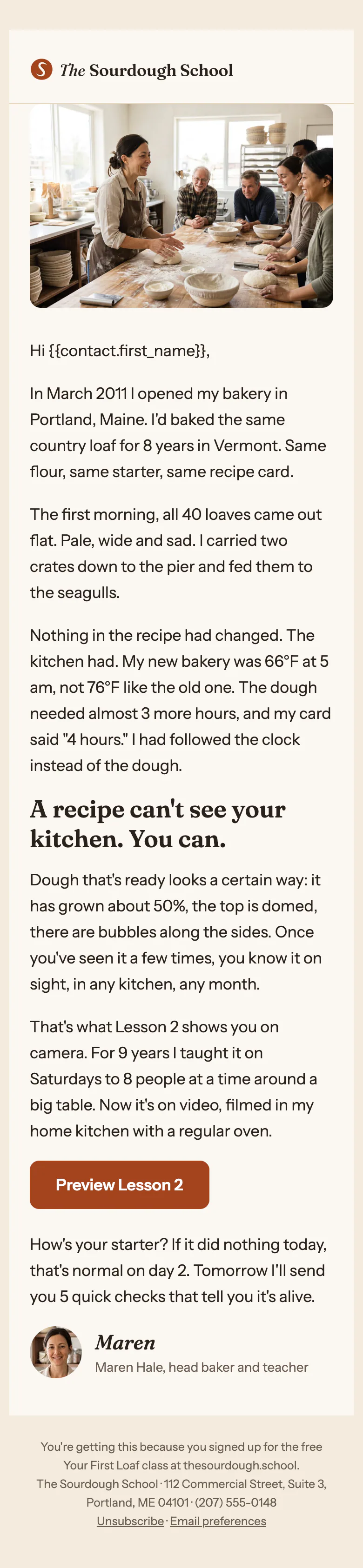
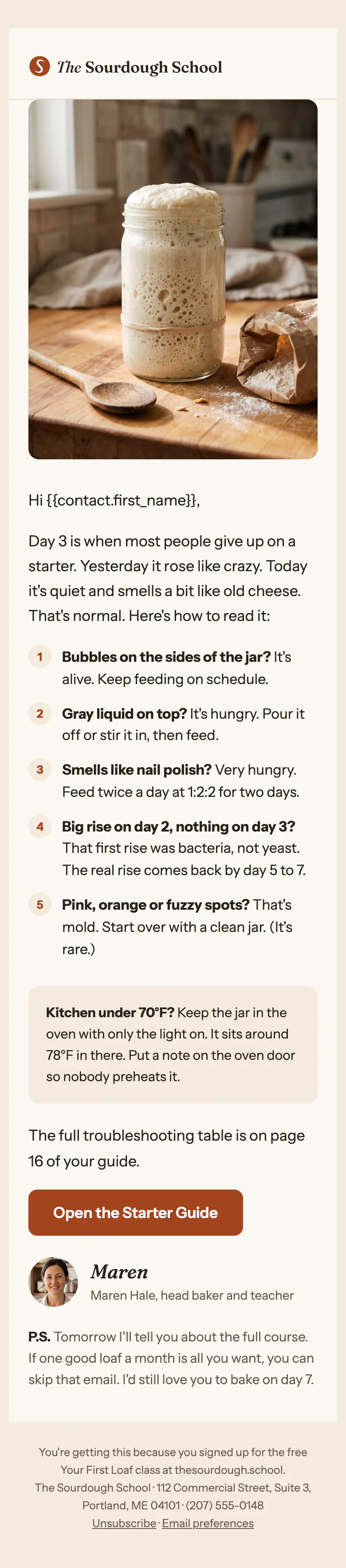
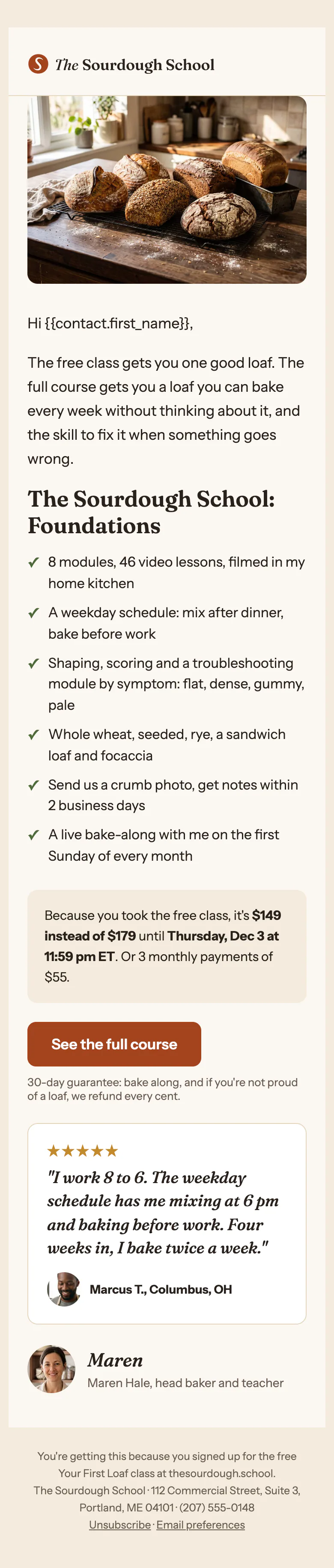
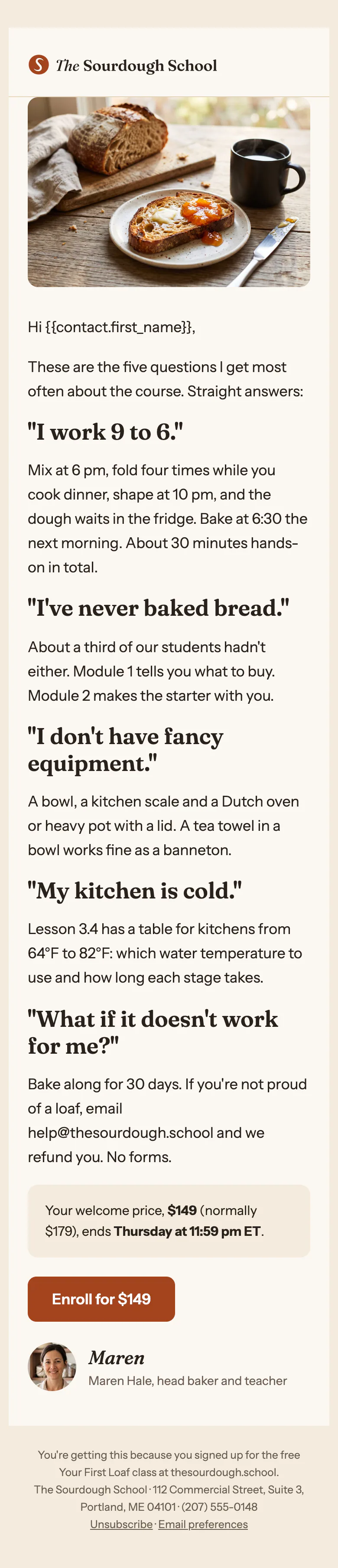
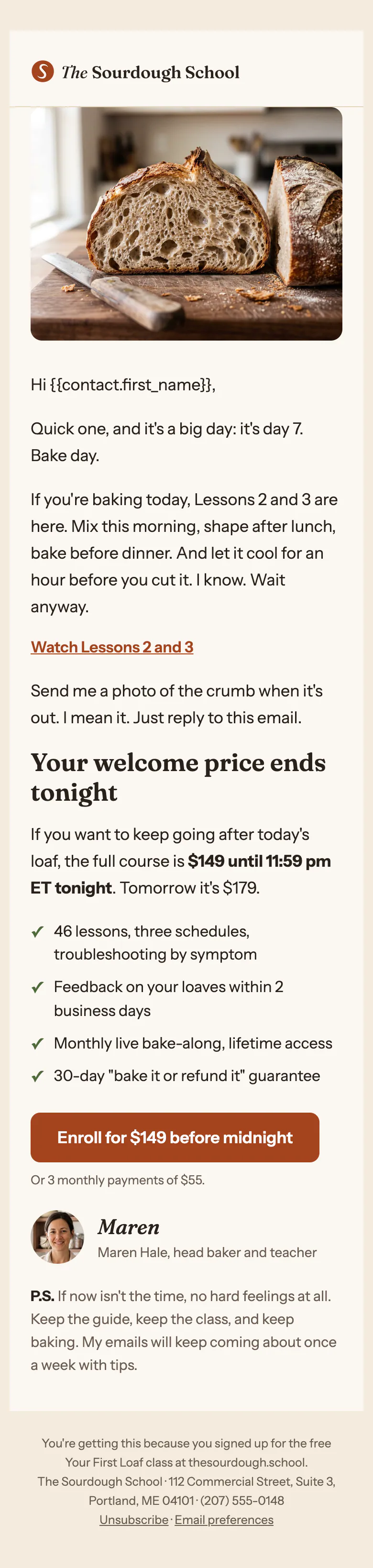
The sequence as mapped for ClickFunnels Workflows: eight emails, three texts and the delays between them. Pick a step to read the message.
- TriggerOpt-in form submitted on /first-loaf
- Tag contact+ lead-first-loaf · deadline = opt-in + 7 days
- DelayUntil next day, 7:30 am
- Conditional splitBought the course? Then end.
- Delay1 day, 7:30 am
- Delay1 day, 7:30 am
- Delay2 days, 7:30 am
- Delay2 days, 9:00 am
SThe Sourdough School
Day 3, 10:00 am
The Sourdough School: Starter quiet on day 3? Normal, keep feeding. Your $149 course price (normally $179) runs till Thu: thesourdough.school/c STOP to end
SThe Sourdough School
Day 7, 4:00 pm
The Sourdough School: Your $149 price ends 11:59pm ET tonight, then it's $179: thesourdough.school/c Bake-day tip: cool 1 hr before cutting. -Maren STOP to end
The sequence in order
Seven days of emails and three texts, in the order they go out.
How to build it in ClickFunnels
1Start on the opt-in form
Create a workflow with the trigger Opt-in form submitted on the opt-in step, so it starts the moment someone asks for the free class.
2Tag the contact and its deadline
Add a tag for the lead source and store the offer deadline, seven days after the opt-in, so every email can name the same date.
3Alternate emails and delays
Send the welcome right away, then use Delay steps to send one email a day at a fixed time, such as 7:30 am.
4Split before every offer
Add a Conditional Split before the offer emails: if the contact bought the course, end the workflow.
5Add texts for people who opted in
Use Send SMS only for contacts who ticked the text consent, with the business name and the STOP line in every message.
6Test it before it goes live
Opt in with a test contact, check every merge tag and link, then buy with a test card and check that the offers stop.
Common mistakes
- Selling in the first email.
- No check for buyers, so customers get offers.
- A deadline that moves.
- Texts without consent or a STOP line.
FAQ
How many emails should a nurture sequence have?
As many as the decision needs. For a $149 course, six to eight over a week works: teach first, offer on day 3, a deadline on day 7.
How do I stop sending offers to buyers?
Add a Conditional Split on the purchase before each offer email and end the workflow for buyers.
Can ClickFunnels send texts?
Yes, with an SMS provider connected. Text only people who opted in.

Conversion designer. I design and build whole websites, funnels and landing pages in ClickFunnels and other page builders, write the copy and set up the tracking and A/B tests. CXL certified.