- Home
- Page builders
- Instapage
- Follow-up emails
Instapage · Guide · 4 steps
How to write follow-up emails after an Instapage form
Two flows: a demo request gets a calendar link right away and a reminder; a playbook request gets four short emails that teach first and offer the demo last.
In this guide · 4 steps
Short answer
What should happen after an Instapage form is submitted?
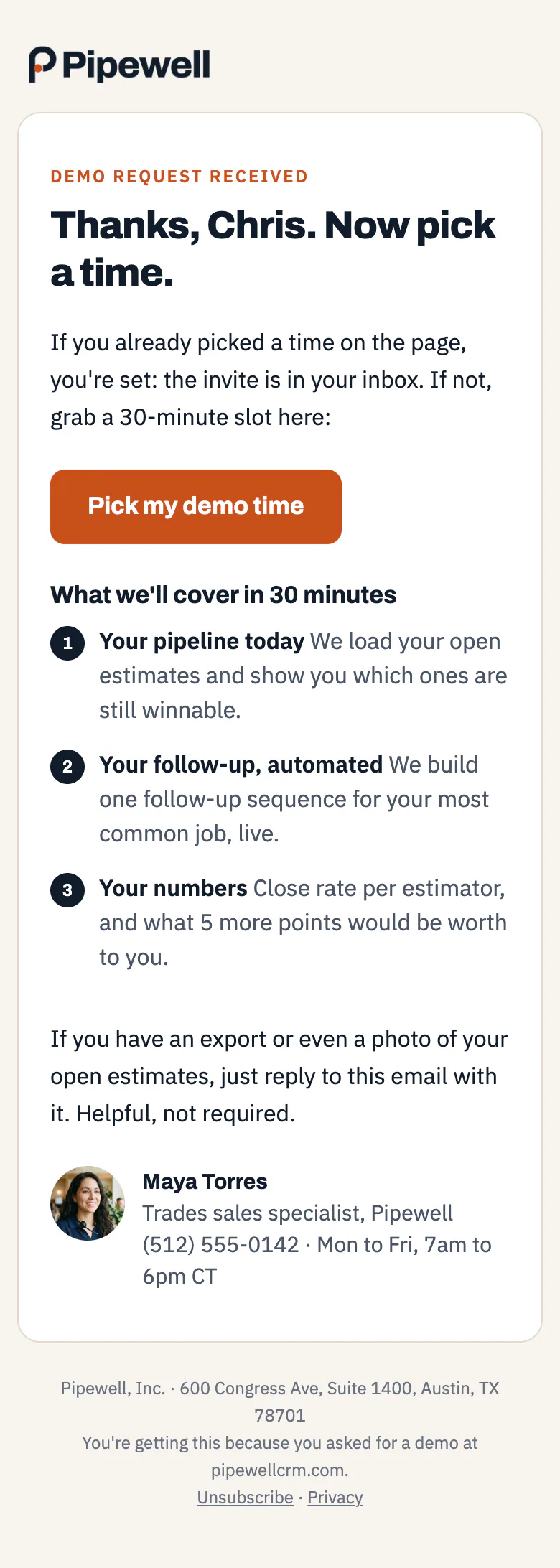
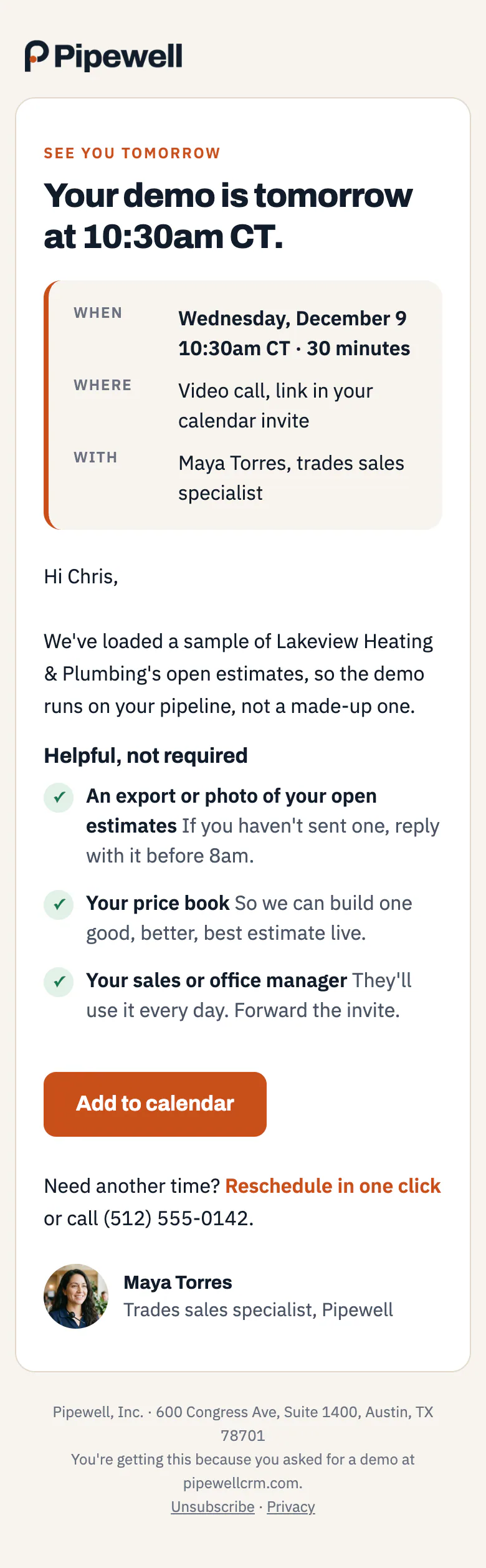
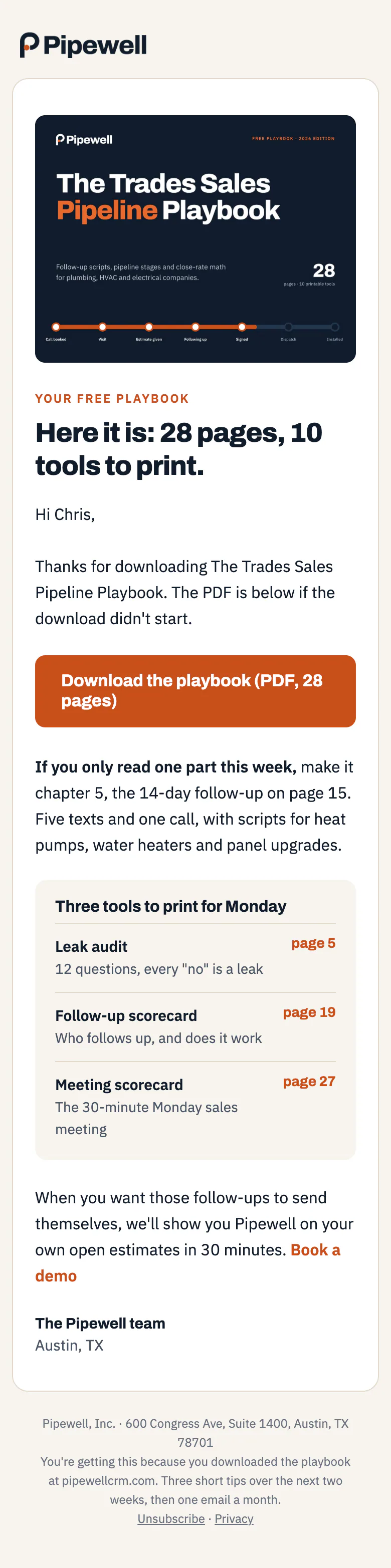
For a demo request: an email with a calendar link right away, a text if no time is picked, and a reminder the day before. For a guide request: the guide right away, then a few short emails that teach one useful thing each and end with the demo.
In short
- A calendar link right away.
- A reminder the day before.
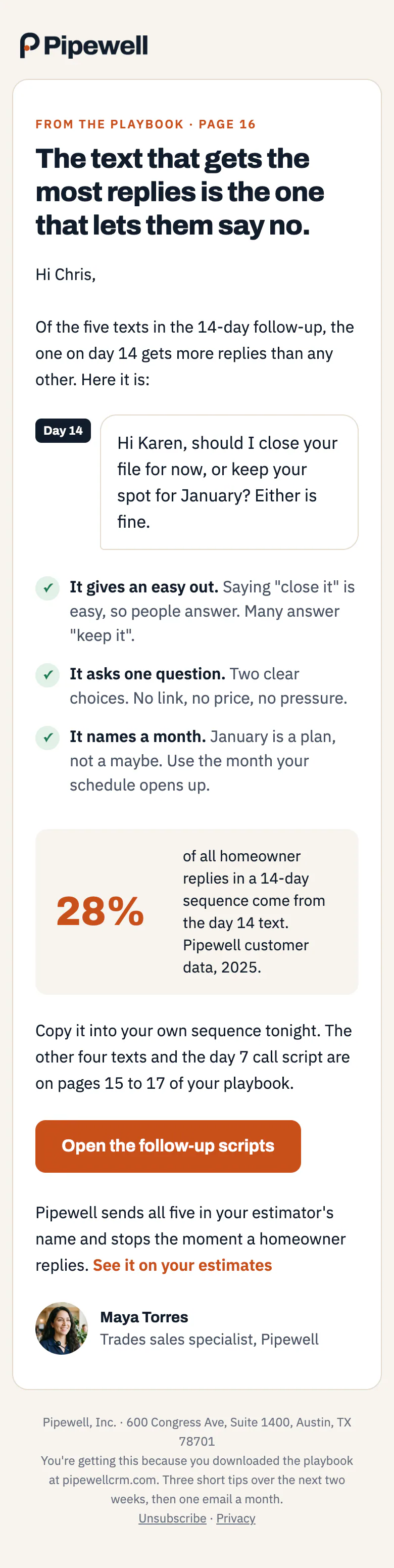
- Teach first in the guide emails.
- Offer the demo last.
- One action per email.
The form is half the job. What arrives in the next ten minutes decides whether the demo gets booked.
The emails
Two demo emails and four playbook emails. Pick one to read it on a phone.
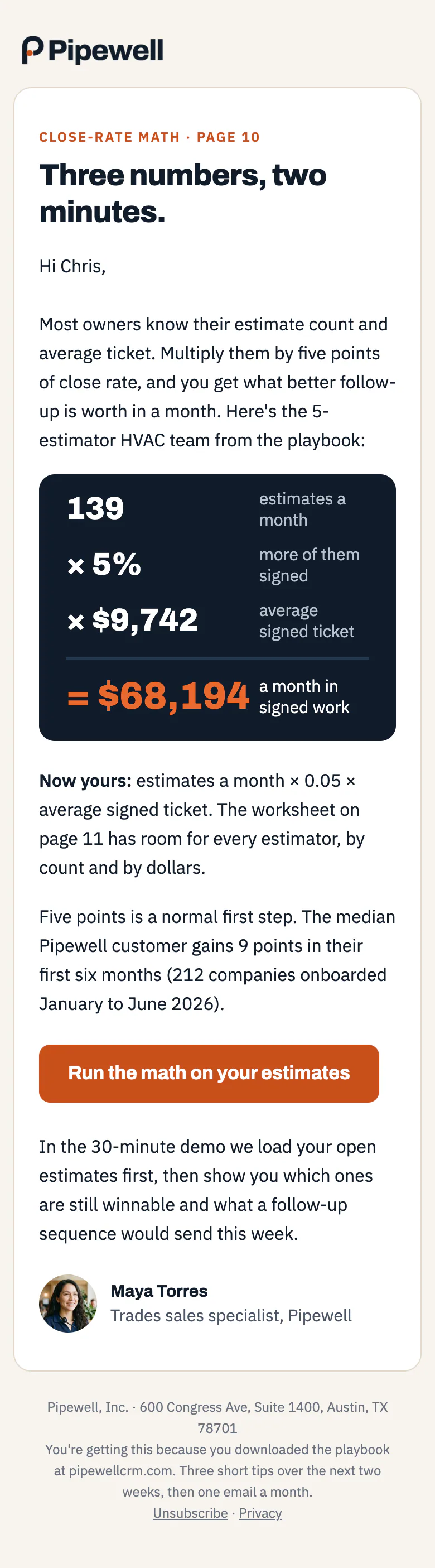
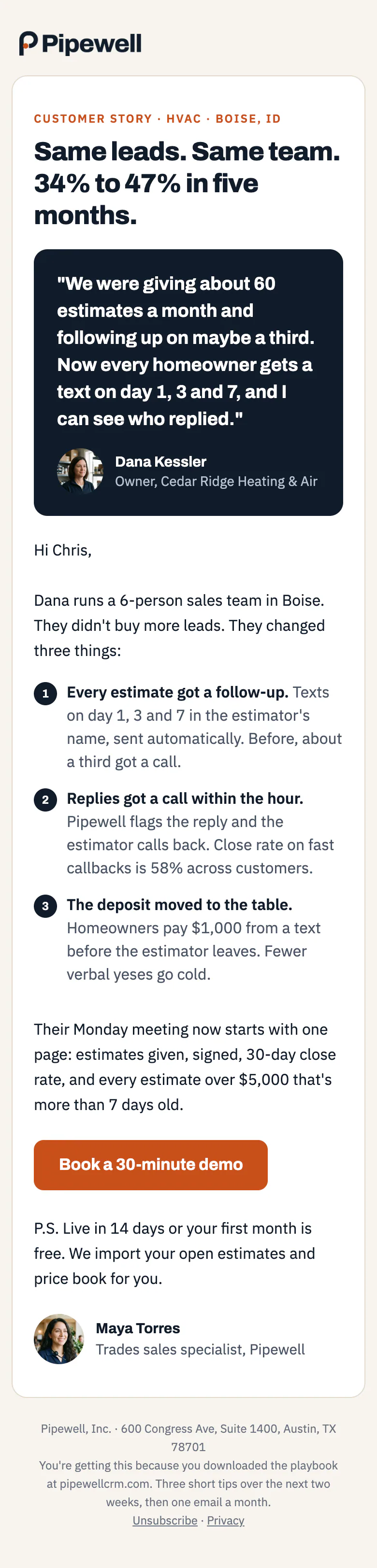
The follow-up in order
The demo confirmation, the texts and the playbook emails.
How to set it up
1Send the form to your email tool
Connect the Instapage form to your CRM or email tool with an integration or a webhook, with hidden fields for the source and the trade.
2Start one flow per form
The demo form starts the demo flow; the playbook form starts the playbook flow.
3Put the calendar link first
The first demo email lets people pick a time in two minutes, before they go back to work.
4Teach, then offer
Each playbook email teaches one thing from the playbook; the last offers the demo.
Common mistakes
- No calendar link in the first email.
- The same emails for demo and guide requests.
- Five links in every email.
FAQ
Can Instapage send emails itself?
Instapage sends form notifications; the follow-up runs in your CRM or email tool, connected by an integration or a webhook.
How fast should the first email go out?
Right away, with the calendar link.

Conversion designer. I design and build whole websites, funnels and landing pages in Instapage and other page builders, write the copy and set up the tracking and A/B tests. CXL certified.