- Home
- Page builders
- Instapage
- Demo page example
Instapage · Example project
Instapage demo page example: Pipewell CRM for the trades
A demo request page I analyzed, designed, wrote and built in Instapage, with a version for each trade and a playbook page for owners who aren't ready.
Short answer
What does a complete B2B demo page in Instapage include?
Pipewell CRM's demo page is built in Instapage with a Default version and an HVAC, a plumbing and an electrical page, each with its own headline, photo and proof. A two-step demo form, a thank-you page with a calendar and a playbook page with a native form complete it, with an A/B test planned for the Default.
The rest of the funnel
Form, calendar and playbook pages
The demo form's second step, a thank-you page where the time is picked right away, and the playbook page for people not ready for a demo.
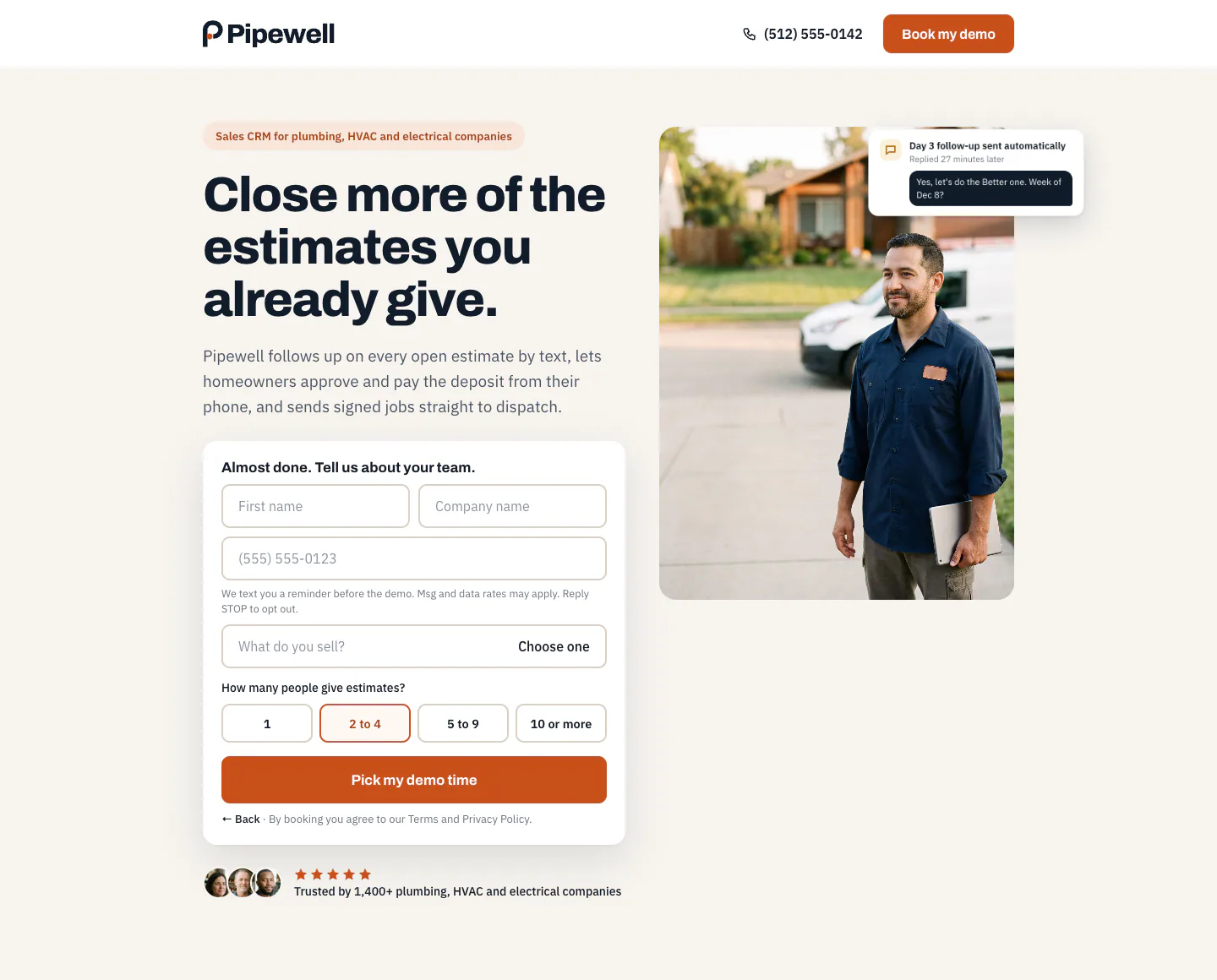
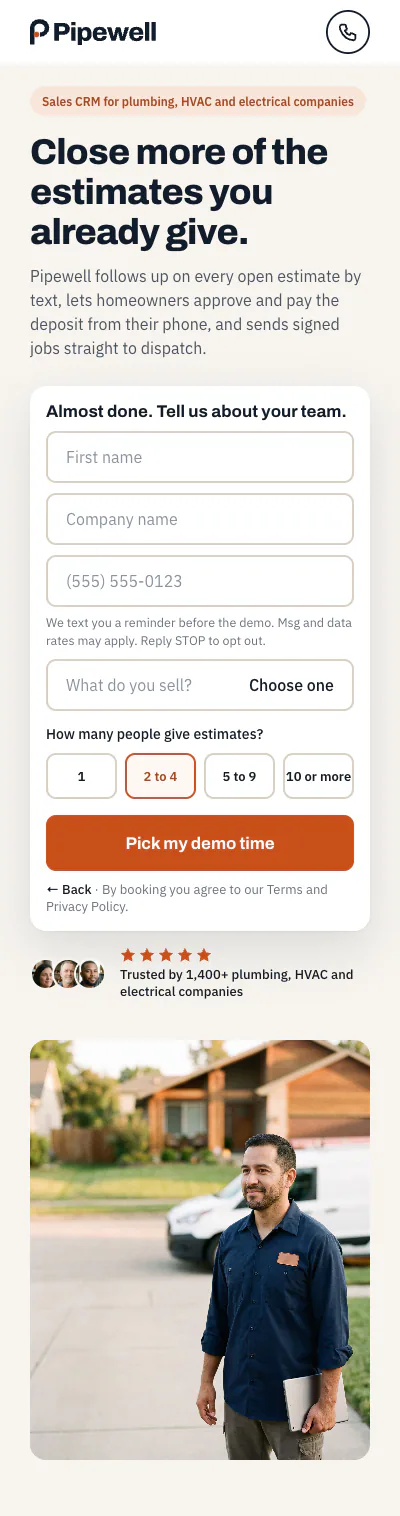
Step two of the demo form: name, company, phone and how many estimators, after the work email.
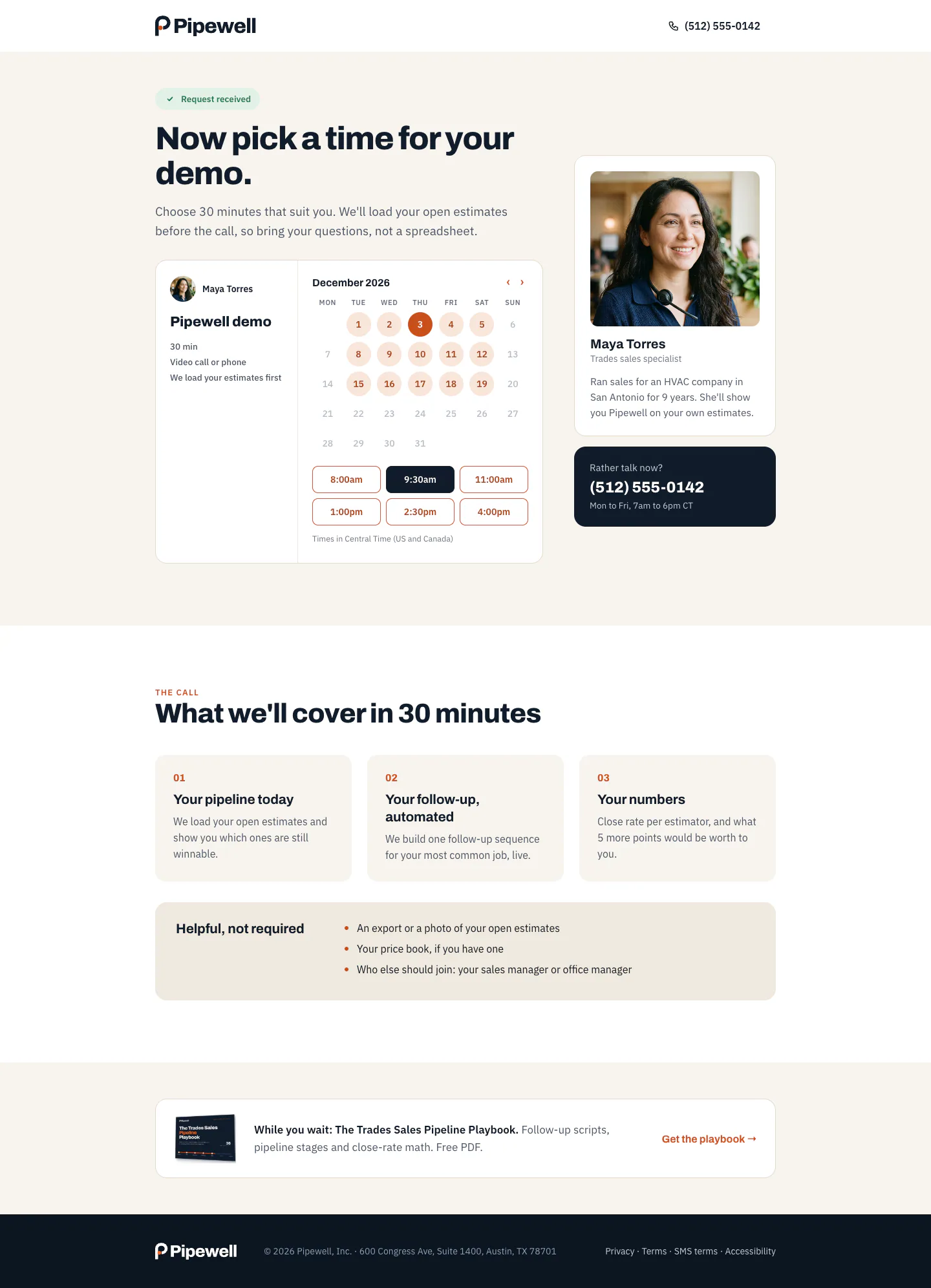

Pick a time right away, with name and email already filled in, and what the demo covers.
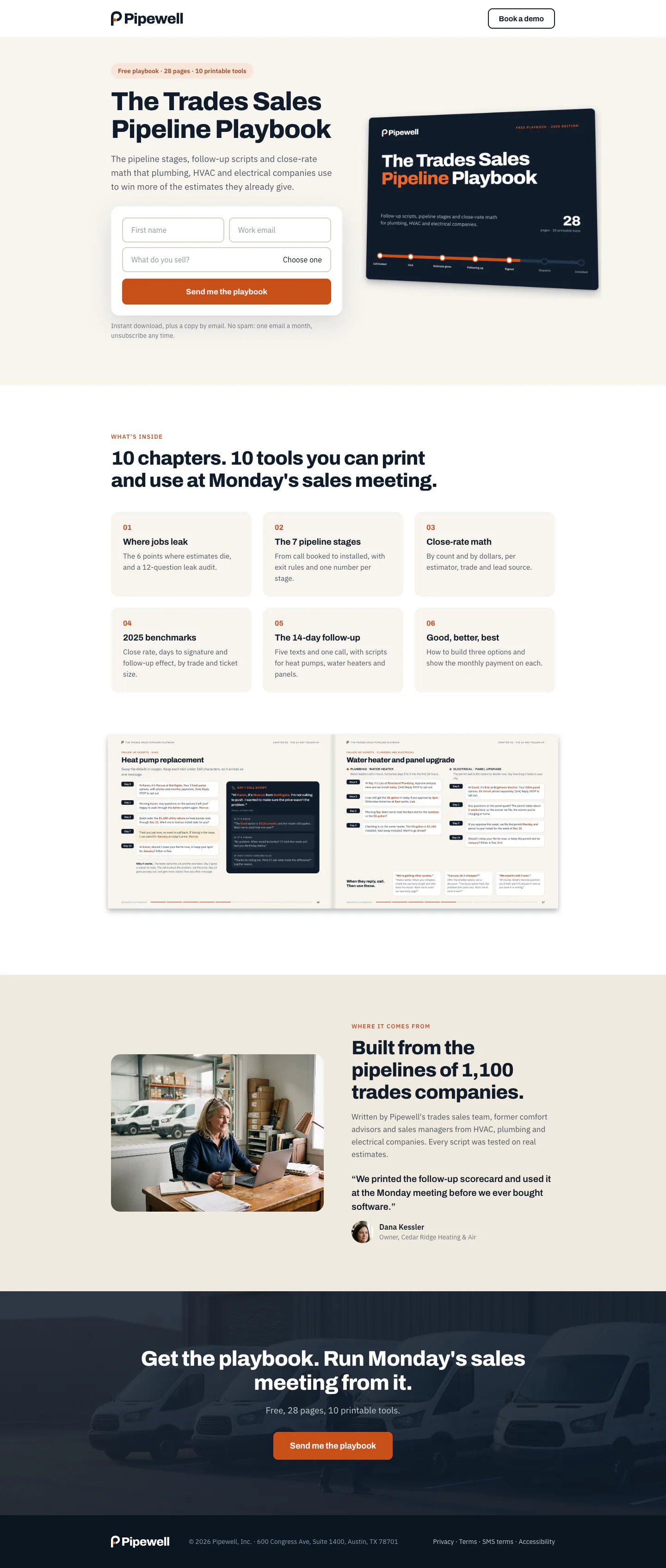

The lead magnet page, built with a native Instapage form in the first phone screen: first name, work email and “What do you sell?”, then a thank-you message.
Ad groups
The demo page for each trade
Plumbing, HVAC and electrical: only the parts that name the trade change.
How to personalize one Instapage page per ad groupInstablocks
Seven blocks for the next page
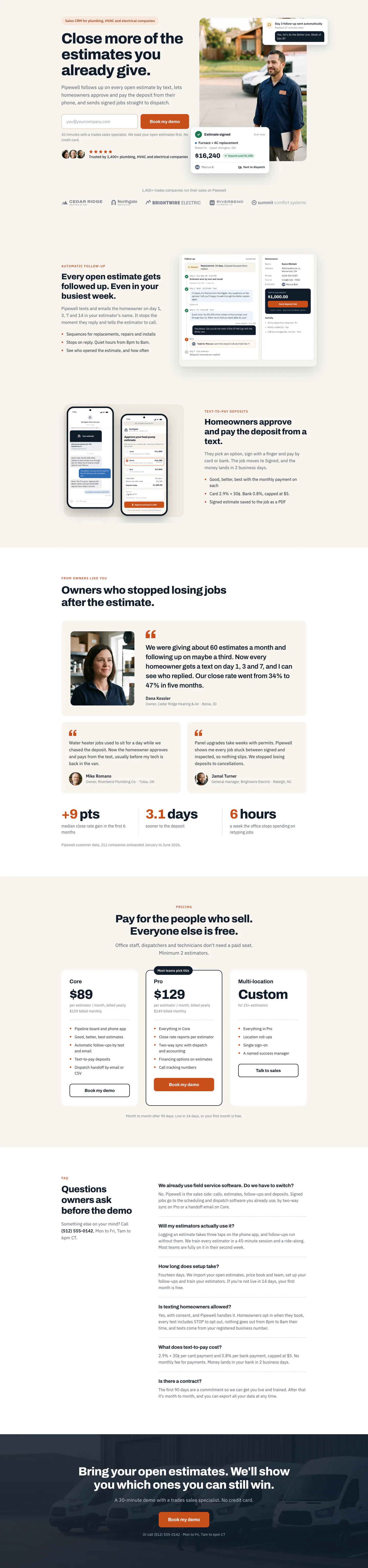
Each section is designed as a reusable block; the logo strip, pricing and final call to action are meant as Global Blocks, so a change reaches every page.
- PW Hero
- PW Logo StripGlobal
- PW Features
- PW Testimonial
- PW PricingGlobal
- PW FAQ
- PW CTAGlobal
Editor
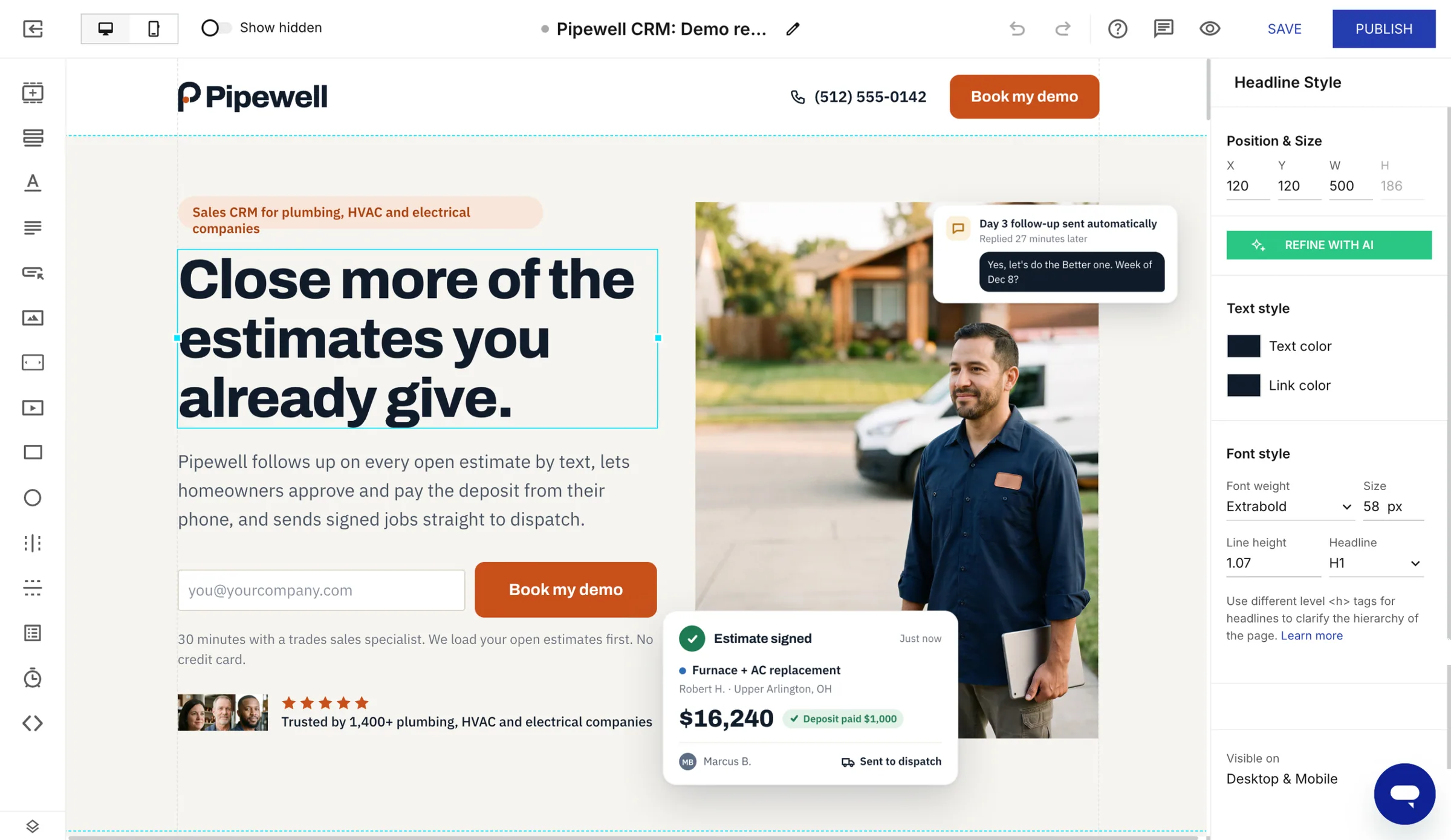
The demo page in the Instapage editor
The H1 selected with its Headline Style panel, every element placed on the 960 px column.
Brand
The Pipewell CRM brand
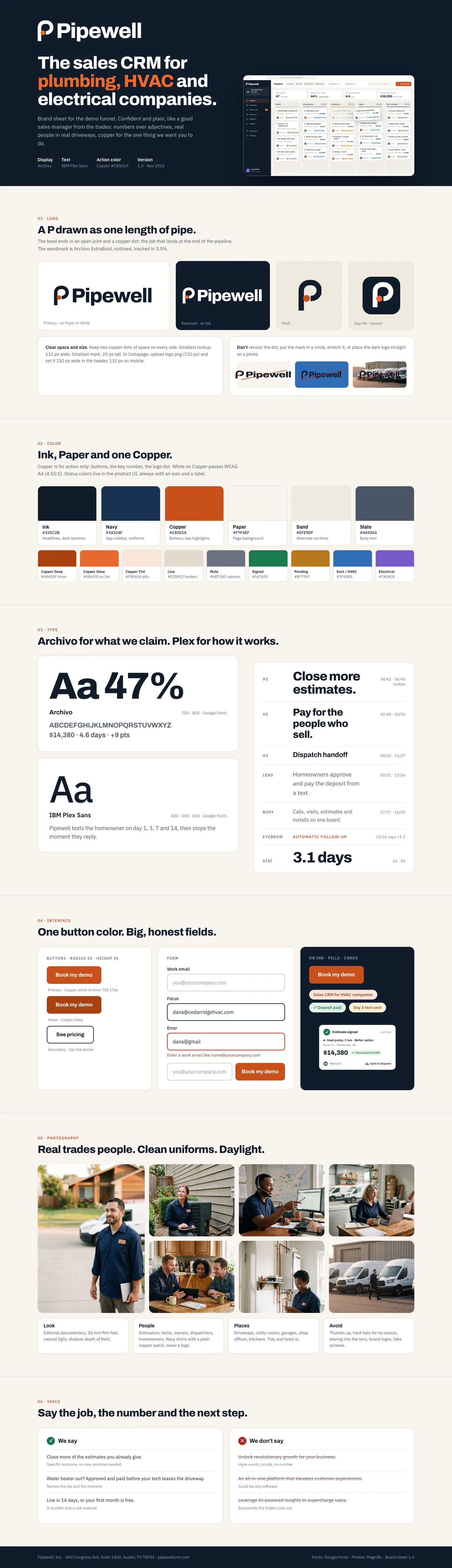
The P mark, ink and copper on paper, Archivo with IBM Plex Sans, real crews and vans, and the product shown as signed-estimate cards.
- Ink
#101C2BHeadlines and dark sections - Copper
#C8501ABook my demo, the one action - Paper
#F7F4EFPage background - Sand
#EFE9DFCards and alternate sections
What's built
What's built in Instapage
- The demo request pageBuilt in the Instapage editor on the 960 px column, with Archivo and IBM Plex Sans.
- Headline stylesExtrabold 58 px, line height 1.07, a real H1 tag.
- A page per tradeThe Default plus HVAC, plumbing and electrical pages, each with its own headline, photo and proof.
- Thank-you pagePick a time right away, with what the demo covers.
- Playbook page with a native formFirst name, work email and a “What do you sell?” dropdown.
My part
What I did, start to finish
- Strategy
- Three trades, three ad groups, one demo page that speaks to each.
- Brand
- Logo, palette, Archivo and IBM Plex Sans, the product UI cards.
- Copy
- The page, three experiences, Variation B and its test plan, the RSAs, emails and texts.
- Design
- Demo page, form steps, thank-you with calendar, playbook page, seven Instablocks.
- Build
- The Default demo page, three trade pages, the thank-you page and the playbook page in Instapage.
- Growth assets
- A 28-page playbook, Meta and Google ads, two email flows and texts.
FAQ
Which parts are built in Instapage?
The Default demo page, the HVAC, plumbing and electrical pages, the thank-you page and the playbook page with its native form. The experiment, the ads and the follow-up are planned and written for the same account.
How long does a page like this take?
It depends on the versions and content you have. After a short call I send a fixed quote and a schedule.
Can my team edit it?
Yes. Every element is native Instapage, edited in the editor.

Conversion designer. I design and build whole websites, funnels and landing pages in Instapage and other page builders, write the copy and set up the tracking and A/B tests. CXL certified.