- Home
- Page builders
- Instapage
- Lead magnet pages
Instapage · Guide · 4 steps
How to design and build lead magnet pages in Instapage
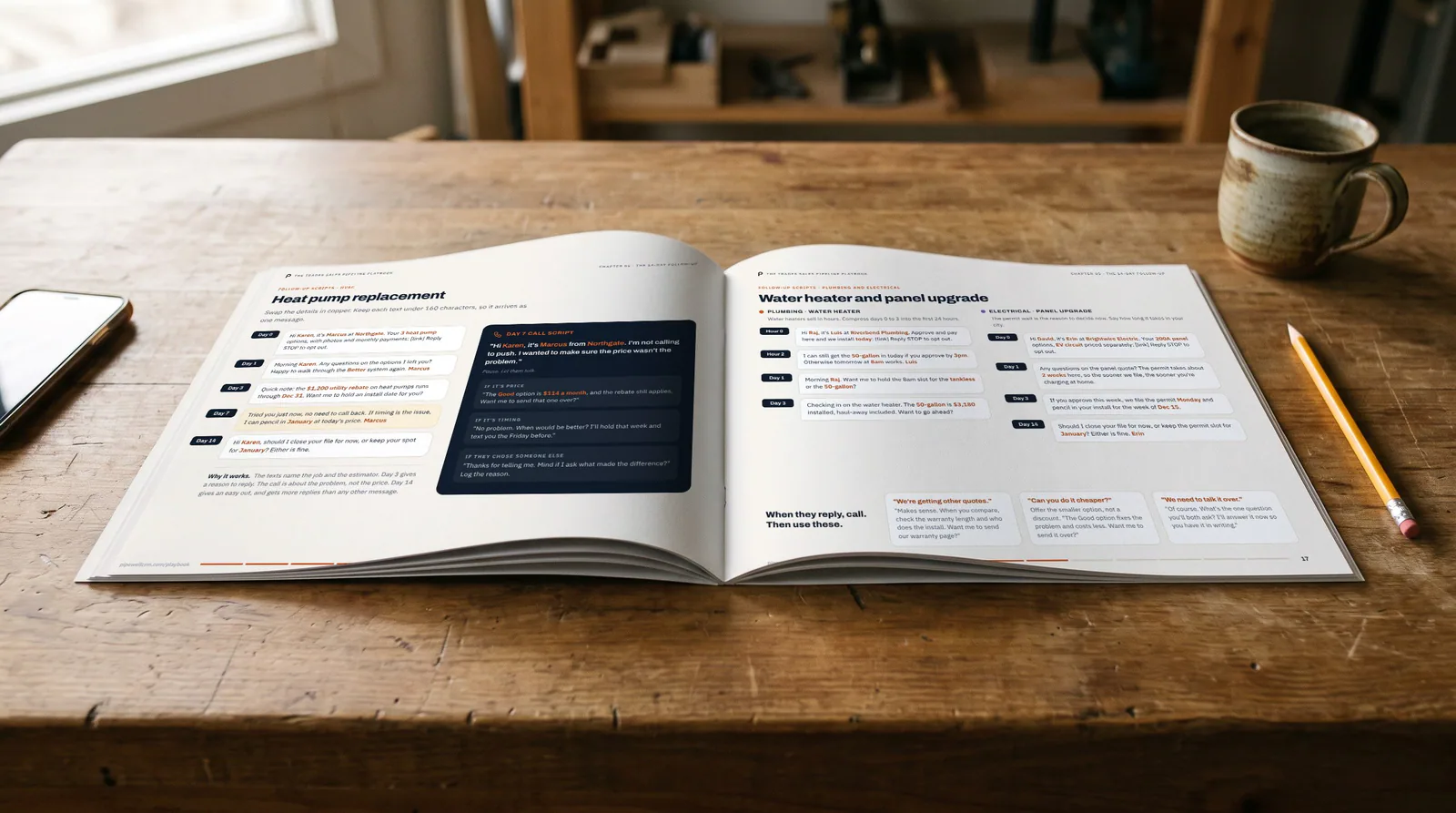
For buyers who aren't ready for a demo: a guide that's useful on its own, a page of its own and a short form with one question that tells sales who it is.
In this guide · 4 steps
Short answer
What makes a lead magnet page in Instapage convert?
A guide that solves a real problem even without the product, a page with the promise and real pages as proof, and a short native form with one qualifying question. Then a few emails that teach and end with the demo.
In short
- Useful without the product.
- Real pages as proof.
- Two fields and one question.
- Tell sales who it is.
- Teach, then offer the demo.
Most visitors to a B2B page aren't ready for a demo. A playbook they can use this week earns the email and the right to follow up.
The playbook page
Built in Instapage with its own native form: first name, work email and a “What do you sell?” dropdown that tells sales which trade the lead is in.
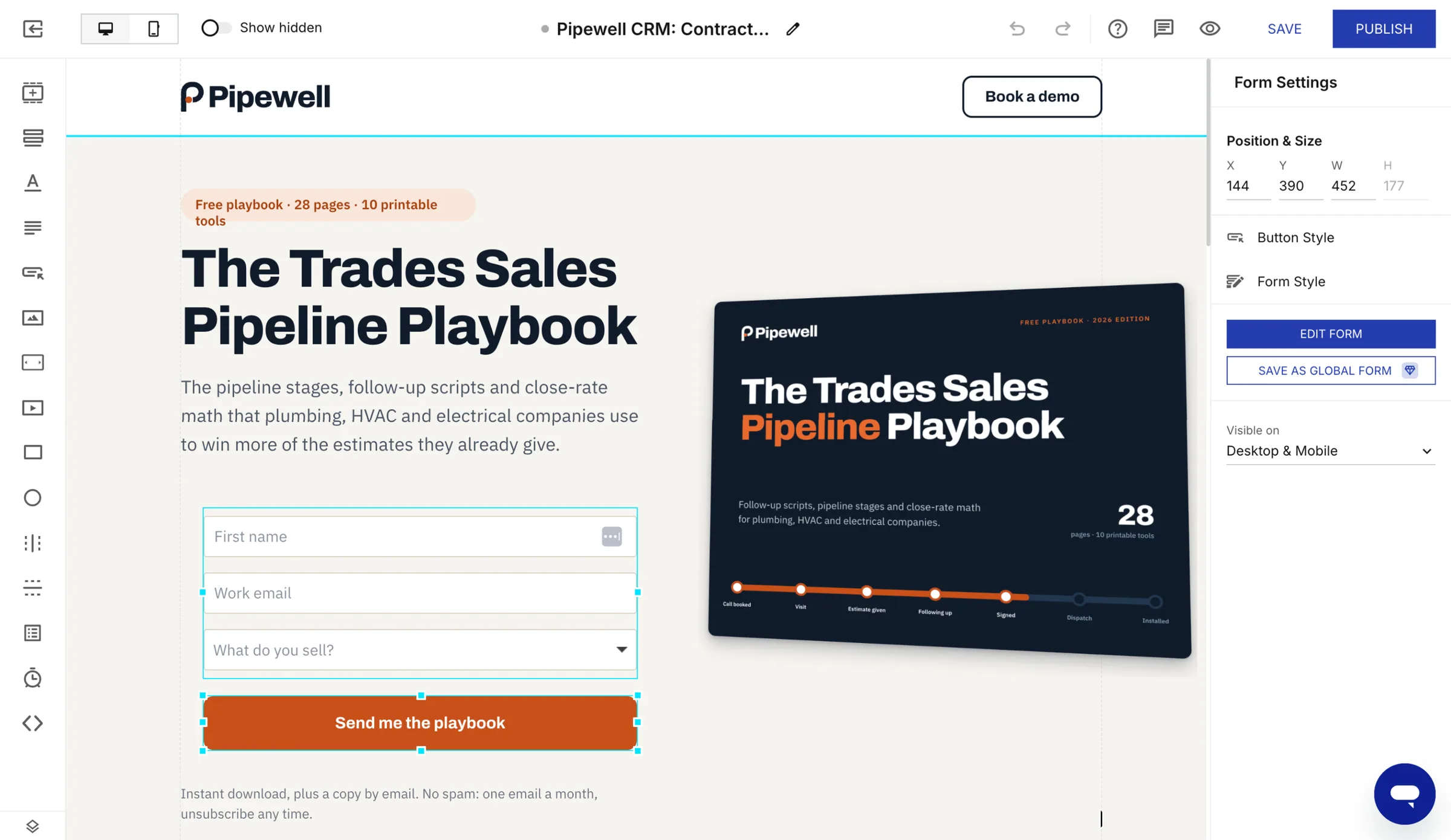
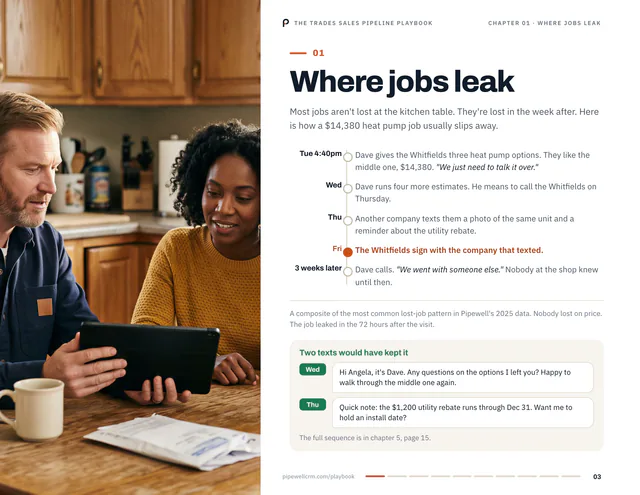
The playbook as proof
28 pages: the 14-day follow-up with every text and email, the pipeline stages and the Monday sales meeting. Three pages open, the rest after the form.
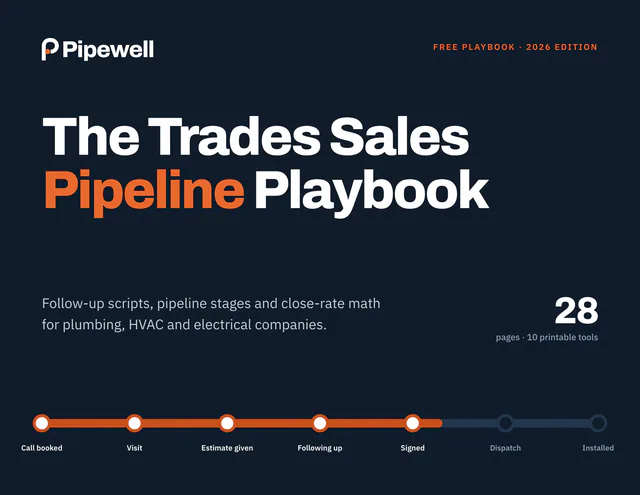
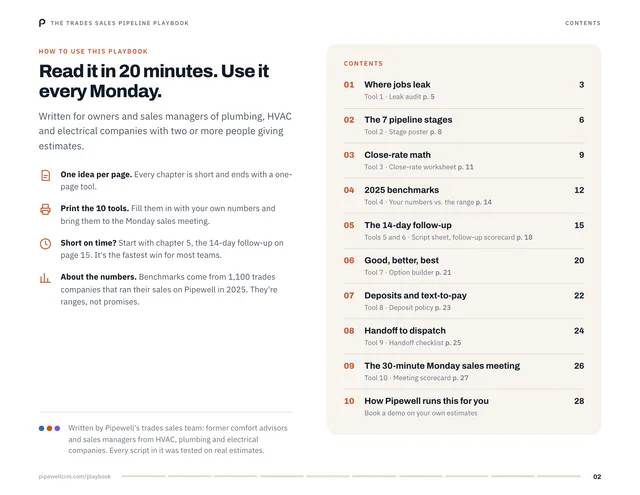
What makes it convert
- Usefulness. It works without the product, so it's worth an email.
- Proof. Real pages of the playbook.
- Low friction. Two fields and one dropdown.
- Qualification. The dropdown tells sales which trade to talk about.
How to build it in Instapage
1Build the page from your blocks
Start the playbook page from the same blocks as the demo page, so it looks like the same company.
2Add a native form with one question
First name, work email and one dropdown that qualifies the lead.
3Send people to a thank-you message
Show what arrives and when, right on the page.
4Start the email flow
Connect the form to your email tool and start the playbook flow.
Common mistakes
- A guide that's a product pitch.
- Phone number and company size on a free guide.
- No follow-up after the guide.
FAQ
Should the form ask qualifying questions?
One, at most. A single dropdown like “What do you sell?” helps sales without costing sign-ups.
Where should the lead magnet be offered?
On the demo page for people who aren't ready, in ads for cold audiences and in the follow-up emails.

Conversion designer. I design and build whole websites, funnels and landing pages in Instapage and other page builders, write the copy and set up the tracking and A/B tests. CXL certified.