- Home
- Page builders
- Wix Studio
- Lead magnet pages
Wix Studio · Guide · 8 steps
How to design and build lead magnet pages in Wix Studio for higher conversions
A lead magnet page that gets the sign-up: a specific promise, real pages as proof, two fields, the form on the first phone screen, and emails that lead to a booking.
In this guide · 8 steps
- The example: a 7-day plan for back pain
- What makes a lead magnet page convert
- 1Write the promise first
- 2Design the guide as real pages
- 3Build the offer section or page
- 4Add a Wix Form with two fields
- 5Connect the delivery
- 6Write the email course
- 7Offer it where people are deciding
- 8Track sign-ups as a conversion
- Common mistakes
- FAQ
Short answer
What makes a lead magnet page convert?
A specific promise, proof that the guide is worth reading, as few fields as possible and the form within reach on a phone. In Wix Studio, build the offer as a short page or section with a Wix Form of two fields, show real pages of the guide, and send it with an email course that ends in the main offer.
In short
- Promise one specific outcome, with a time frame.
- Show real pages of the guide: proof beats adjectives.
- Ask for two things: first name and email.
- Put the form on the first phone screen.
- Deliver with an email course that ends in the main offer.
Most visitors aren't ready to book on the first visit. A lead magnet gives them a useful reason to leave an email, and the emails that follow bring them back when they are ready.
Here is how I design and build lead magnet pages in Wix Studio, with Harbor Physio's 7-Day Back Pain Reset as the example.
The example: a 7-day plan for back pain
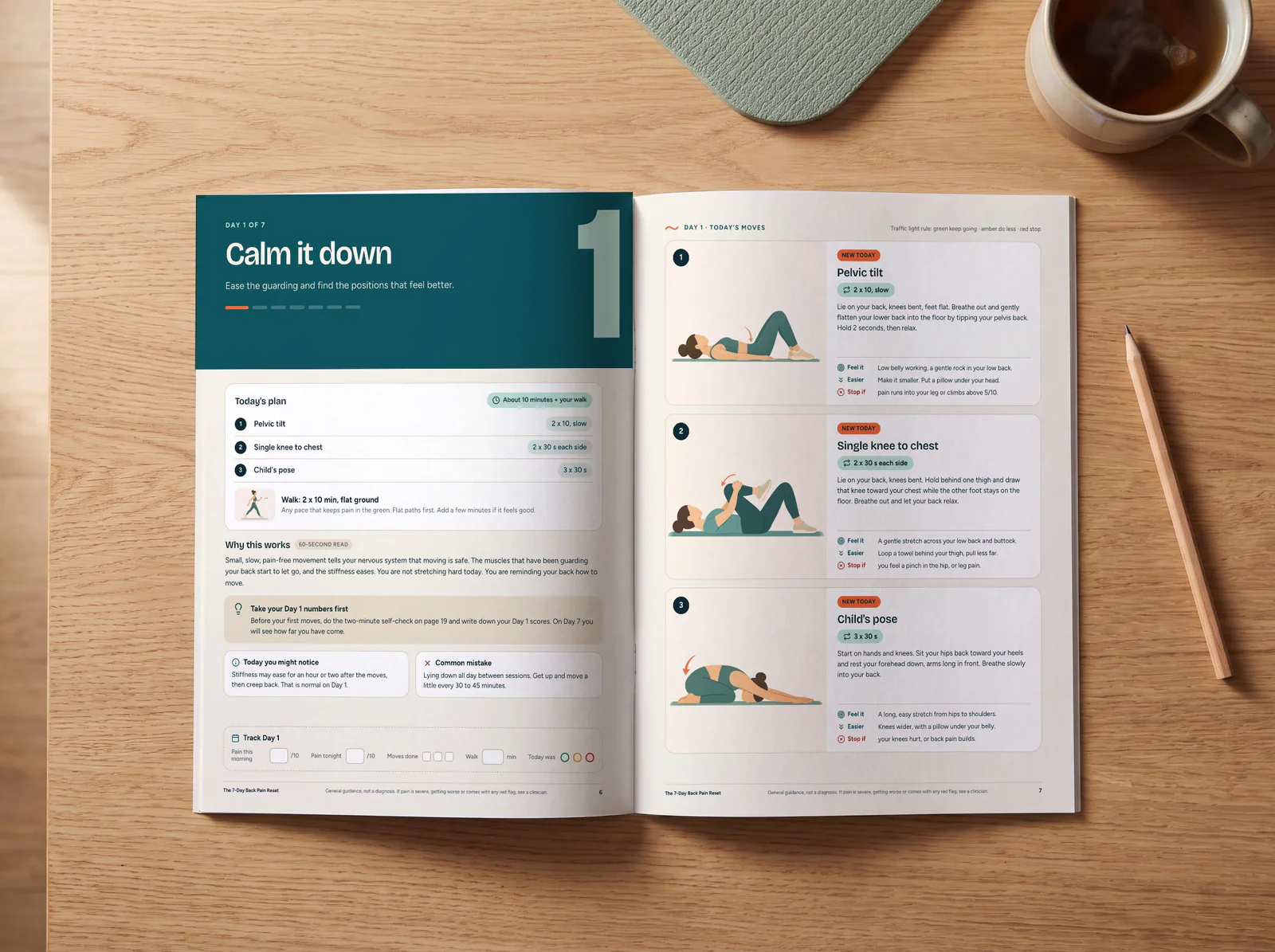
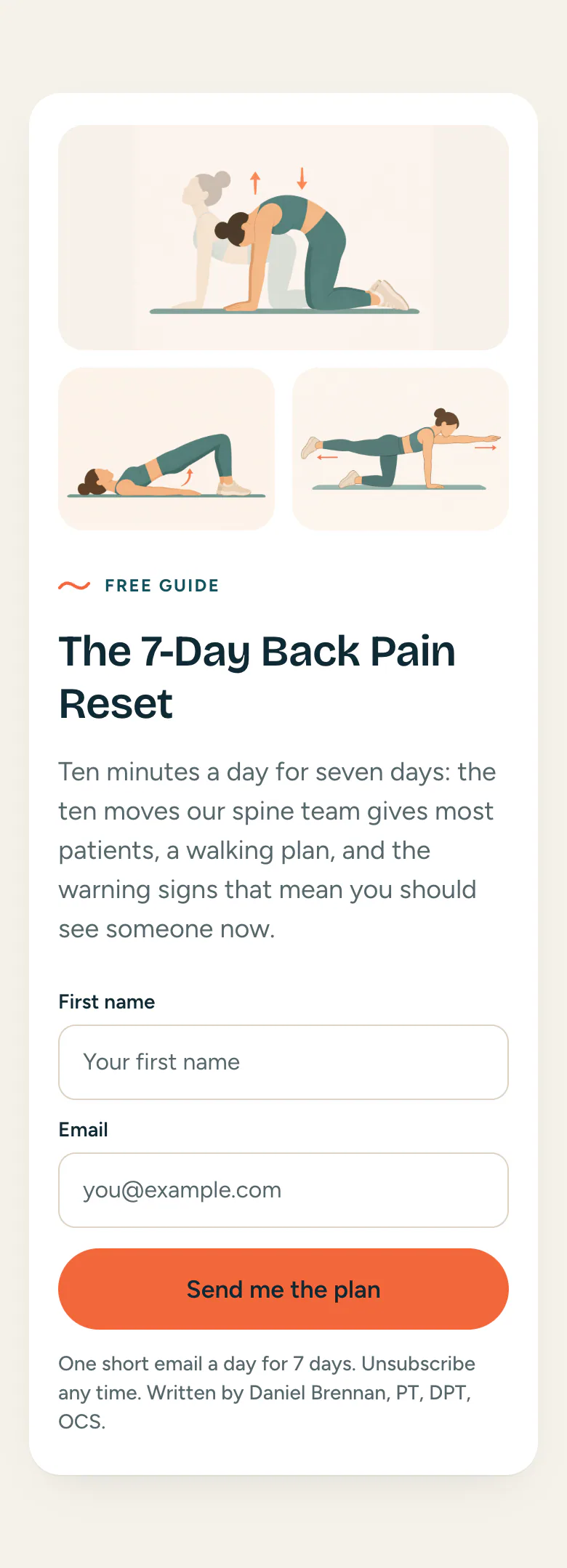
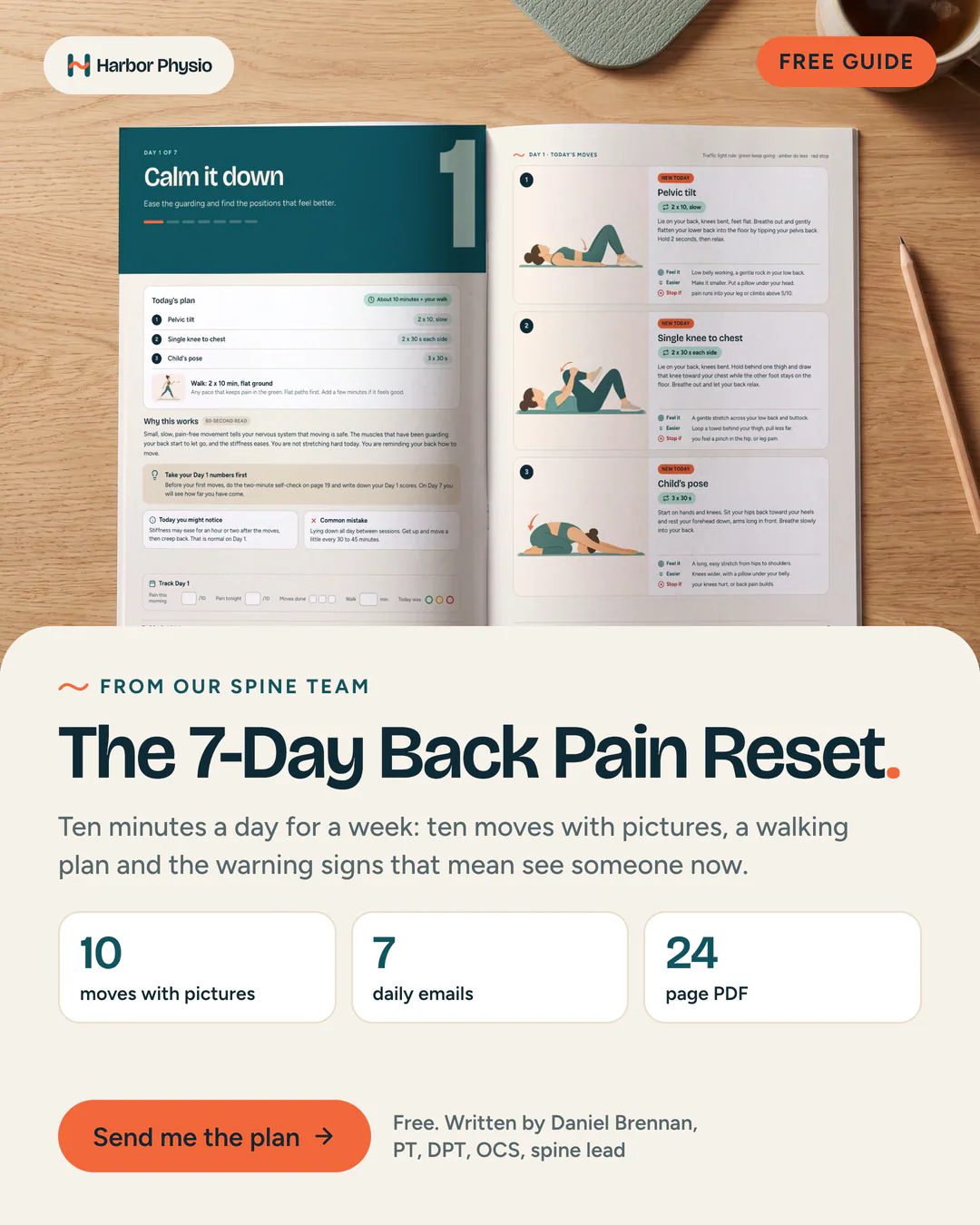
Harbor Physio's guide is a 24-page plan from a spine physical therapist: one short routine a day for a week, what to avoid, the warning signs that mean “get seen now”, and when to book. It's offered in a section on the homepage and at the end of each article, and an email a day delivers it.
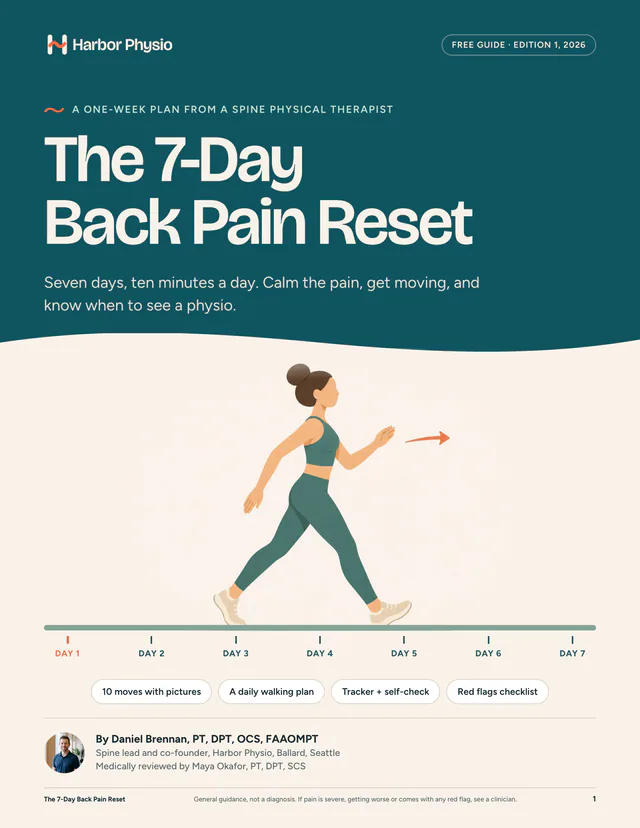
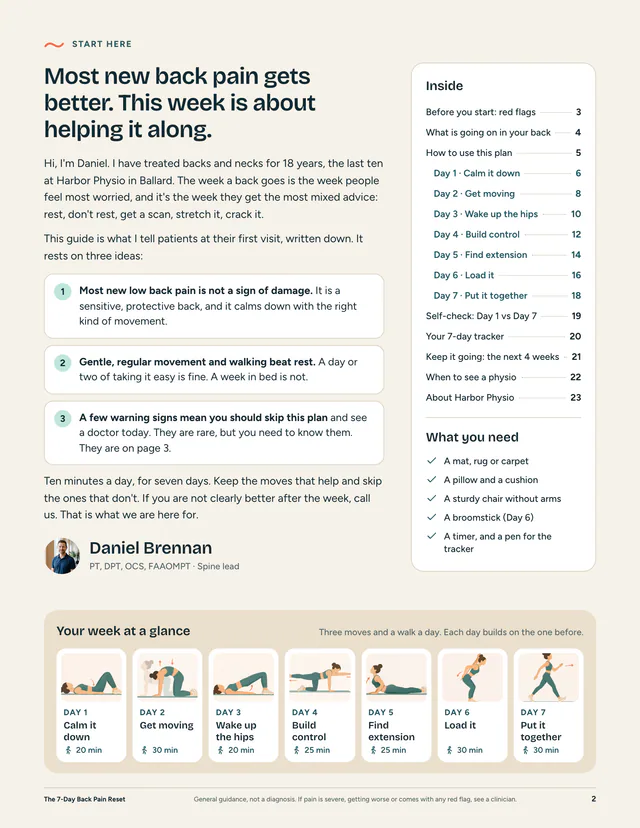
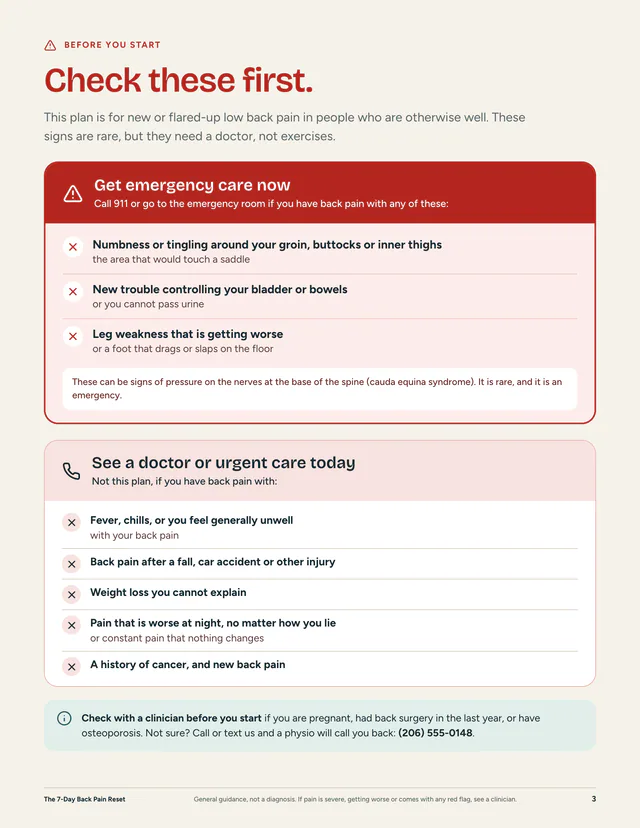
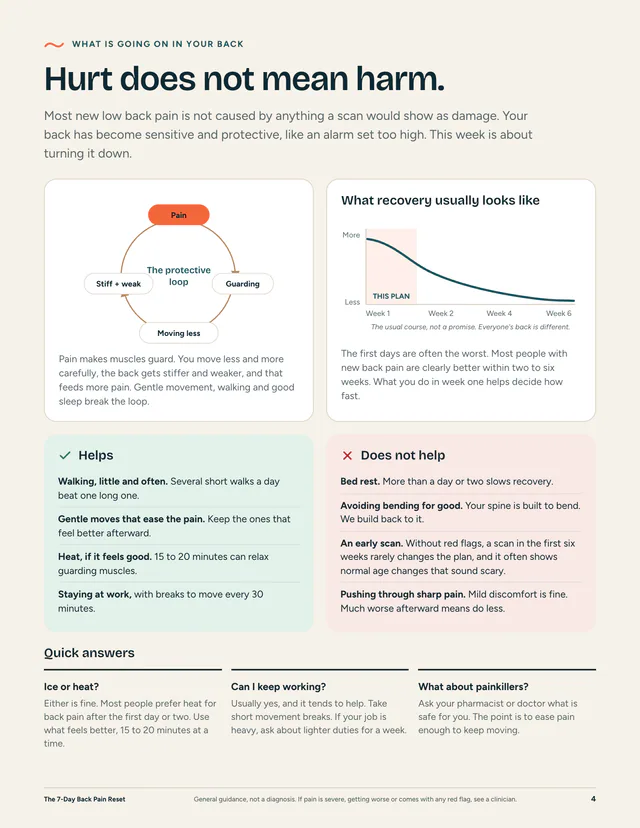
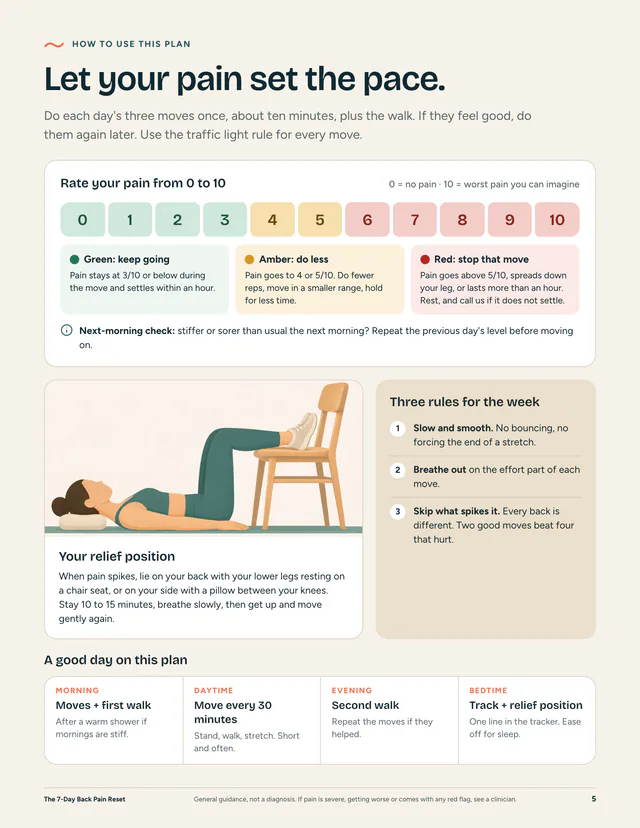
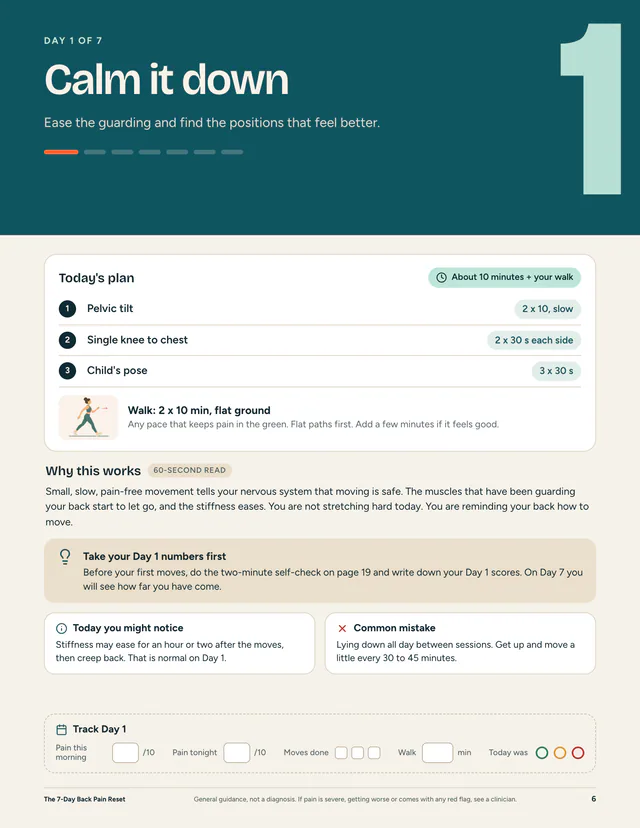
The first six of the guide's 24 pages.
What makes a lead magnet page convert
- Specificity. “A 7-day plan for back pain” beats “a free guide”. Name the outcome and the time it takes.
- Proof of content. Real pages, a contents list or a sample spread show the guide is worth an email.
- Low friction. First name and email. Every extra field costs sign-ups.
- Visibility. On a phone, the promise and the form fit in the first screen.
- Commitment. Daily emails deliver the plan; the person who does day 3 trusts you on day 7, when the email offers the assessment.
How to build it in Wix Studio
1Write the promise first
One line that names the outcome and the time: “The 7-Day Back Pain Reset”. Then three bullets that say what's inside. If you can't write the promise in one line, the guide isn't focused enough yet.
2Design the guide as real pages
Give it a cover, a contents page and a consistent layout, then use those pages on the offer: a photo of the cover and two or three real spreads. People sign up for what they can see.
3Build the offer section or page
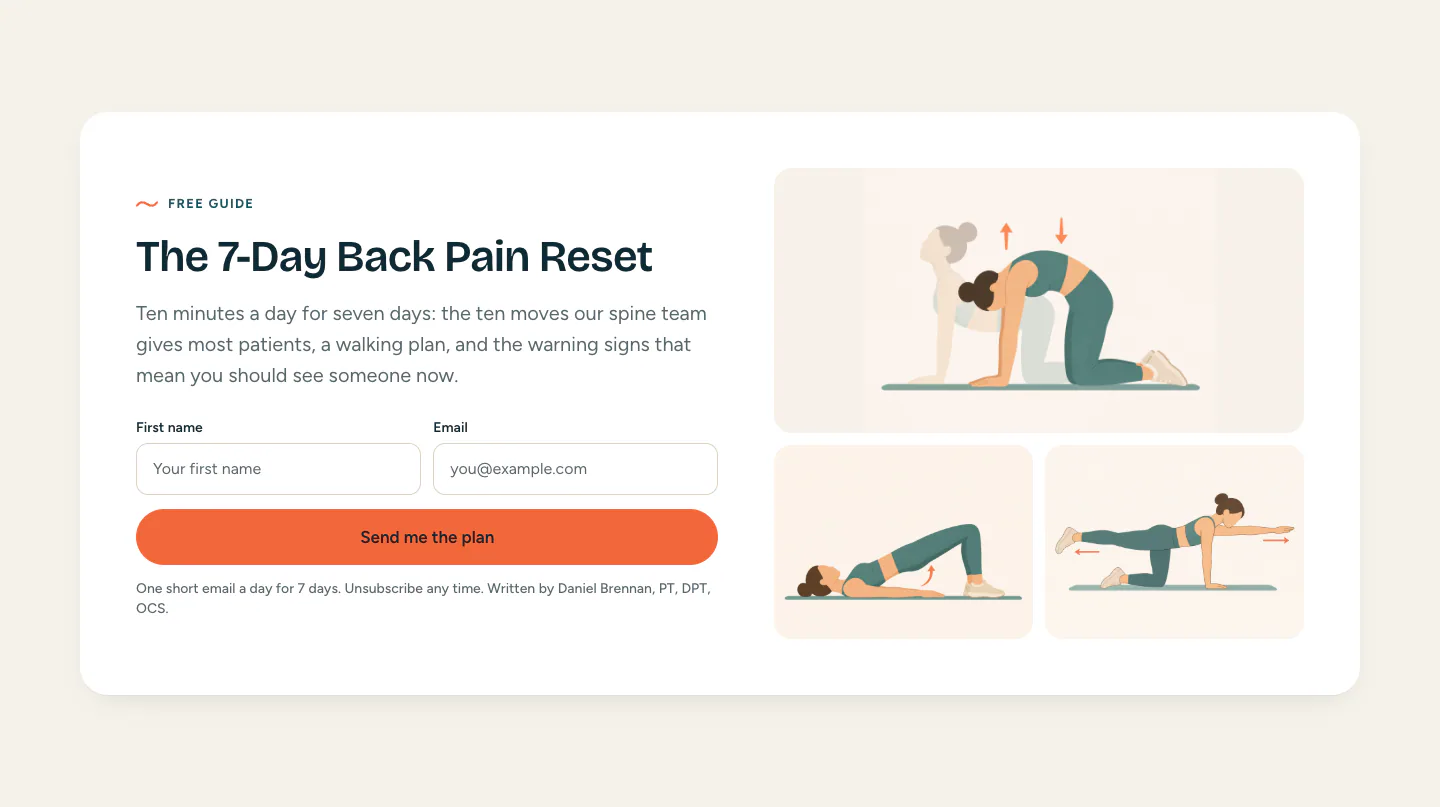
Use a Wix Studio section with two columns on desktop: the promise, bullets and form on one side, the guide on the other. On the mobile breakpoint, put the promise and the form first, the images after.
4Add a Wix Form with two fields
Add a Wix Forms form with first name and email, both required, and a button that says what they get (“Send me the plan”). Add one line of microcopy: what arrives, how often, and that they can unsubscribe.
5Connect the delivery
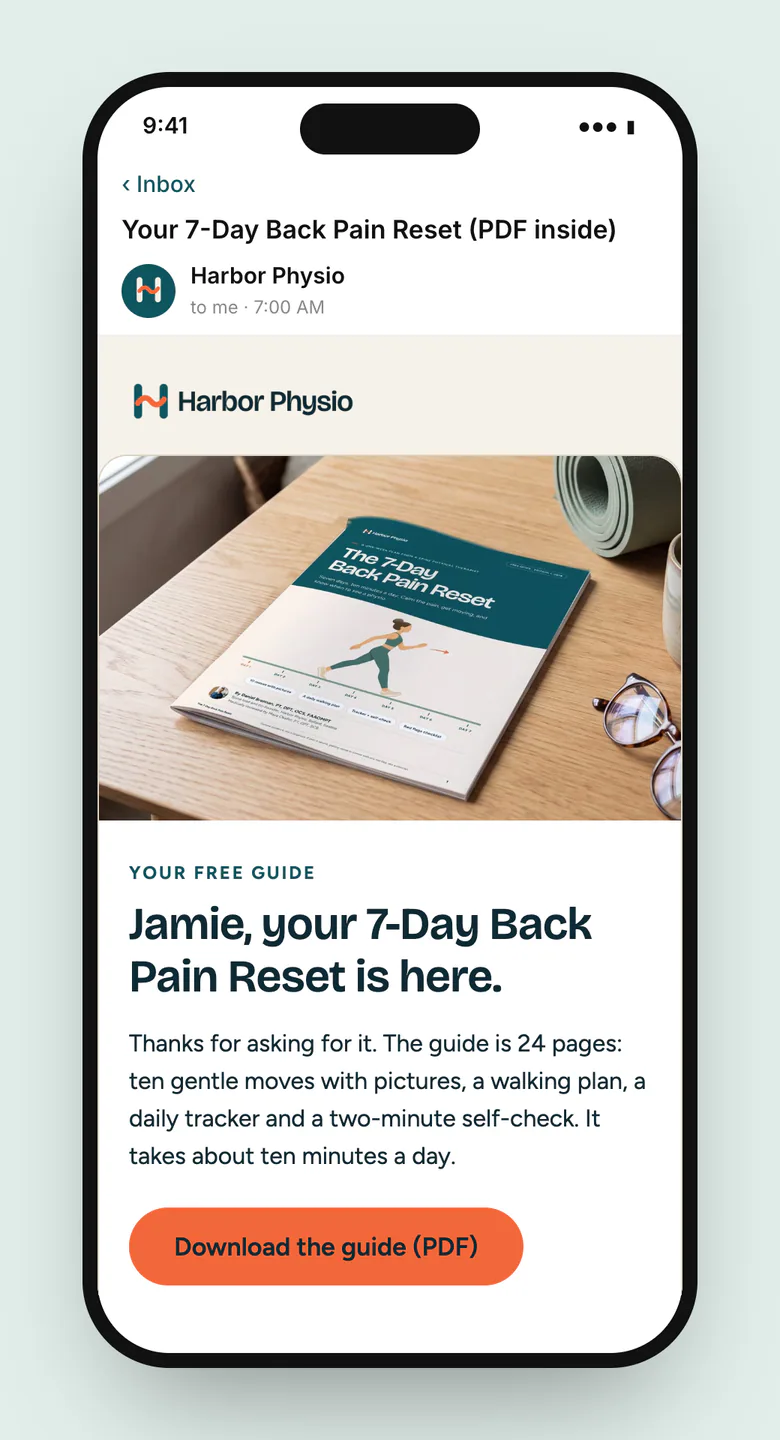
In the form's settings, add the contact with a label for this guide and use an automation to send the guide and start the email course. Show a success message that says to check the inbox.
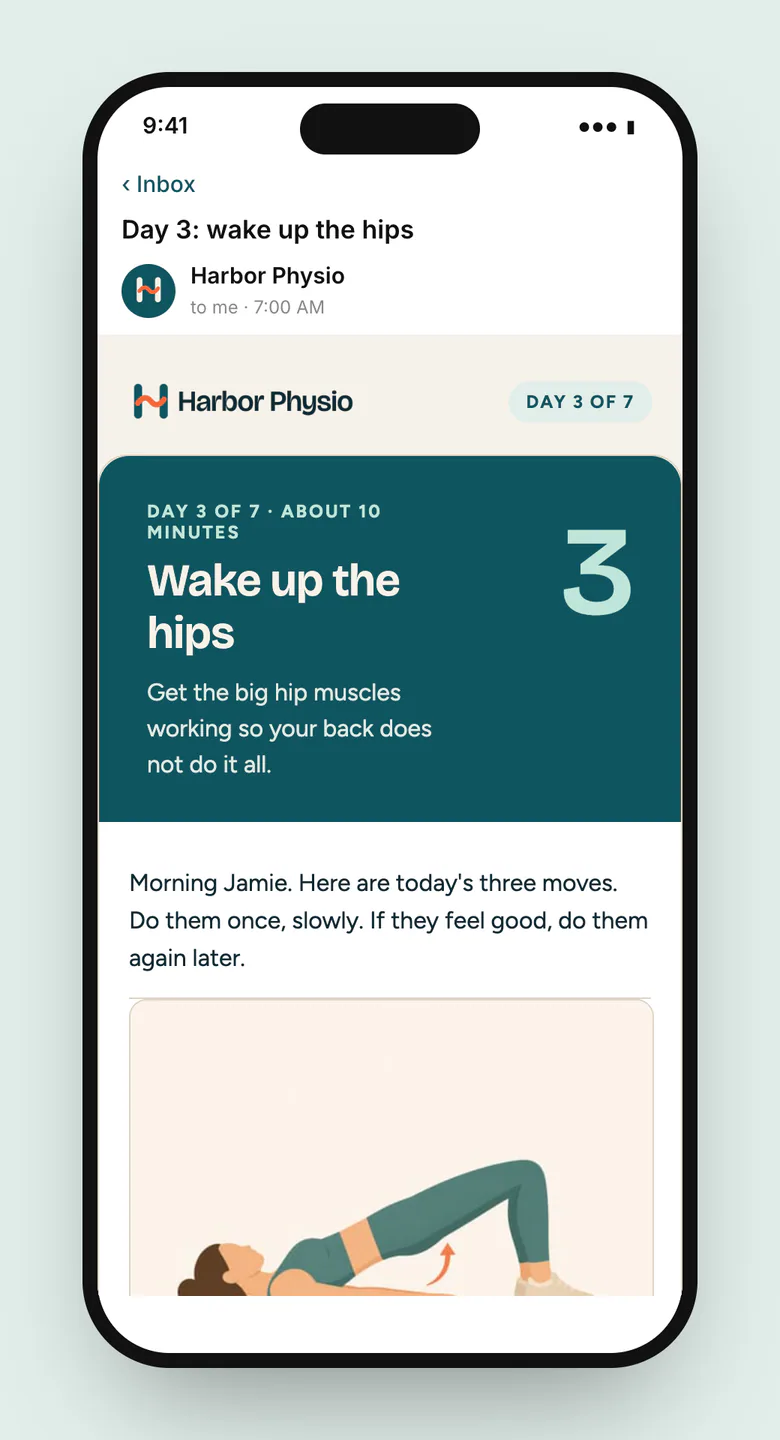
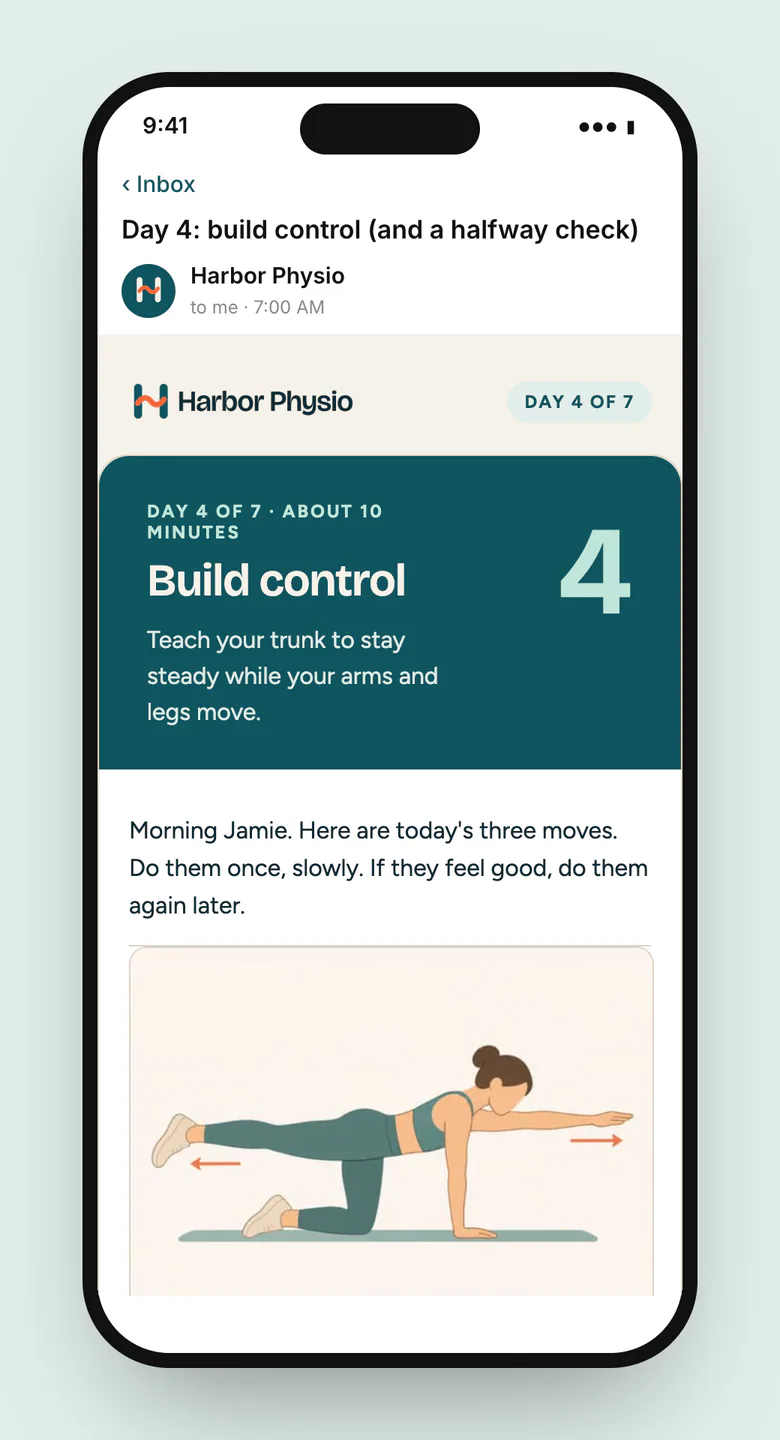
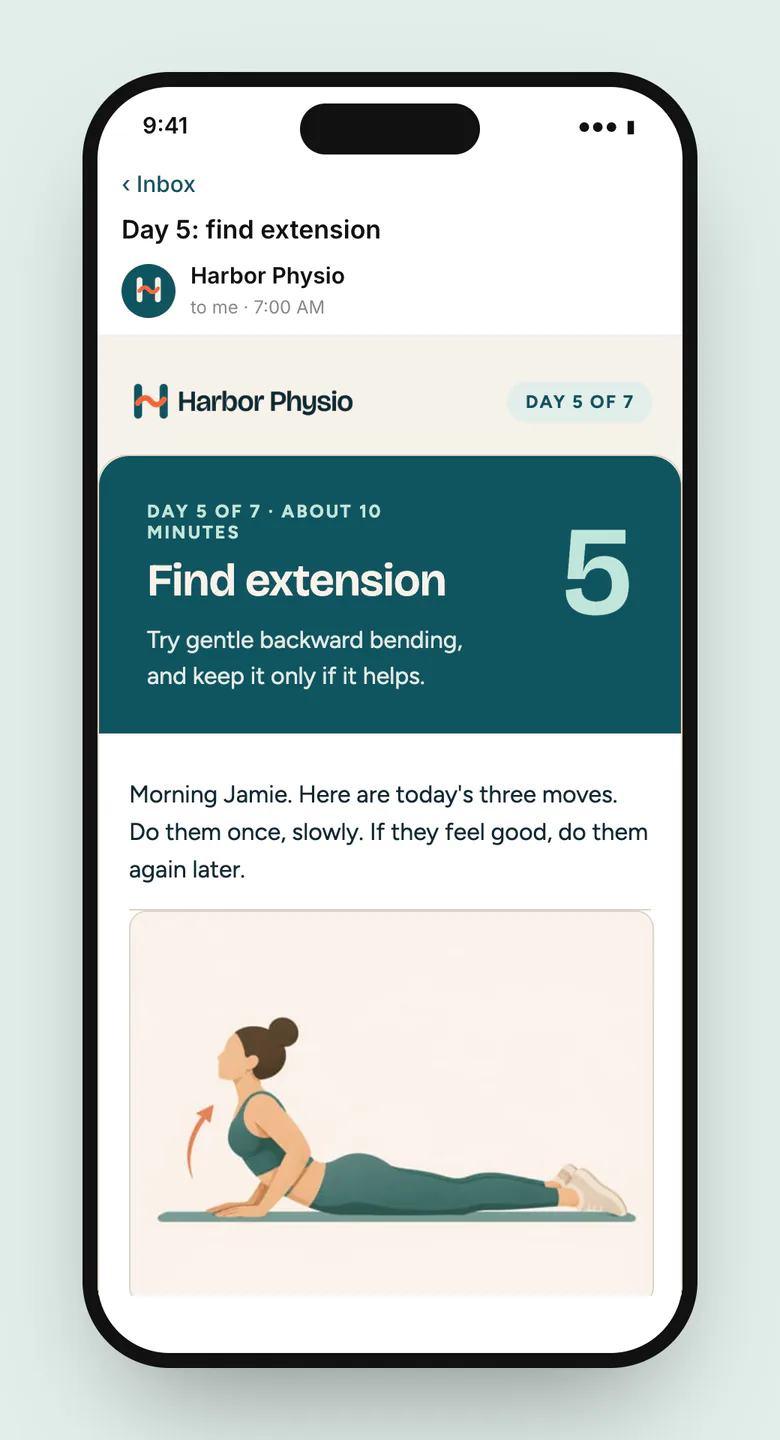
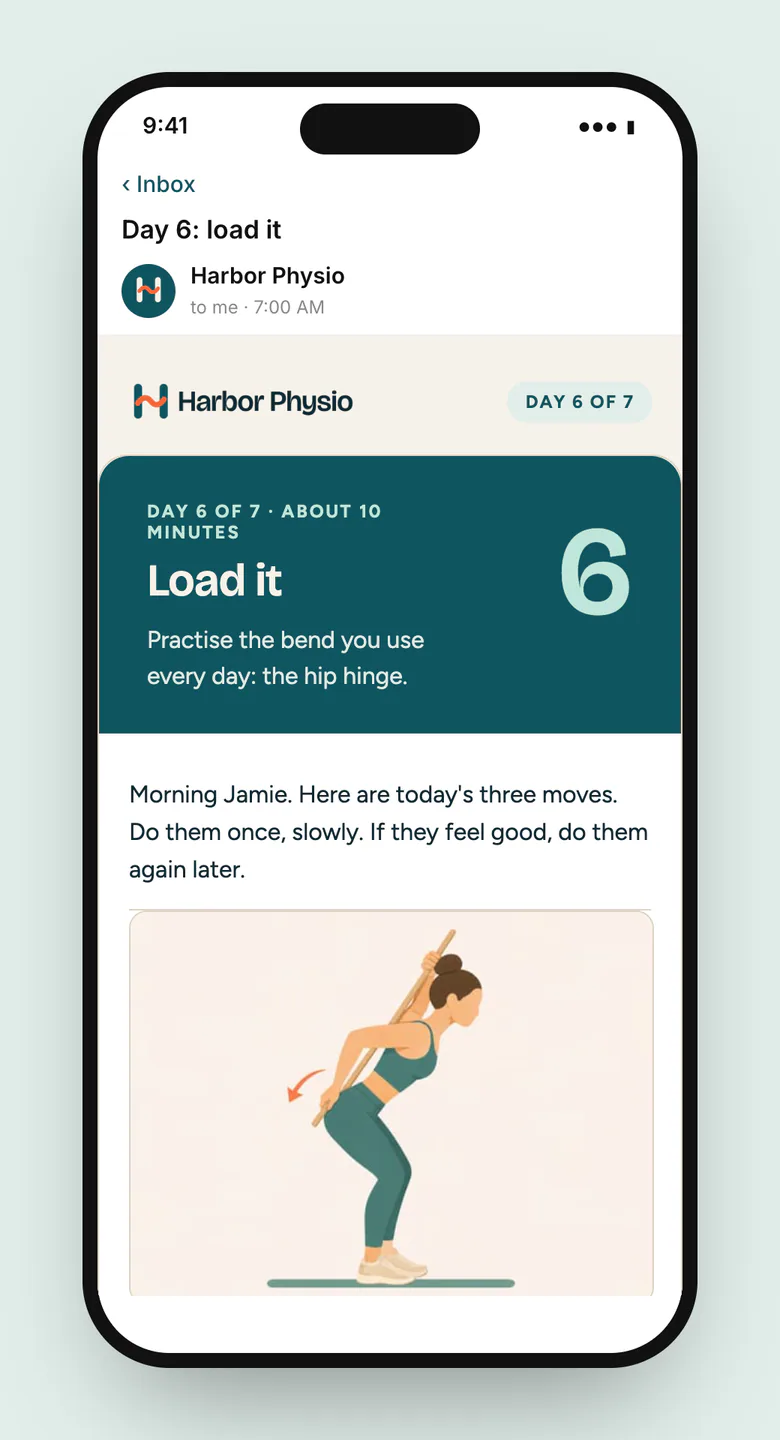
6Write the email course
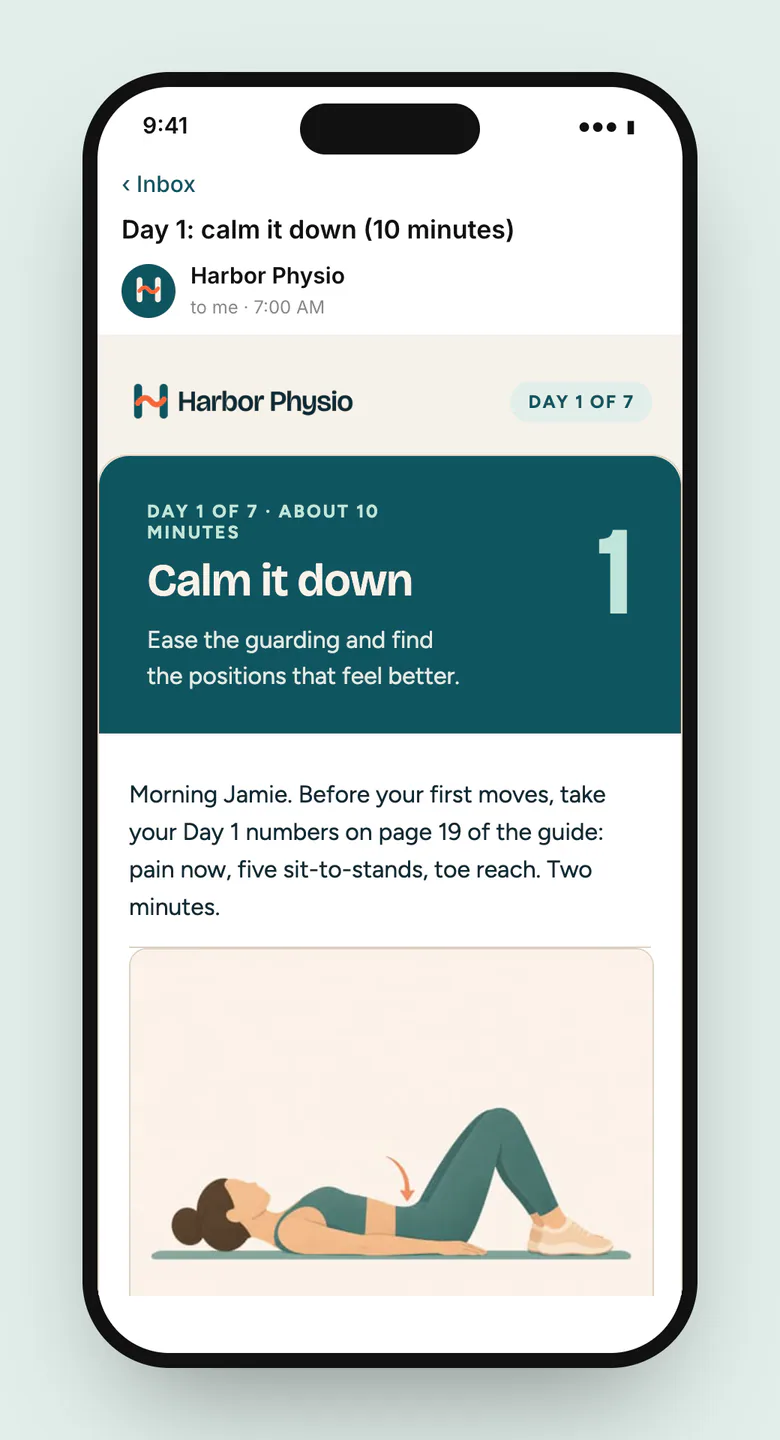
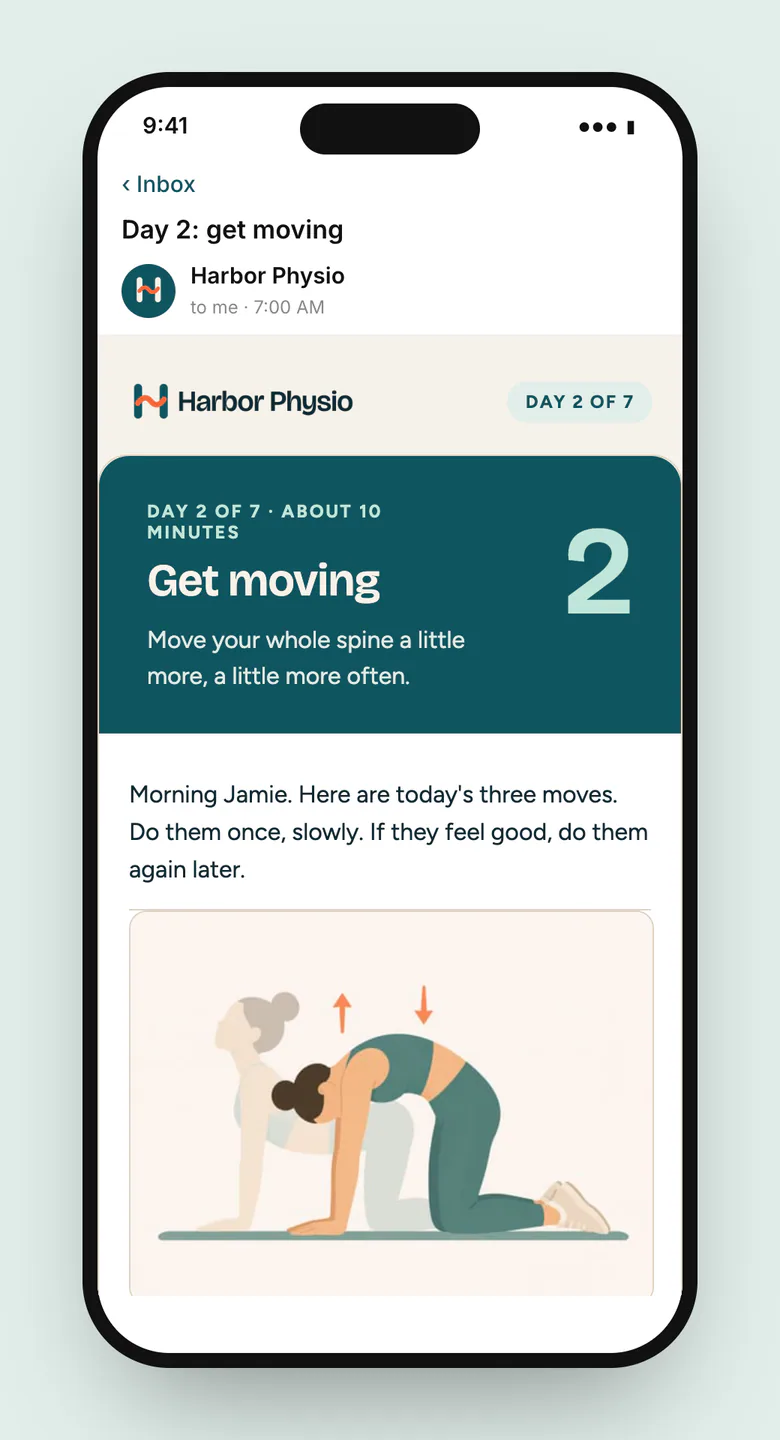
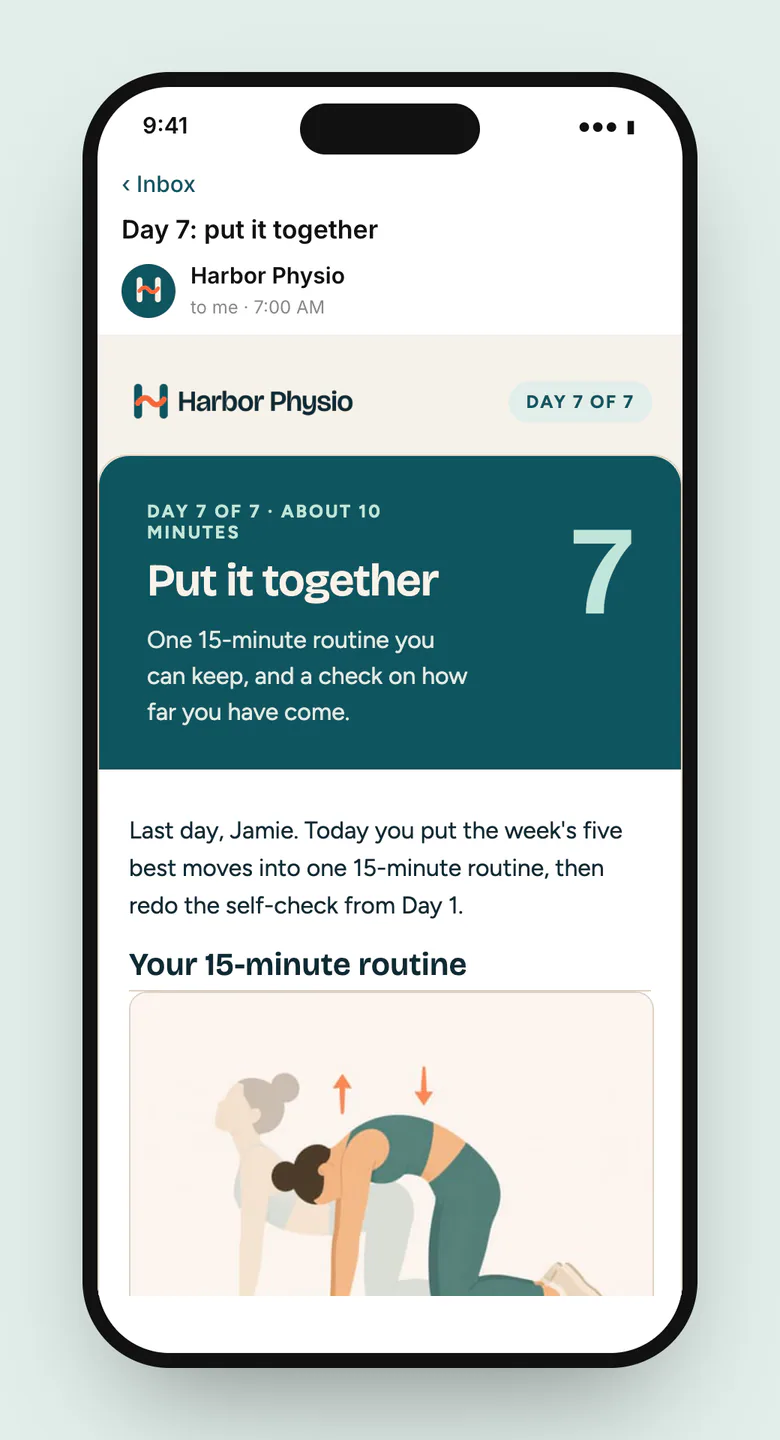
One email per step of the plan, short enough to read on a phone, each with one action. The last one offers the main step, the assessment, with the booking link.
7Offer it where people are deciding
Put the offer where interest is high but the visitor isn't ready to book: the homepage, the end of each article, and an ad for cold audiences that leads straight to it.
8Track sign-ups as a conversion
Count each form submission as a conversion in Wix Analytics and GA4, separate from bookings, so you can see how many readers later book.
Common mistakes
- A vague promise like “free tips”.
- Five or six fields for a free PDF.
- The form below the fold on phones.
- No proof of what's inside.
- Sending the PDF and nothing after it.
FAQ
Can Wix Forms send a PDF automatically?
Yes, with an automation on the form submission that sends an email with the file or a link to it. Label the contact so the email course can follow.
Should the lead magnet be its own page or a section?
Both work. Use a page when ads point to it, and a section on the homepage and articles for people already on the site.
How long should a lead magnet be?
As long as it takes to deliver the promise. Harbor's plan is 24 pages because it covers seven days; a checklist can be one page.
How many fields should the form have?
Two: first name and email. Ask everything else later, when the person books.

Conversion designer. I design and build whole websites, funnels and landing pages in Wix Studio and other page builders, write the copy and set up the tracking and A/B tests. CXL certified.