Short answer
Start with your Shopify funnel: see whether shoppers leave before adding to cart, between the cart and checkout, or in checkout. Then fix in this order: speed and anything broken, missing information on product pages (shipping cost, delivery date, sizes, reviews), surprise costs in the cart, and checkout settings like guest checkout and express payments. Add persuasion and A/B tests once the basics are in place.
Key takeaways
- Your Shopify analytics already show where the store leaks: before add to cart, before checkout or in checkout. Fix that step first.
- Most Shopify stores lose the most shoppers on the product page, so that's usually where to start.
- Extra costs are the top reason shoppers leave checkout. Show shipping on the product page and the full total in the cart.
- You rarely need a new theme. Most fixes are changes to sections, content and settings.
- Fix missing information first, then test persuasion. Persuasion can't fix a page that hides the shipping cost.
Most Shopify stores I look at don't have a traffic problem. They have visitors who leave without buying, and a long list of apps and theme tweaks that didn't fix it. This checklist is the order I work in when I audit a Shopify store: find where the store leaks, then fix that part first. It's based on Baymard Institute's ecommerce usability research and on product page redesigns I've A/B tested. Tick off your own store in the checklist at the end.
Start with your Shopify funnel, not a list of tips
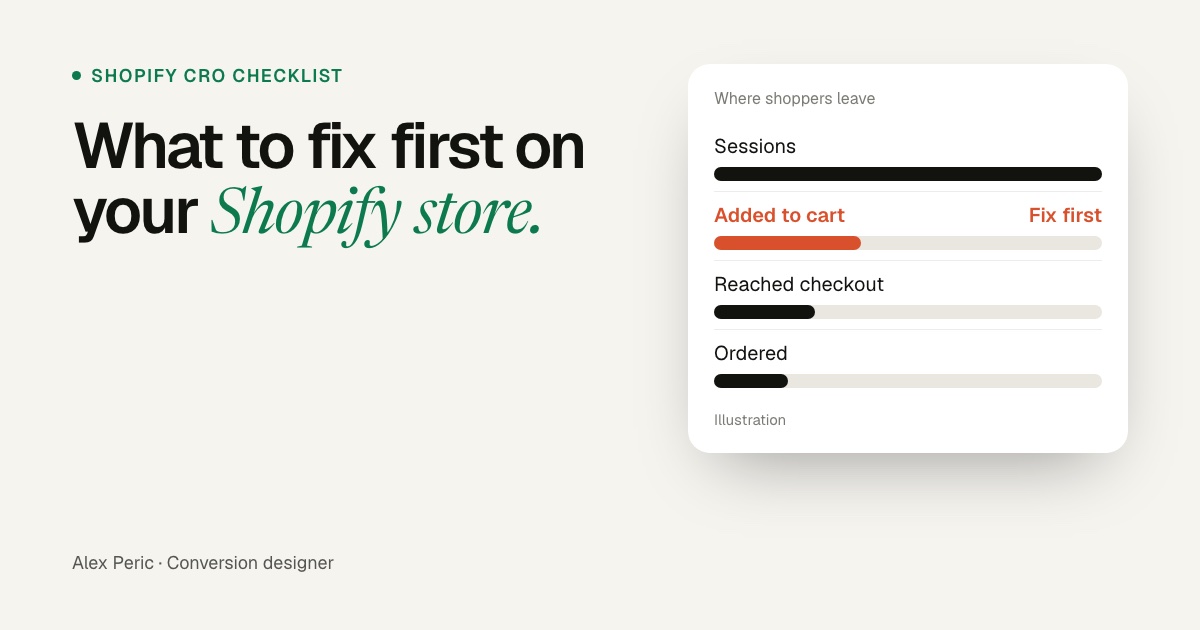
Shopify's Analytics shows a conversion breakdown: sessions that added to cart, reached checkout and completed checkout. Look at it for the last 30 days, on mobile and desktop separately. The step where you lose the most people tells you which page to fix first.
Where a Shopify store leaks, and where to look
Each step of the funnel points to a different page
- Visitors leave right awayHomepage, menu and speed.Slow pages, popups, unclear offer
- Few add to cartProduct and collection pages.Images, price, shipping, sizes, reviews
- Cart, but no checkoutThe cart or cart drawer.Surprise costs, an unclear total, distractions
- Checkout, but no orderCheckout settings.Shipping rates, forced accounts, payment options
1. Speed and apps: clean up before you redesign
- Open your store on your own phone, on mobile data. If it feels slow to you, it feels slow to your shoppers.
- Every app you install can add code to every page. Remove the apps you don't use, and check that removed apps didn't leave code behind in your theme.
- Compress large images, and don't autoplay a heavy video in the first screen.
- Delay or remove the email popup on the first visit. Shoppers came to see the product, not a form. A cast iron skillet page I redesigned opened behind one; the redesign, which also put the pan first and explained its price, raised conversion by 10,4%.
2. Homepage, menu and collection pages: help people find the product
- Name menu items with the words shoppers use ("Running shoes", not "The Motion Edit").
- Add filters on collections that match how people choose: size, price, color and the main use. On Shopify you can set these up with the free Search & Discovery app.
- Show the price, rating and any sale on each product card, so shoppers don't open five pages to compare.
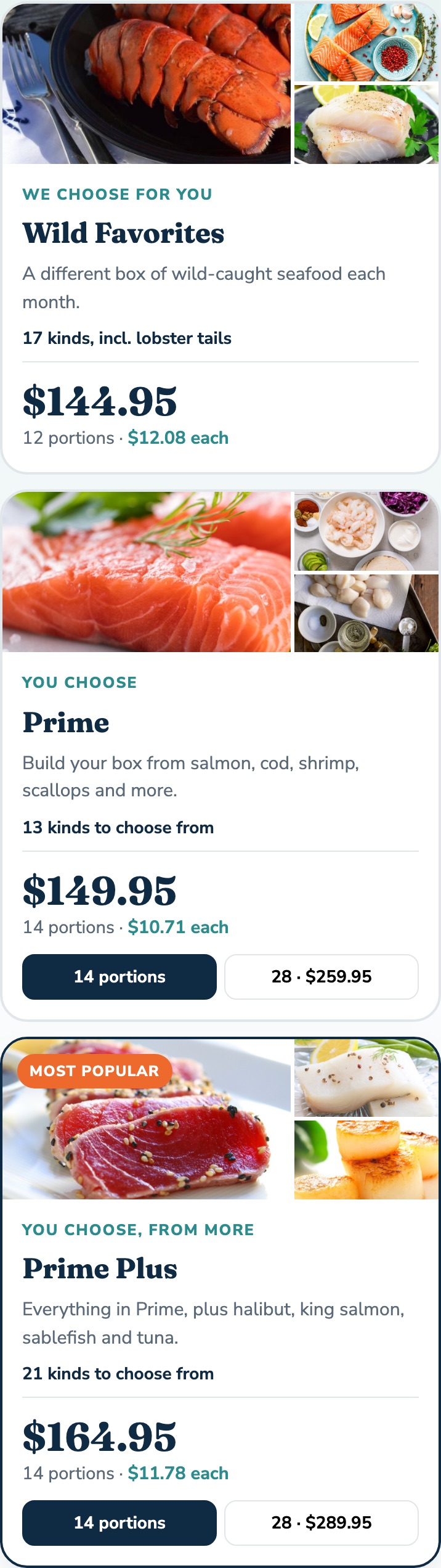
- If shoppers need to choose between plans, boxes or bundles, put the price and what's included on every card.
3. Product pages: answer every question before the button
This is where most Shopify stores lose the most shoppers. In Baymard's testing, 64% of shoppers looked for shipping costs on the product page, and 27% missed free shipping when it was only in a site-wide banner. On Shopify, that banner is the announcement bar, so repeat the offer next to Add to cart.
- 5 or more images, including one in use and one that shows scale. All thumbnails visible.
- Price, then a short reason it's worth it.
- Shipping cost (or the free shipping threshold), a delivery date and returns right under Add to cart.
- Variants as swatches or buttons, with sold-out sizes marked. Avoid dropdowns for color.
- Specs in visible sections or open accordions, not tabs. Shopify metafields are a good place to keep them per product.
- Rating and review count near the title, linking to reviews shoppers can filter.
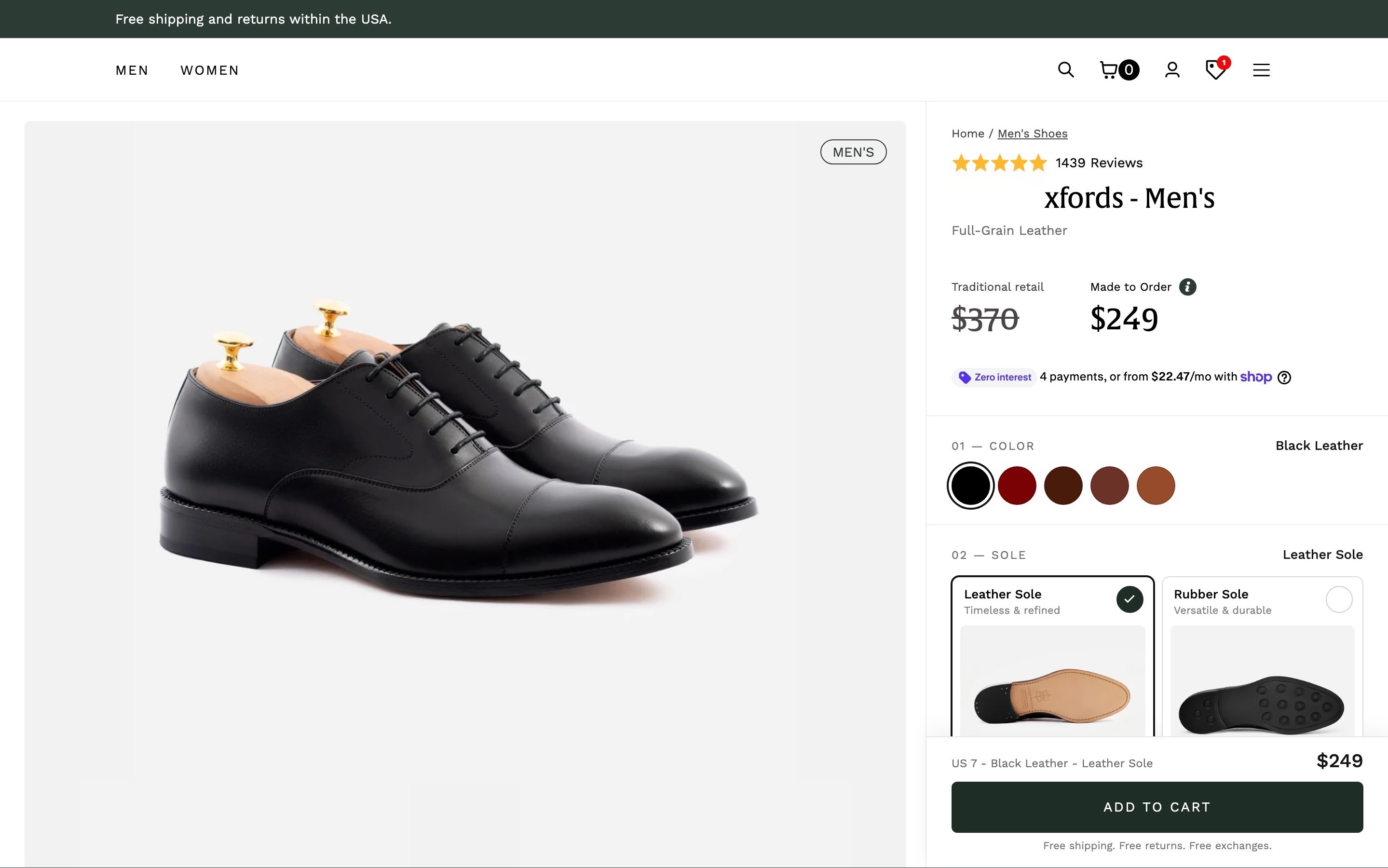
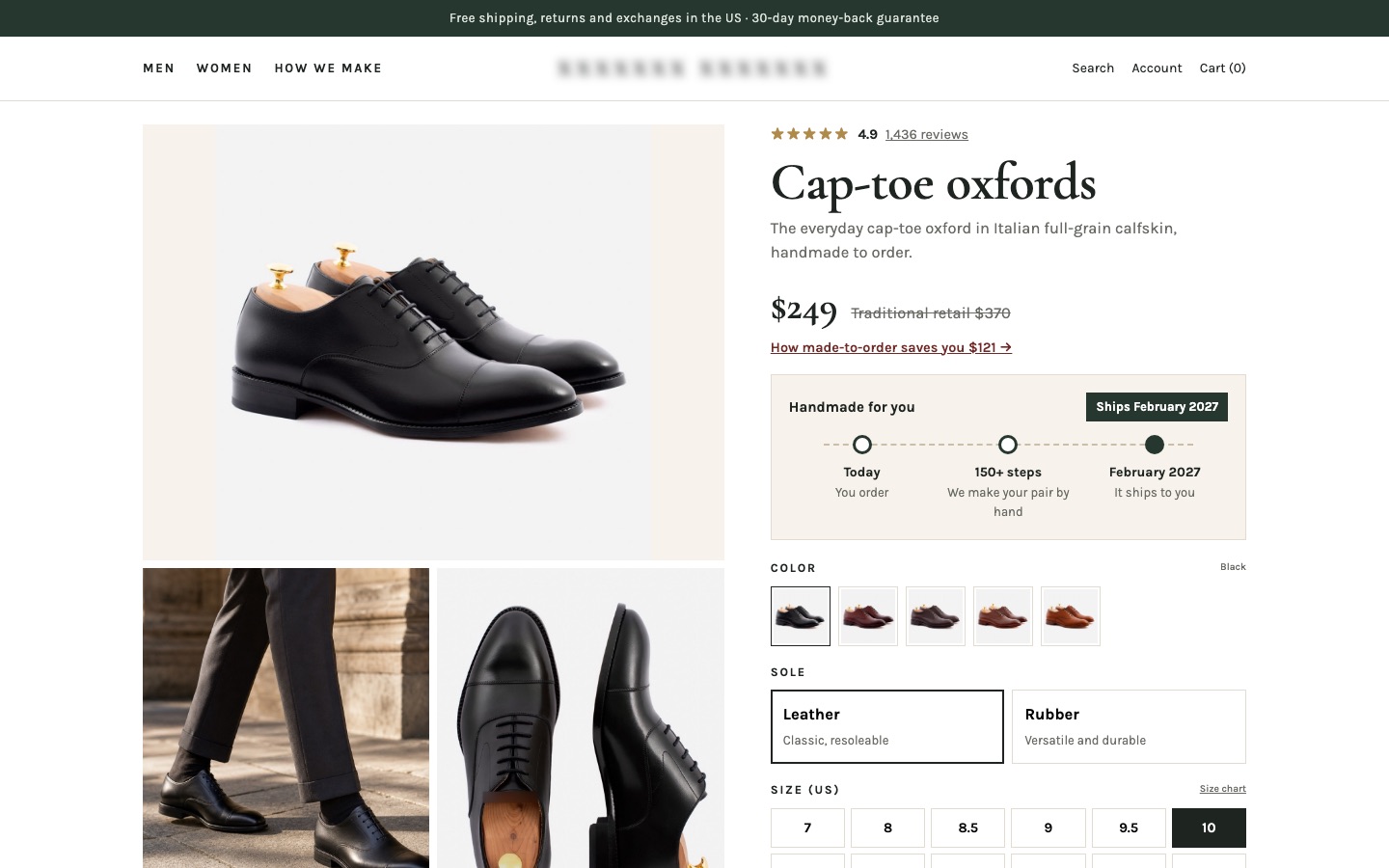
The full list is in the product page checklist.
4. The first screen on a phone
Most Shopify traffic is on phones, and many themes fill the first mobile screen with a big image and nothing else. On a phone, the first screen should show the product image with its thumbnails, the name, rating, price and the Add to cart button. Then keep a sticky Add to cart bar once the main button scrolls away.
5. Cart: no surprises before checkout
Baymard's research puts the average cart abandonment rate at 70.22%. Some of that is people just browsing, but the top reason shoppers give for leaving a checkout is extra costs.
Why shoppers leave during checkout
Reasons US online shoppers gave, not counting people who were just browsing
Show the numbers as a table
| Item | Value |
|---|---|
| Extra costs too high (shipping, tax, fees) | 40% |
| Delivery was too slow | 20% |
| Didn't trust the site with card details | 19% |
| Had to create an account | 18% |
| Checkout too long or complicated | 17% |
| Site had errors or crashed | 17% |
| Returns policy wasn't good enough | 13% |
| Couldn't see the total cost up front | 12% |
- Show the shipping cost or "Free shipping" and an estimated total in the cart, not only at checkout.
- If you have a free shipping threshold, show how much is left ("$12 to free shipping").
- Make the checkout button the strongest thing in the cart drawer. Upsells go below it, not between the shopper and checkout.
- Show express payment buttons (Shop Pay, Apple Pay, Google Pay, PayPal) in the cart if your theme supports them.
6. Checkout: the settings that matter
Shopify's checkout is already well built, and on most plans you can change its branding and settings, not its layout. So check the settings:
- Customer accounts optional or off. Don't make people create an account to buy.
- Express payments turned on: Shop Pay plus the wallets your customers use.
- Shipping rates that match what the product page promised. A "free shipping" claim that turns into a fee at checkout loses the sale and the trust.
- Delivery dates shown with each shipping option, if your shipping setup allows it.
What to fix first
- Anything broken or slow. Errors, slow pages and popups that cover the product.
- Missing information. Shipping cost, delivery date, sizes, returns, reviews. These are fixes you can ship without a test.
- Surprises in the cart and checkout. Costs, forced accounts, missing payment options.
- Persuasion. Why it's worth the price, why buy from you, what other buyers say. These are the changes worth A/B testing. See buyer psychology in ecommerce.
You rarely need a new theme for any of this. Most of it is changes to sections, content and settings in the theme you have.
The full Shopify CRO checklist
Tick what's true for your store, checked on a phone.
Free tool
Shopify CRO checklist
If you'd like me to audit your store and redesign the pages that leak, see Shopify CRO expert or the CRO audit.
FAQ
What is Shopify CRO?
Shopify CRO (conversion rate optimization) means finding why visitors to a Shopify store don't buy and changing the pages to fix it: usually the product pages, cart and checkout settings, then testing the bigger changes.
Why is my Shopify conversion rate low?
Usually one of a few things: the product page doesn't answer key questions like shipping cost or sizing, costs appear late in the cart or checkout, the store is slow, or the traffic doesn't match the offer. Your Shopify funnel shows which step loses the most shoppers.
What should I fix first on my Shopify store?
The step of your funnel that loses the most shoppers, which on most stores is the product page. Fix speed and missing information first, then surprises in the cart and checkout, then test persuasion.
Do I need a new Shopify theme to improve conversions?
Rarely. Most gains come from what's on the product page and cart and how it's ordered, which you can change within your current theme.
Can I customize the Shopify checkout?
On most plans you can change the checkout's branding and settings, like whether accounts are required and which payment methods appear. Deeper changes to the checkout steps need Shopify Plus.
Sources

Conversion designer. I design and build product pages, landing pages and websites, A/B test them and show what each change earned. CXL certified in Conversion Optimization and Ecommerce Marketing, and a guest speaker at NYU School of Professional Studies.