- Home
- Page builders
- Leadpages
- Meta and Google ads
Leadpages · Guide
Meta and Google ads for Leadpages landing pages
A designer, a fixed price, a finish date in writing: each ad makes one promise, and the page repeats it with the estimate in the first screen.

Short answer
How should ads for a Leadpages page be set up?
Give each ad one promise, such as a free design visit or a finish date in writing, and send it to the page that repeats that promise next to the instant estimate. Keep Stories text in the safe zones and put real price ranges in search ads.
In short
- One promise per ad.
- The page repeats it.
- The estimate in the first screen.
- Stories text in the safe zones.
- Real prices on search.
Homeowners compare remodelers on trust and price. Ads that show both, and a page that keeps the promise, do better than “quality craftsmanship”.
Feed ads and the page they open
Offer, proof, pain, objection and comparison. Each opens the consultation page, with the promise and the estimate in the first screen.
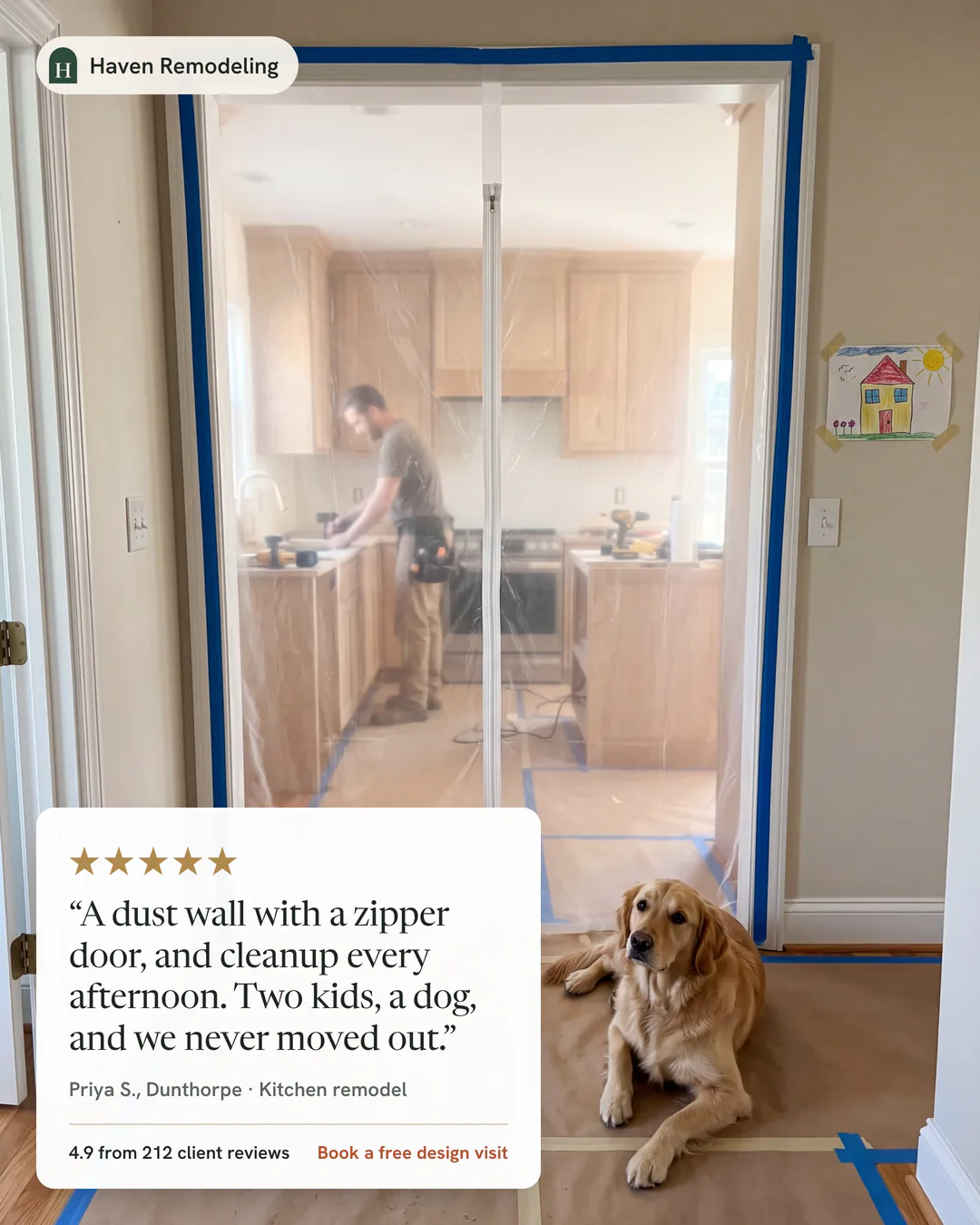


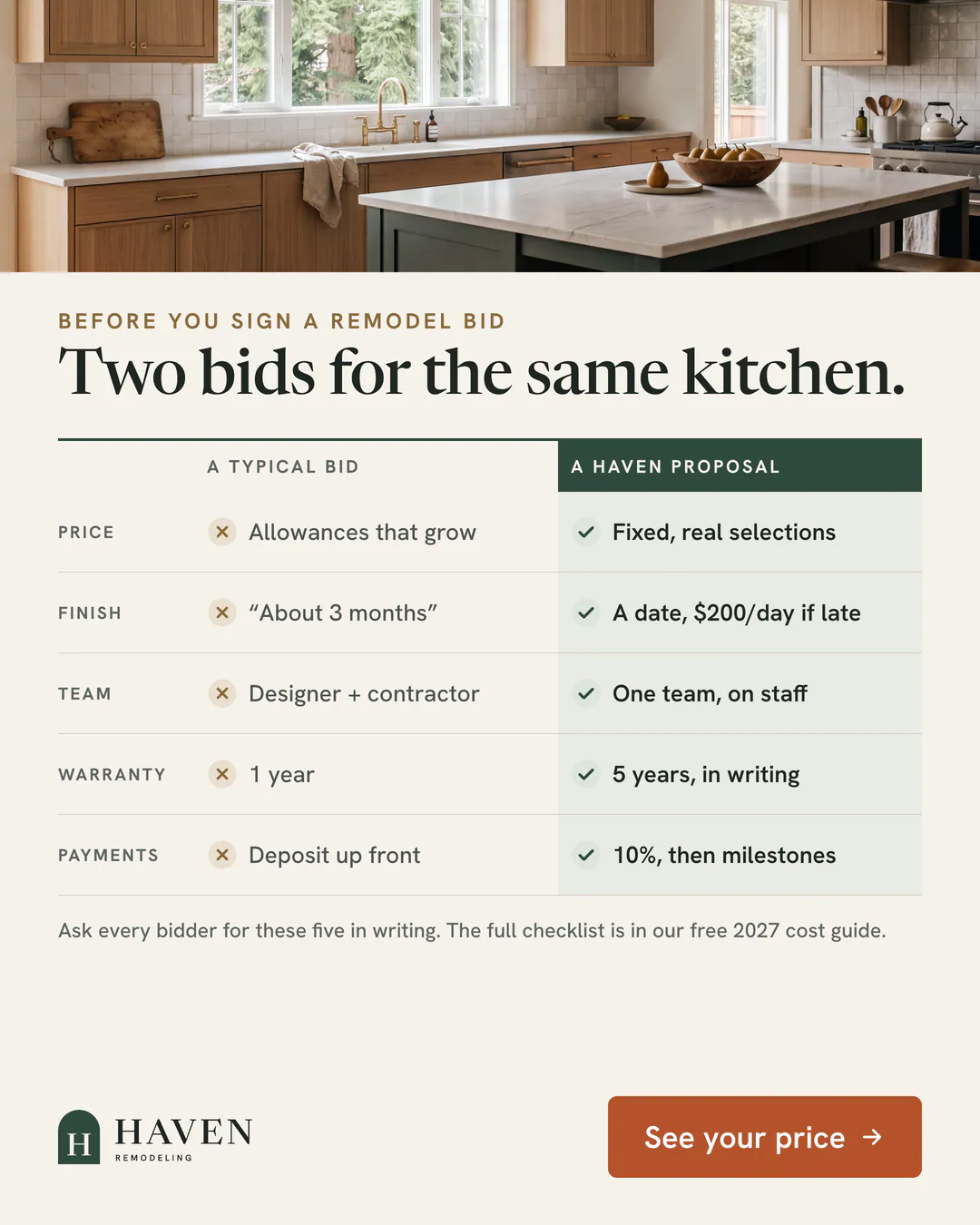

Stories and Reels
Text and the guide cover stay inside the safe area. Switch on the overlay.


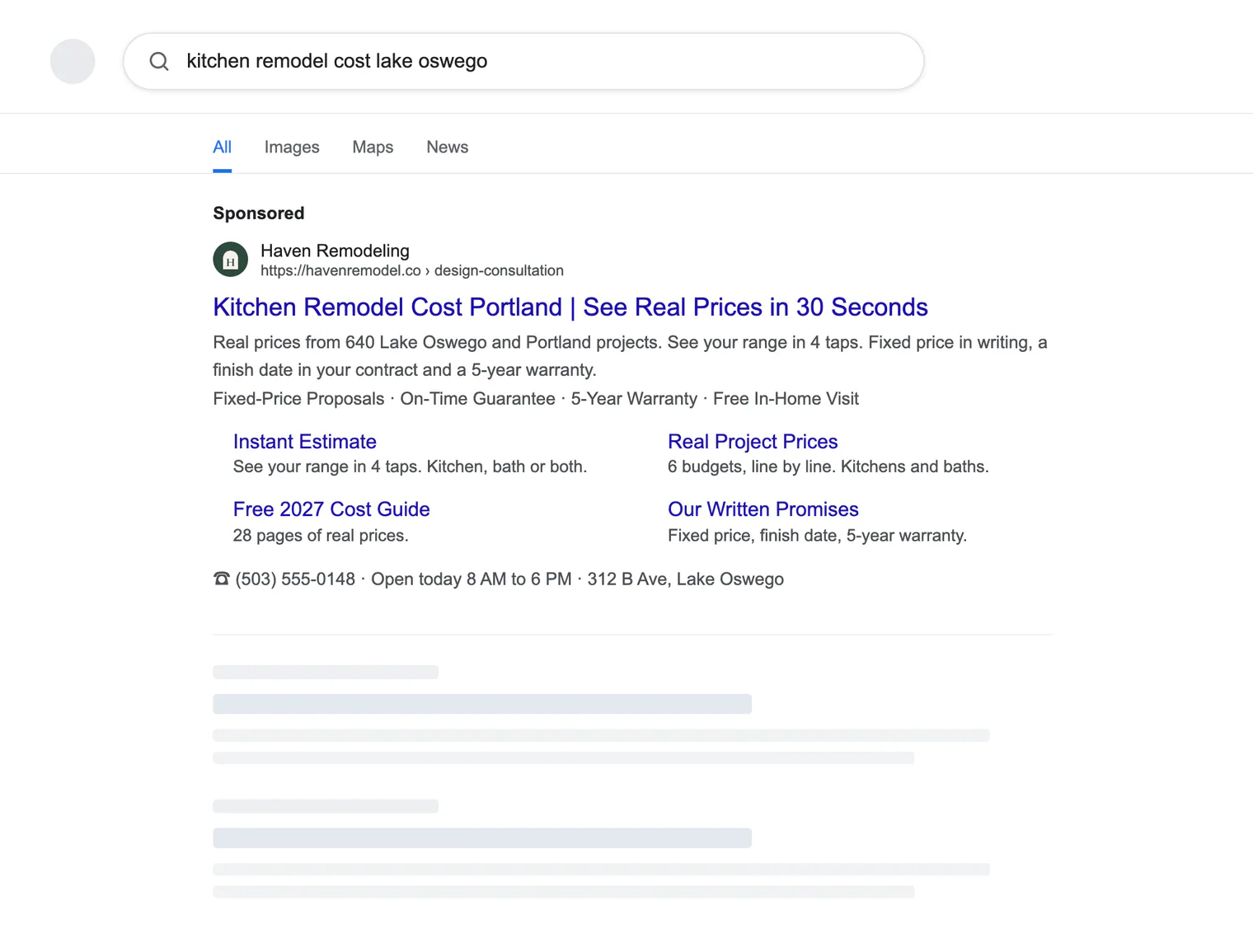
Google search
Real prices in the headline, the same ranges the estimate shows.
Common mistakes
- Ads with no price at all.
- A page that doesn't repeat the ad.
- Text under the Stories buttons.
FAQ
Should remodeling ads show prices?
Ranges, yes. They filter out people who can't afford the work and build trust with those who can.
Where should the ads land?
On the page that repeats the ad's promise, with the instant estimate in the first screen.

Conversion designer. I design and build whole websites, funnels and landing pages in Leadpages and other page builders, write the copy and set up the tracking and A/B tests. CXL certified.