- Home
- Page builders
- Unbounce
- Google and Meta ads
Unbounce · Guide
Google and Meta ads for Unbounce landing pages
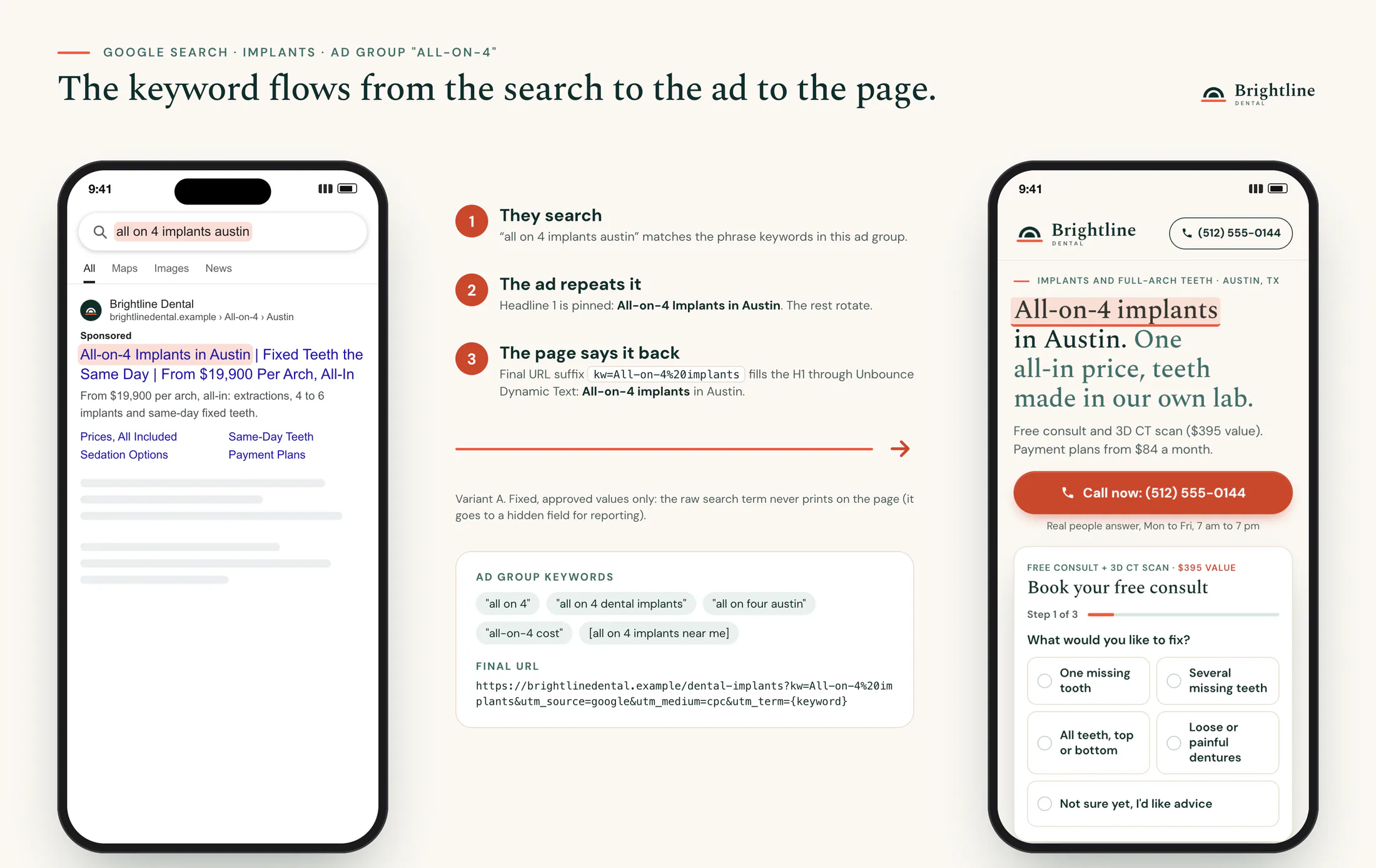
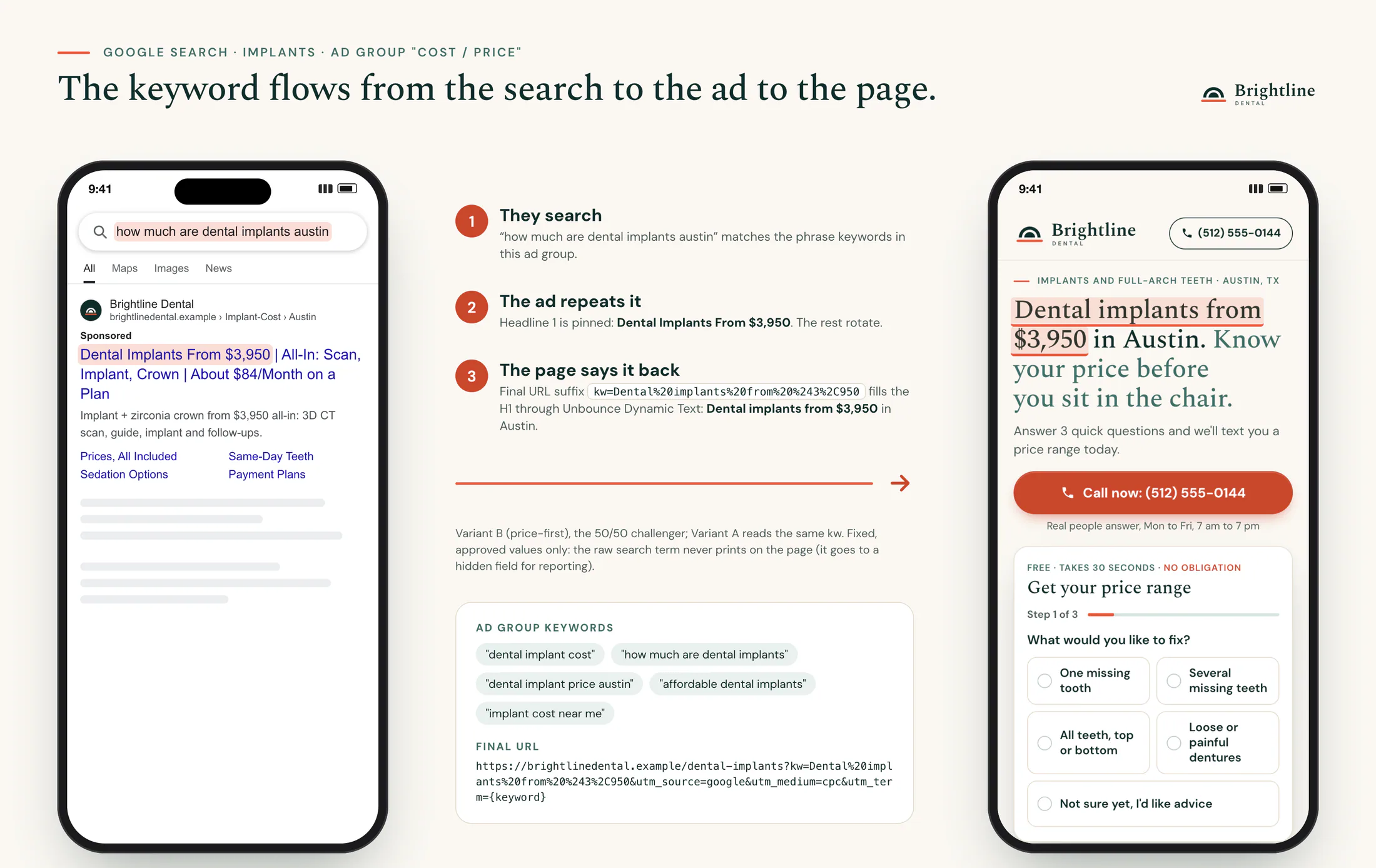
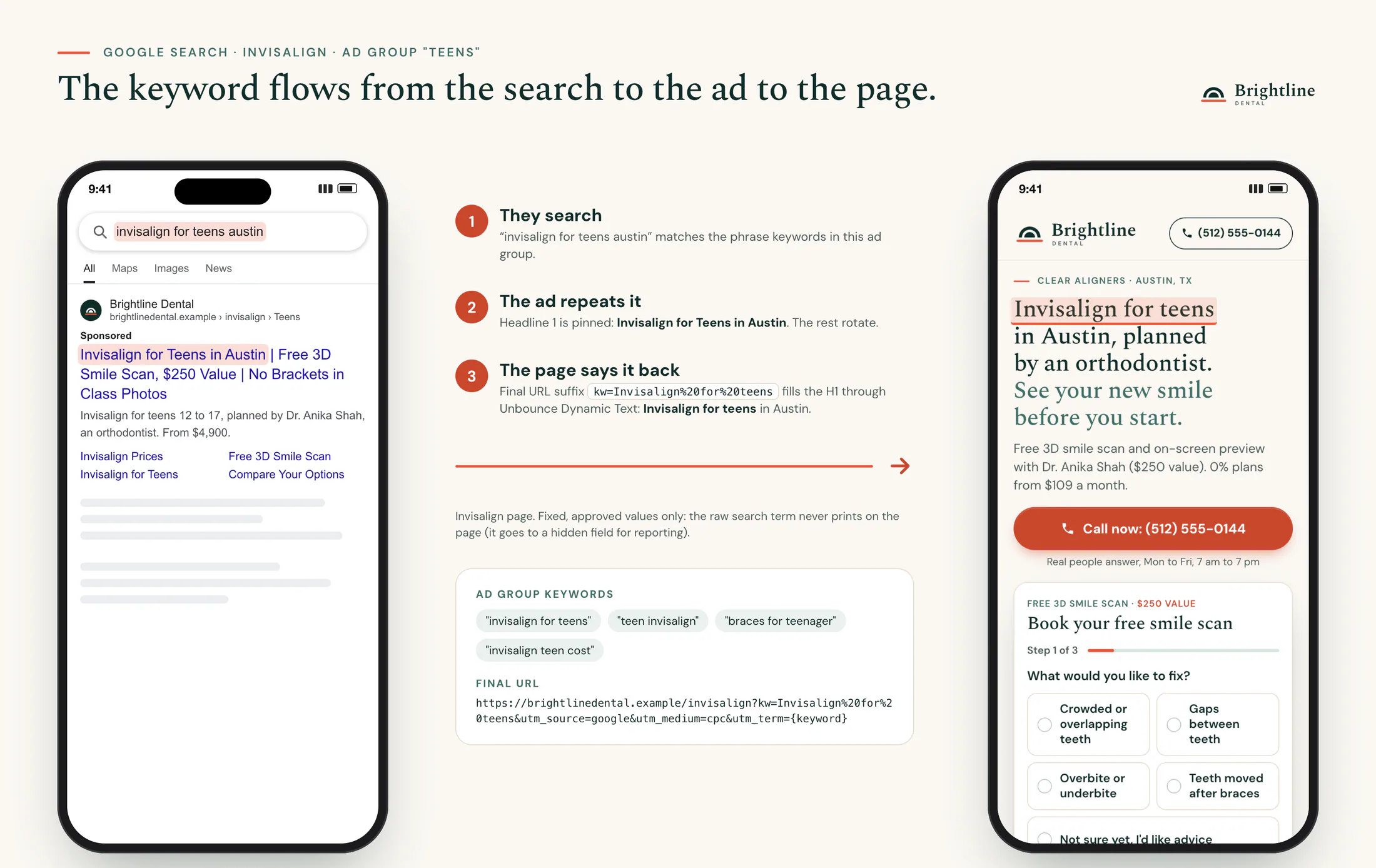
From the search, to the ad, to the page: every ad group has its own keywords, an ad that repeats them and a page that says them back.
In this guide
Short answer
How should ads for an Unbounce landing page be set up?
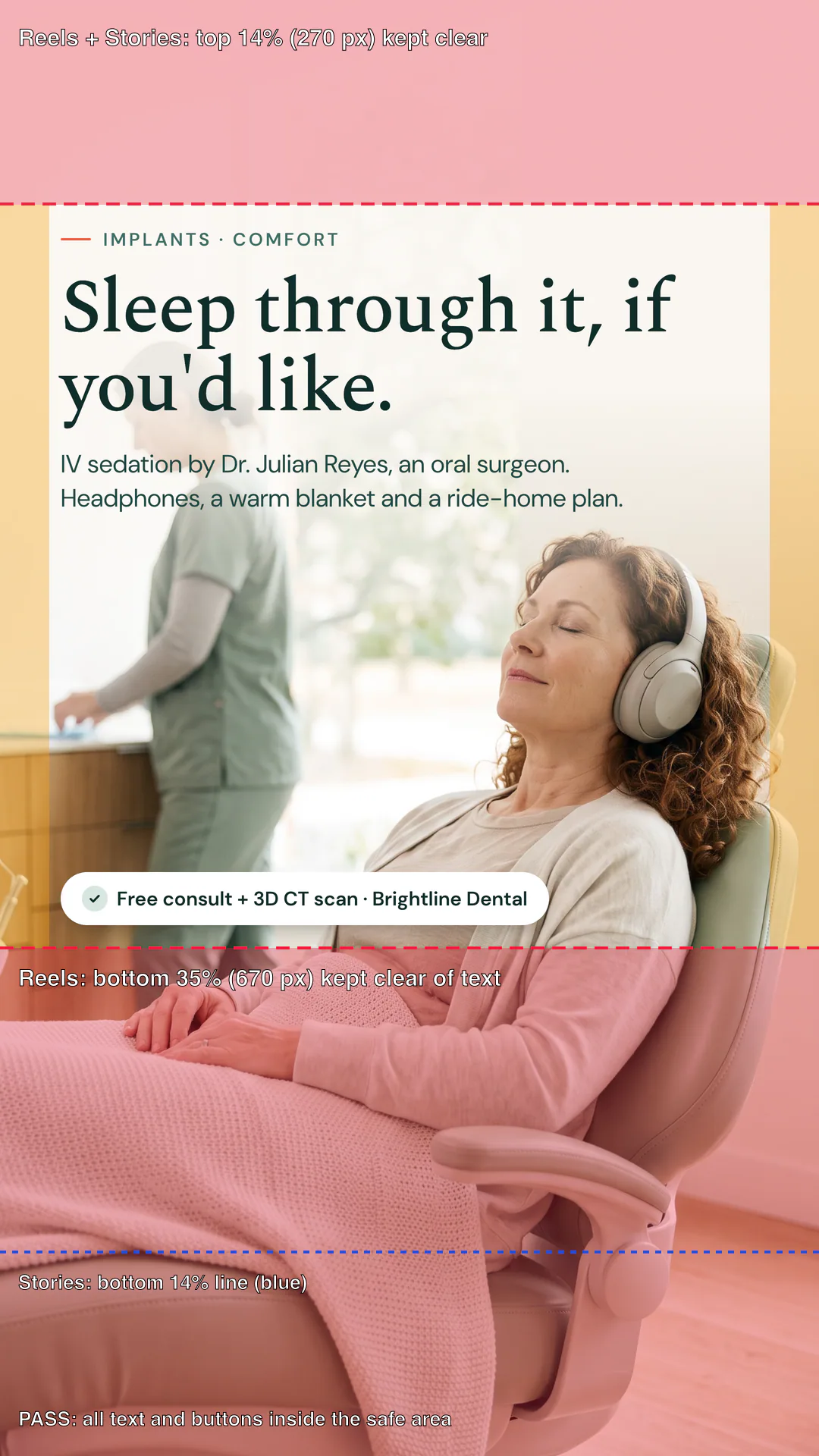
Give every ad group its own keywords, write ads that repeat them, and send each group to a page whose H1 says them back, with Dynamic Text Replacement where one page serves several groups. For Meta Stories, keep text inside the safe zones.
In short
- One ad group per search intent.
- The ad repeats the keywords.
- The H1 says them back.
- A price search gets a price-first page.
- Stories text in the safe zones.
The ad and the page are one experience. If the page says something different from the ad, people leave.
Search, ad, page
Three flows: All-on-4, implant cost and Invisalign for teens. Pick one.
Stories and Reels
Text stays out of the top 14% and the bottom 35%, where the app puts its own buttons. Switch on the overlay to check.

Common mistakes
- Every ad group sent to one generic page.
- An H1 that ignores the search.
- Raw search terms printed on the page.
- Text under the Stories buttons.
FAQ
Should every ad group have its own page?
Not always. One page with Dynamic Text Replacement can serve several groups if the offer is the same.
What are Stories safe zones?
The top 14% and bottom 35% of a 9:16 ad, where Instagram and Facebook draw their own buttons.

Conversion designer. I design and build whole websites, funnels and landing pages in Unbounce and other page builders, write the copy and set up the tracking and A/B tests. CXL certified.