- Home
- Page builders
- Unbounce
- Dental implant landing page example
Unbounce · Example project
Unbounce dental implant landing page example: Brightline Dental
Two Unbounce projects I analyzed, designed, wrote and built for a dental implant and Invisalign practice, from the A/B test to the follow-up.
Short answer
What does a complete dental implant landing page in Unbounce include?
Brightline Dental's implants page runs a native A/B test between a consult-first and a price-first variant, repeats the search in the H1 with Dynamic Text Replacement, and uses a three-step form with hidden fields. A sticky call bar, an exit-intent cost guide in a lightbox and thank-you pages complete it, next to a separate Invisalign page.
Pages
Every page in both Unbounce projects
Implants LP: two variants, Thanks and the cost guide. Invisalign LP: its own angle and form. Pick a page to see it on desktop and phone.


Champion: consult first. A free 3D CT scan, one all-in price in writing, and the three-step form beside the headline.


Challenger: price first. The form becomes a 30-second price check, with all-in prices right next to it.


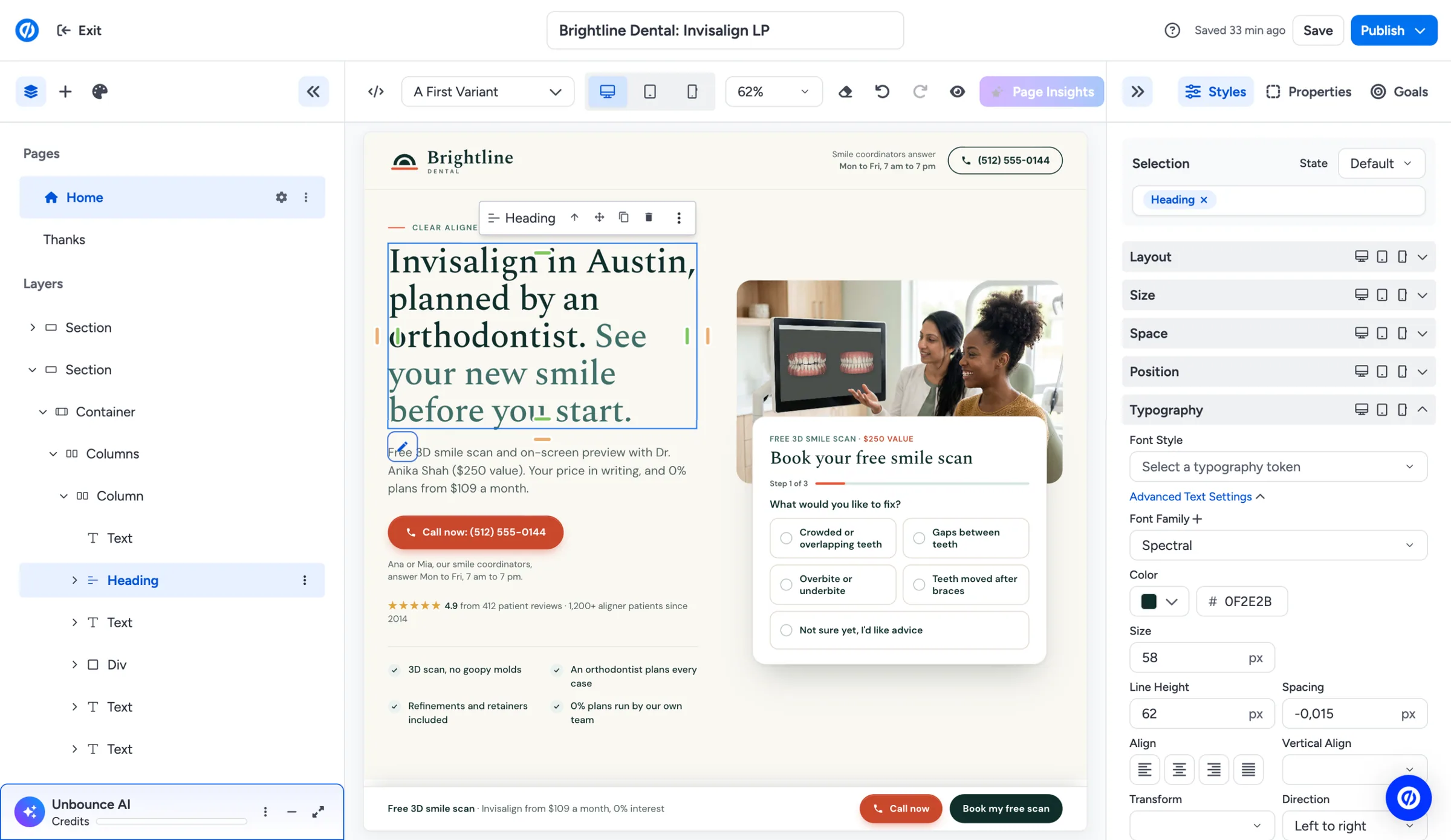
Its own ad group, its own angle: see your new smile before you start, orthodontist-led, from $109 a month.

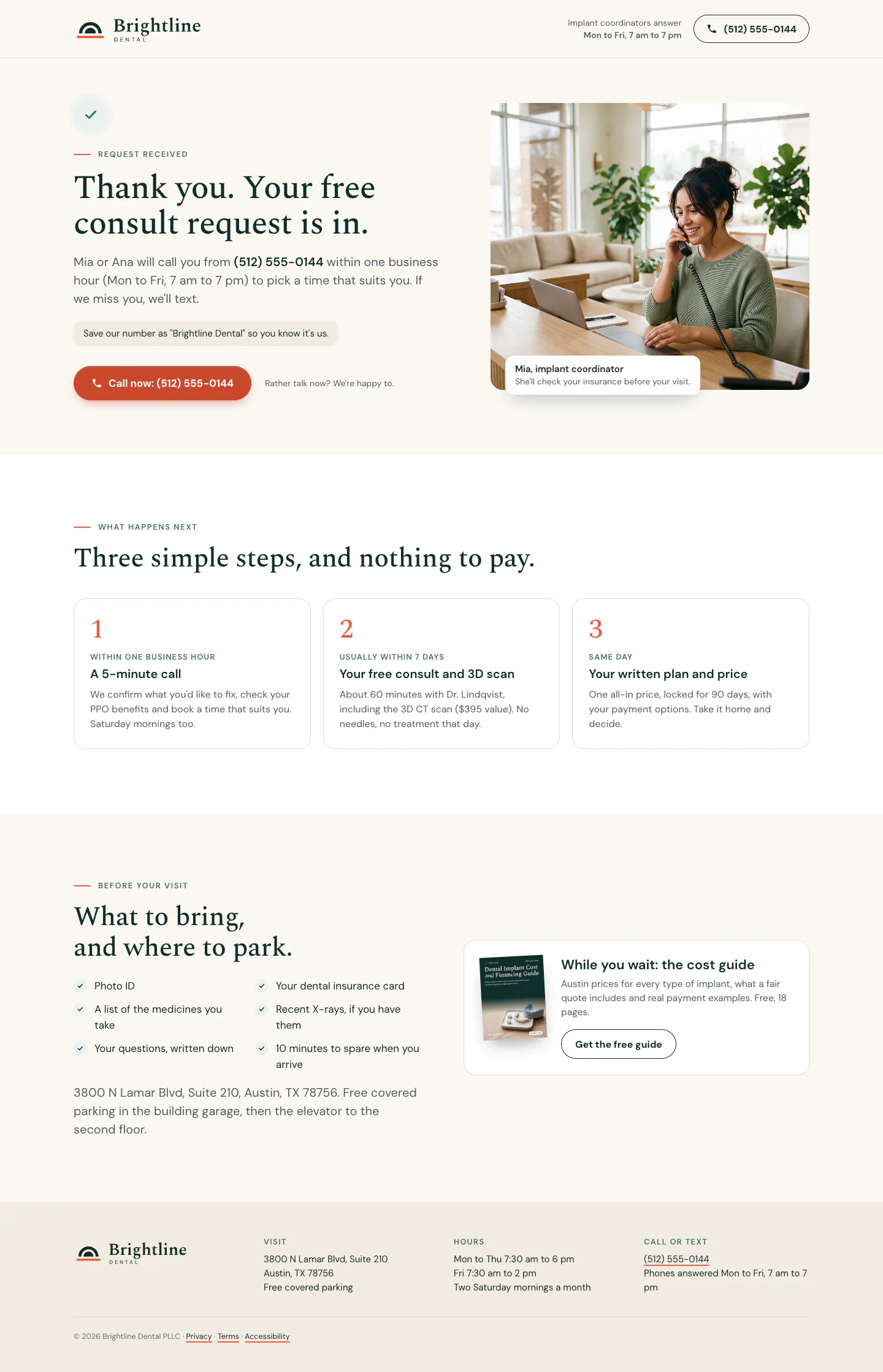
Who calls, from which number, and what happens at the scan.

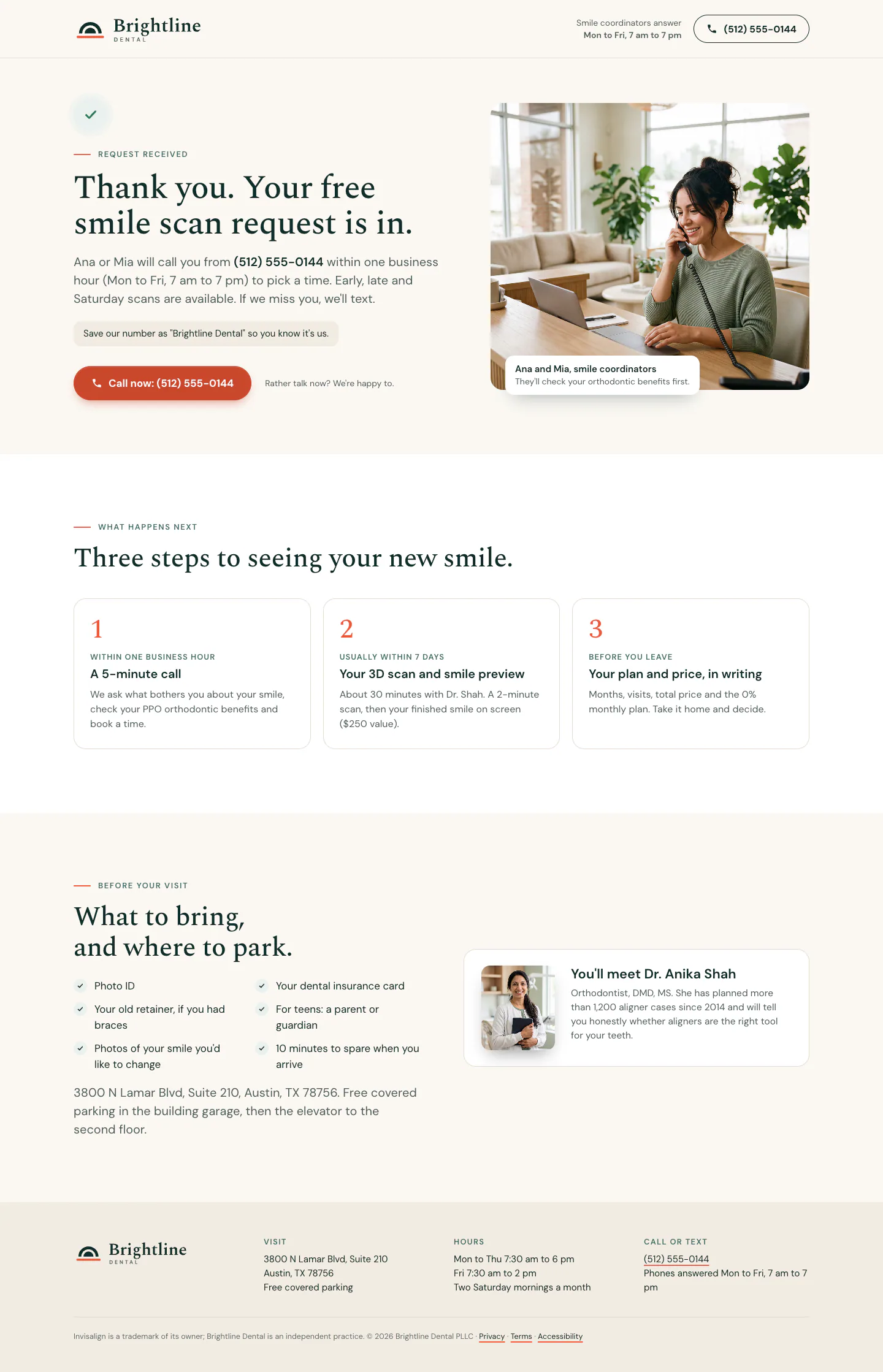
The conversion fires here. Save our number, the next three steps, what to bring.
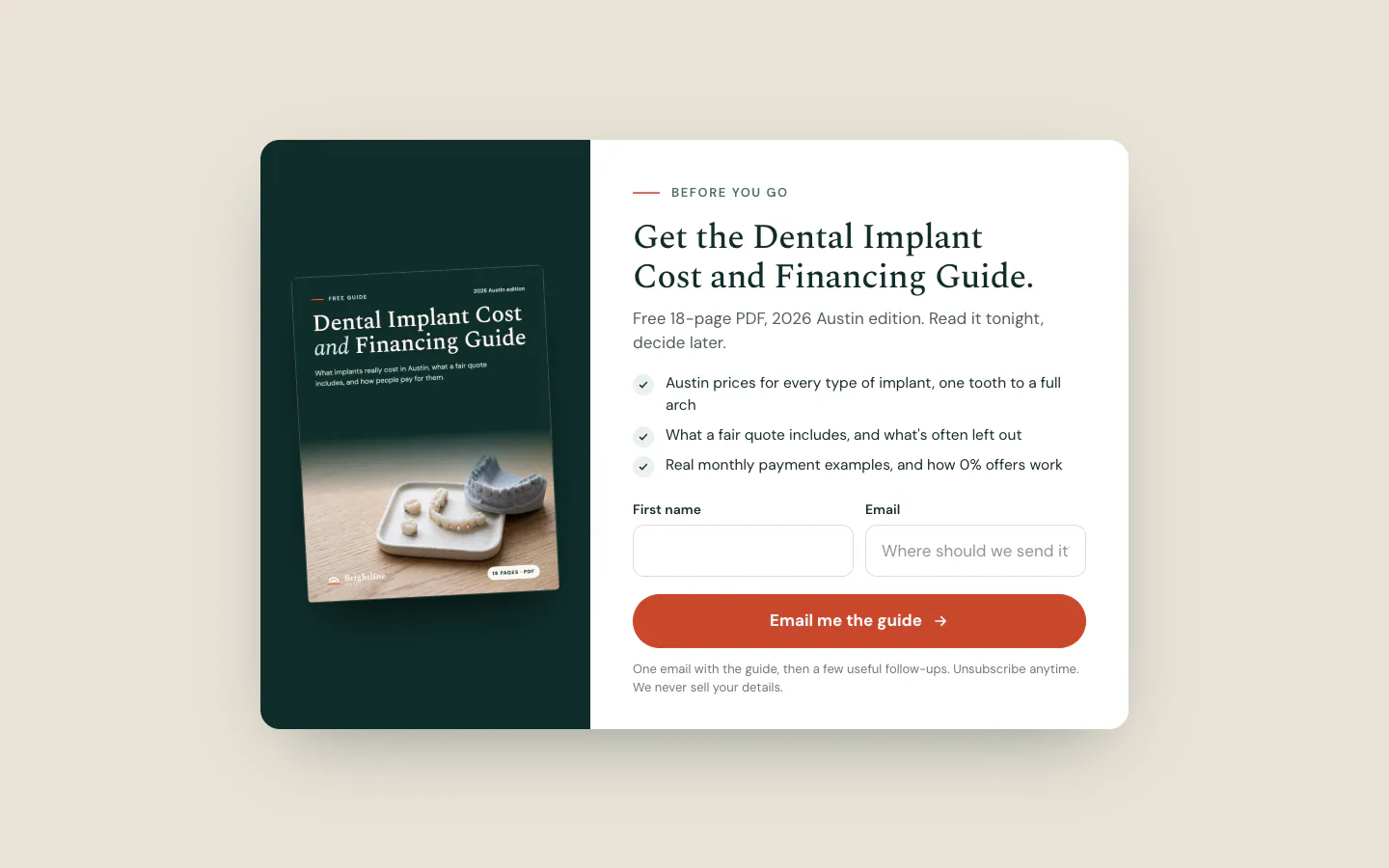
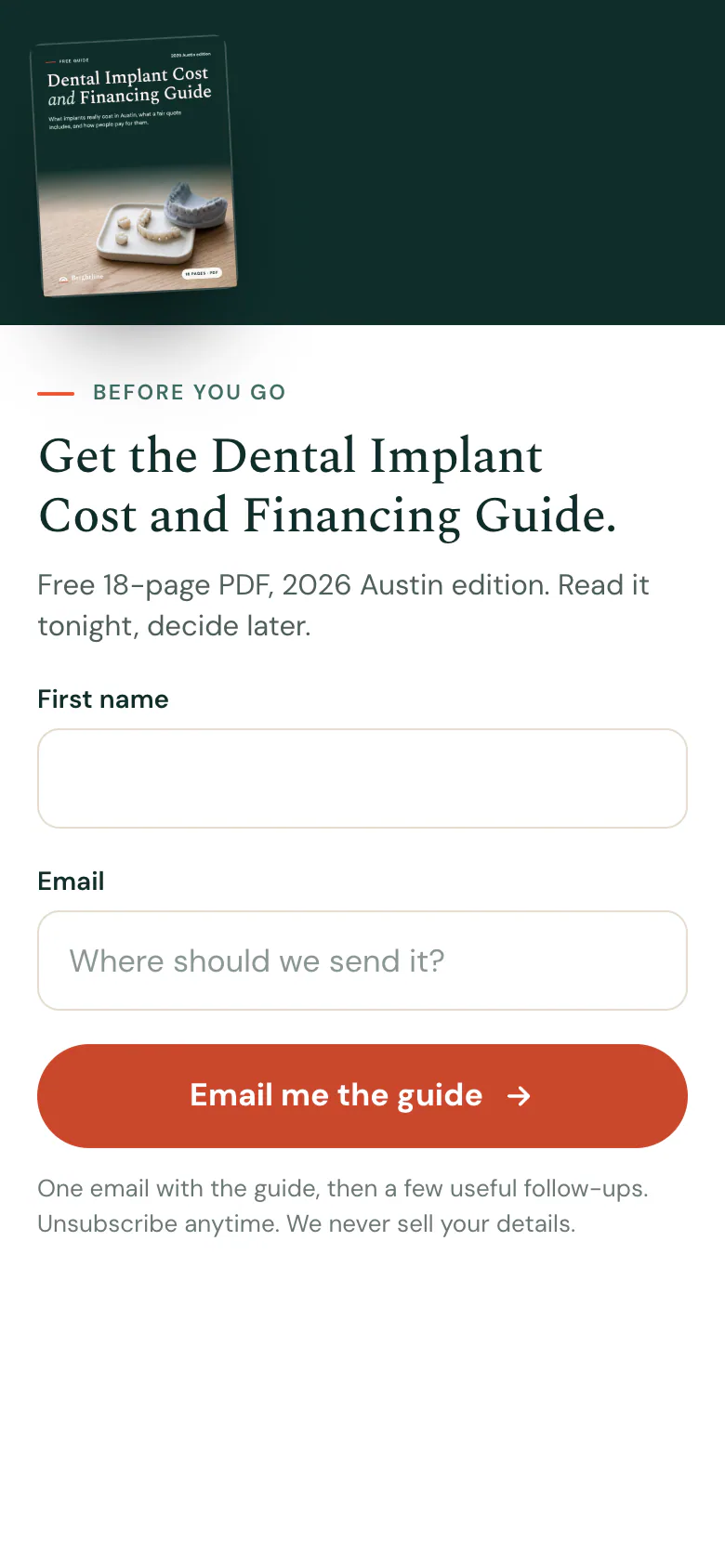
The exit offer, a page of its own opened in a lightbox: the 2026 cost guide for an email.
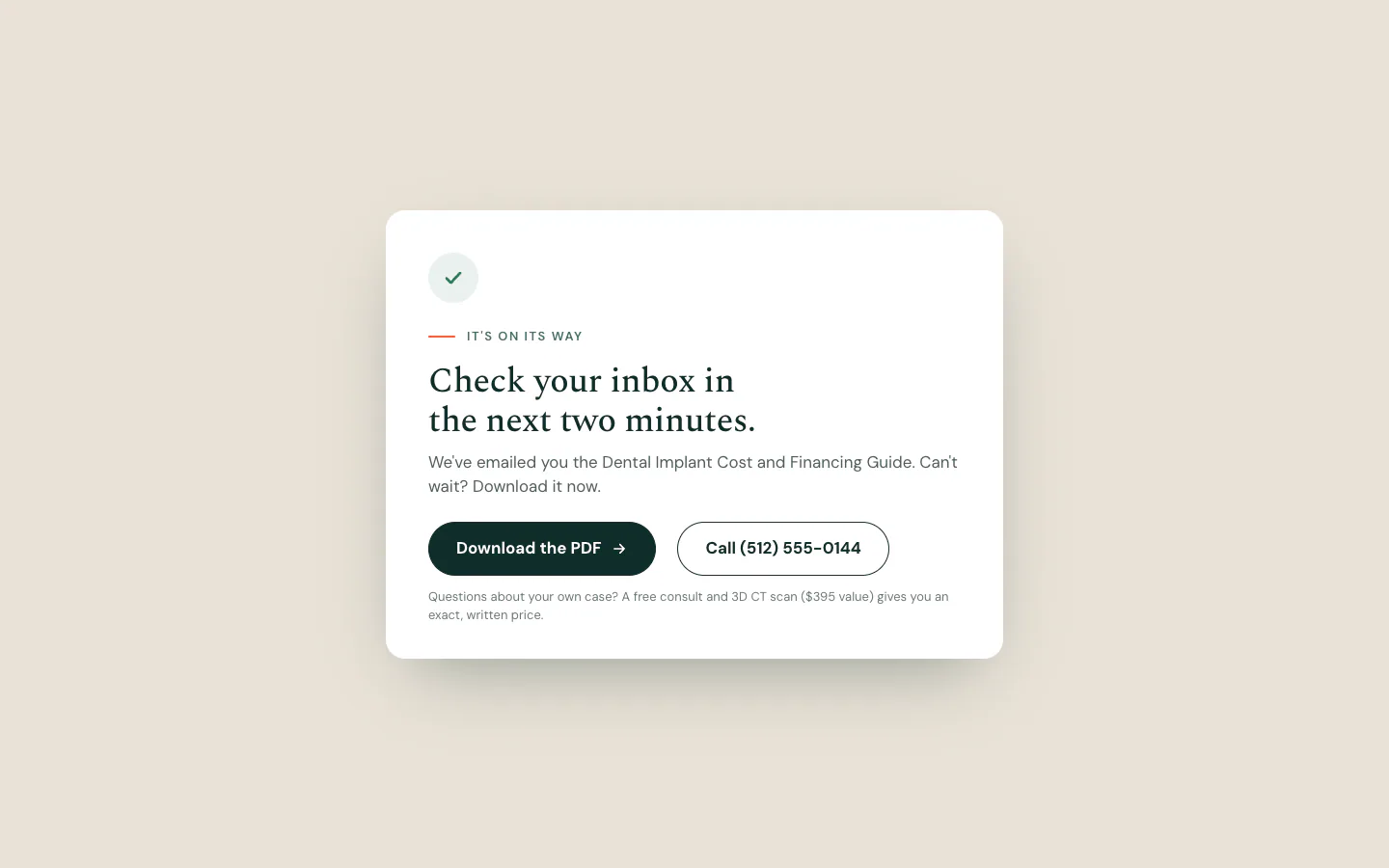
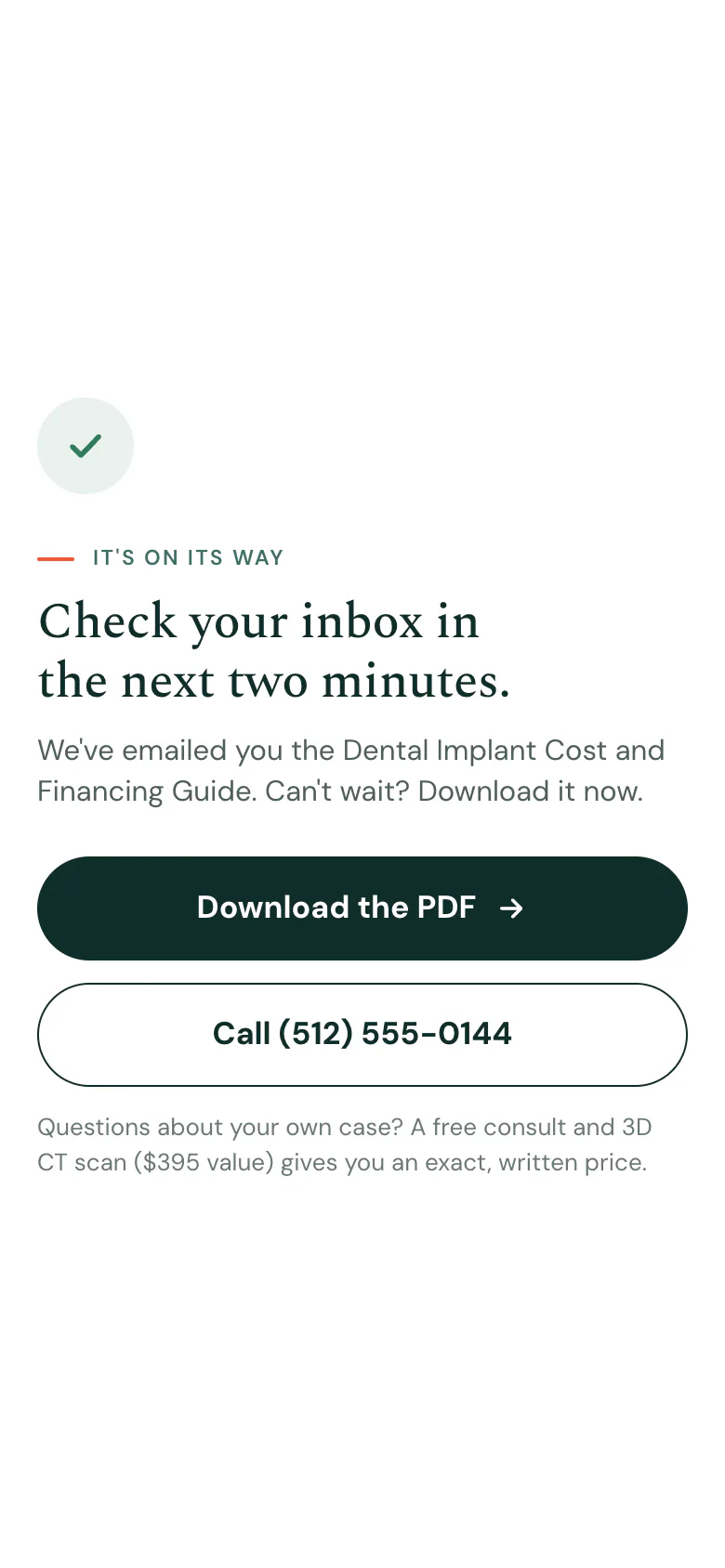
The form's confirmation dialog after the guide request: what arrives and what happens next.
Editor
Built in Unbounce's builder
Sections, containers, columns, headings and text you can select and edit in the Layers panel, with Spectral and DM Sans from Google Fonts.
A/B test
The live A/B test setup
Traffic mode A/B Test on the implants page: “Consult first” as champion, “Price first” as challenger, 50% each.
How to A/B test a landing page in Unbounce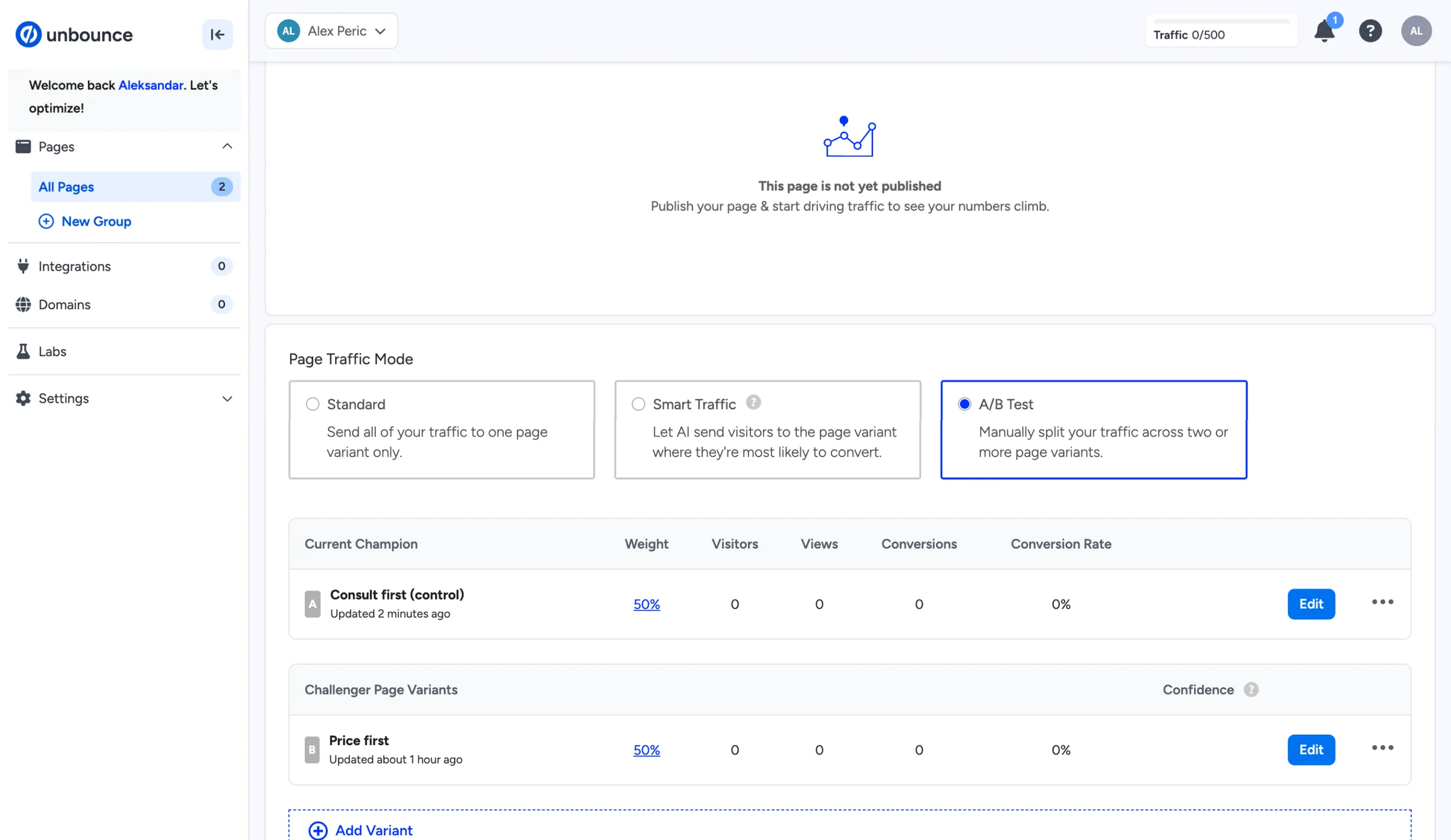
Follow-up
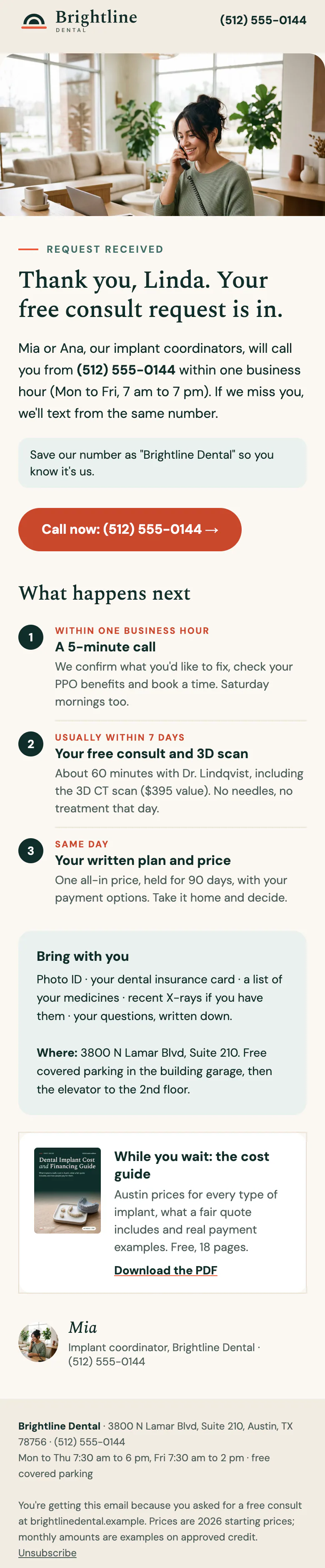
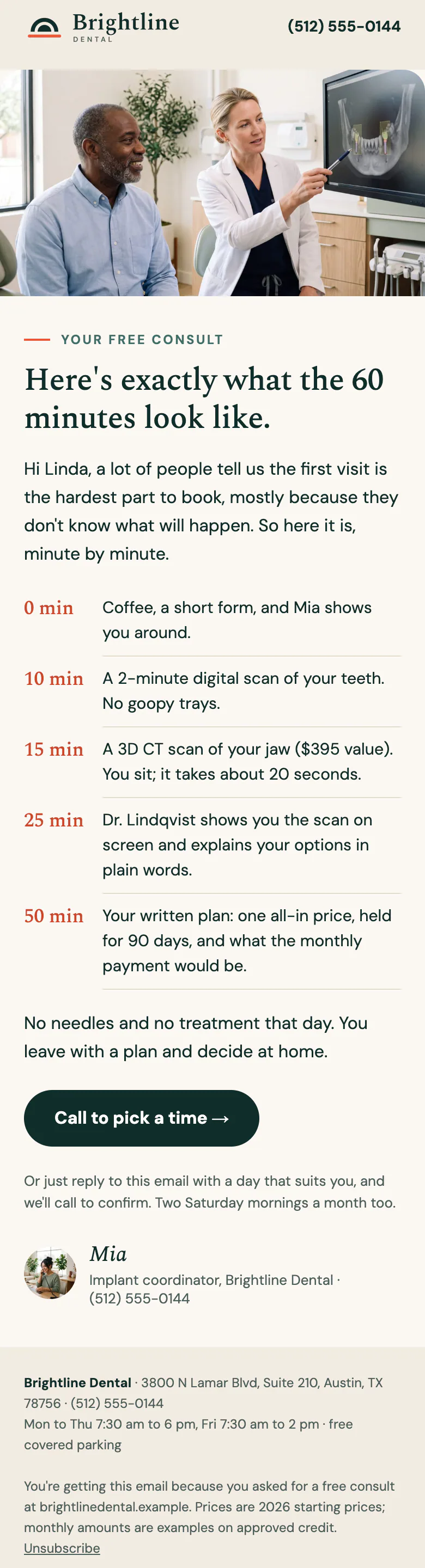
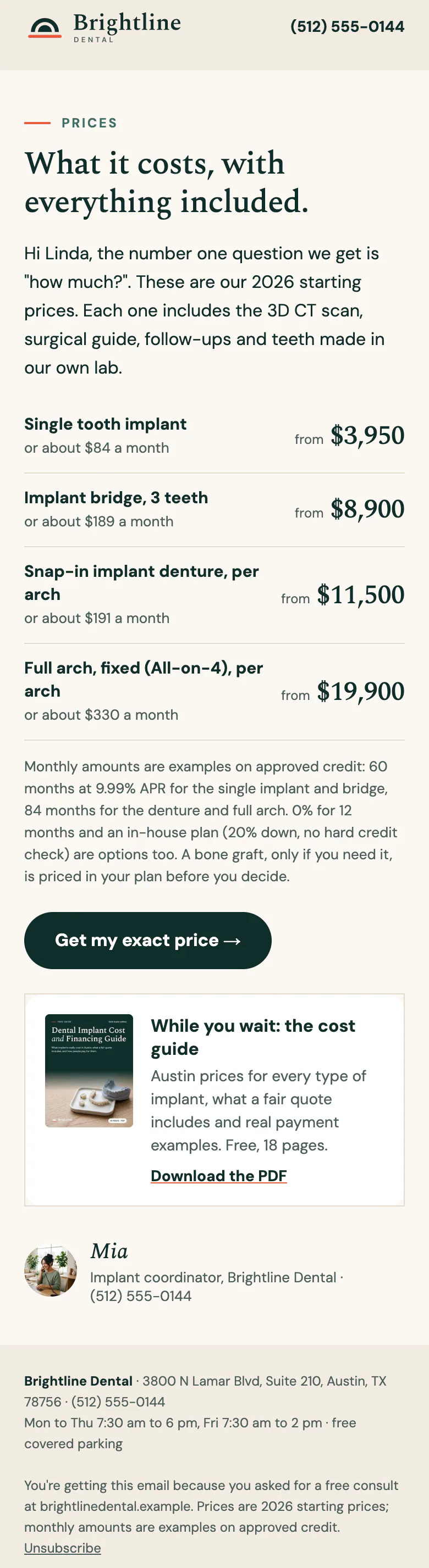
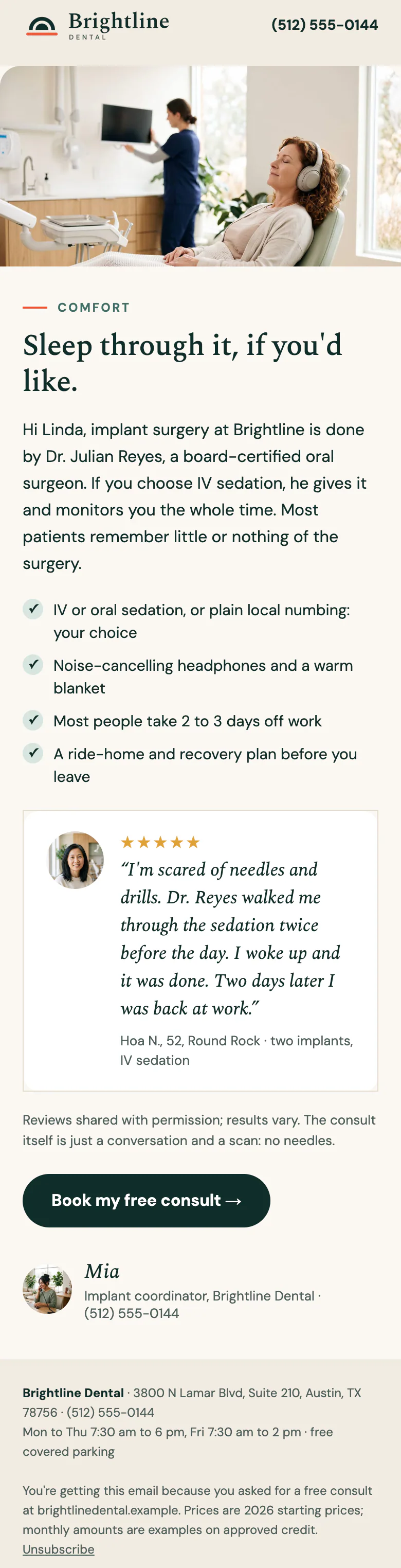
Emails and texts after a consult request
Three flows, one per form. A coordinator calls within one business hour; the messages make her number familiar and stop the moment someone books.
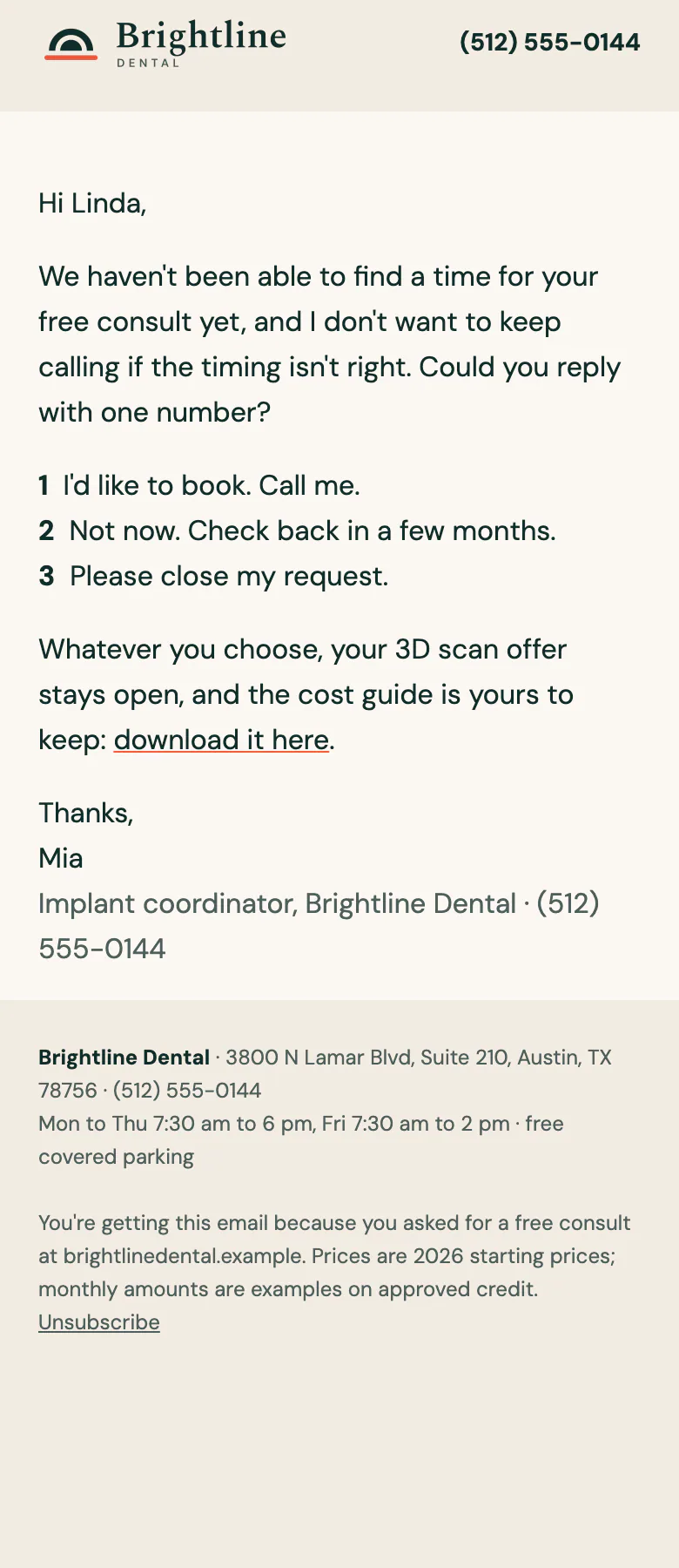
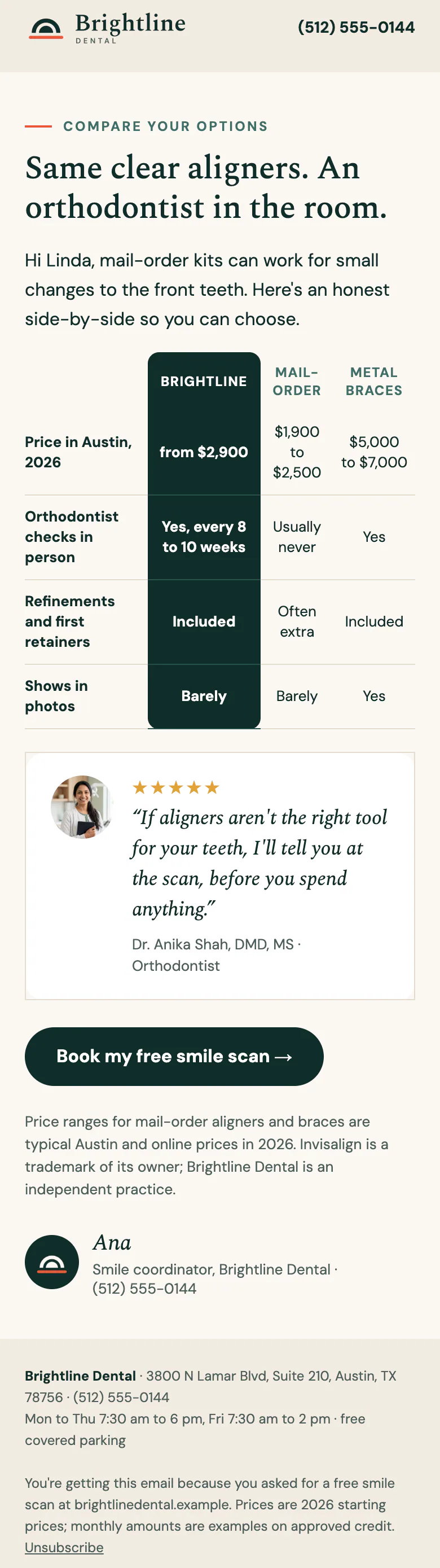
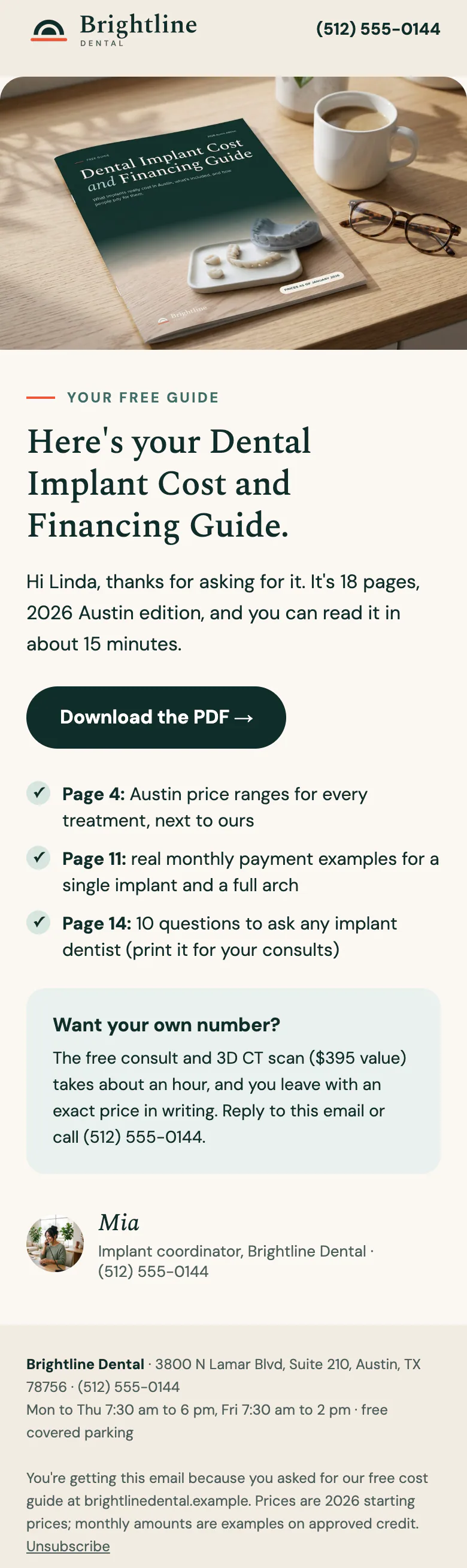
BBrightline Dental
Implant lead, within a minute
Hi Linda, it's Mia at Brightline Dental. Got your free consult request. I'll call you from this number within the hour. Reply STOP to opt out.
After hours
Brightline Dental: thanks, Linda. We're closed right now. Mia or Ana will call you after 7 am on our next business day. Reply STOP to opt out.
Missed call
Hi Linda, Brightline Dental here. We just tried calling about your free visit. Call or text back any time, or reply with a good time to call.
Day before the visit
Brightline Dental: see you tomorrow at 10:30 am. 3800 N Lamar, Suite 210, free garage parking. Reply C to confirm or R to reschedule.
Brand
The Brightline Dental brand
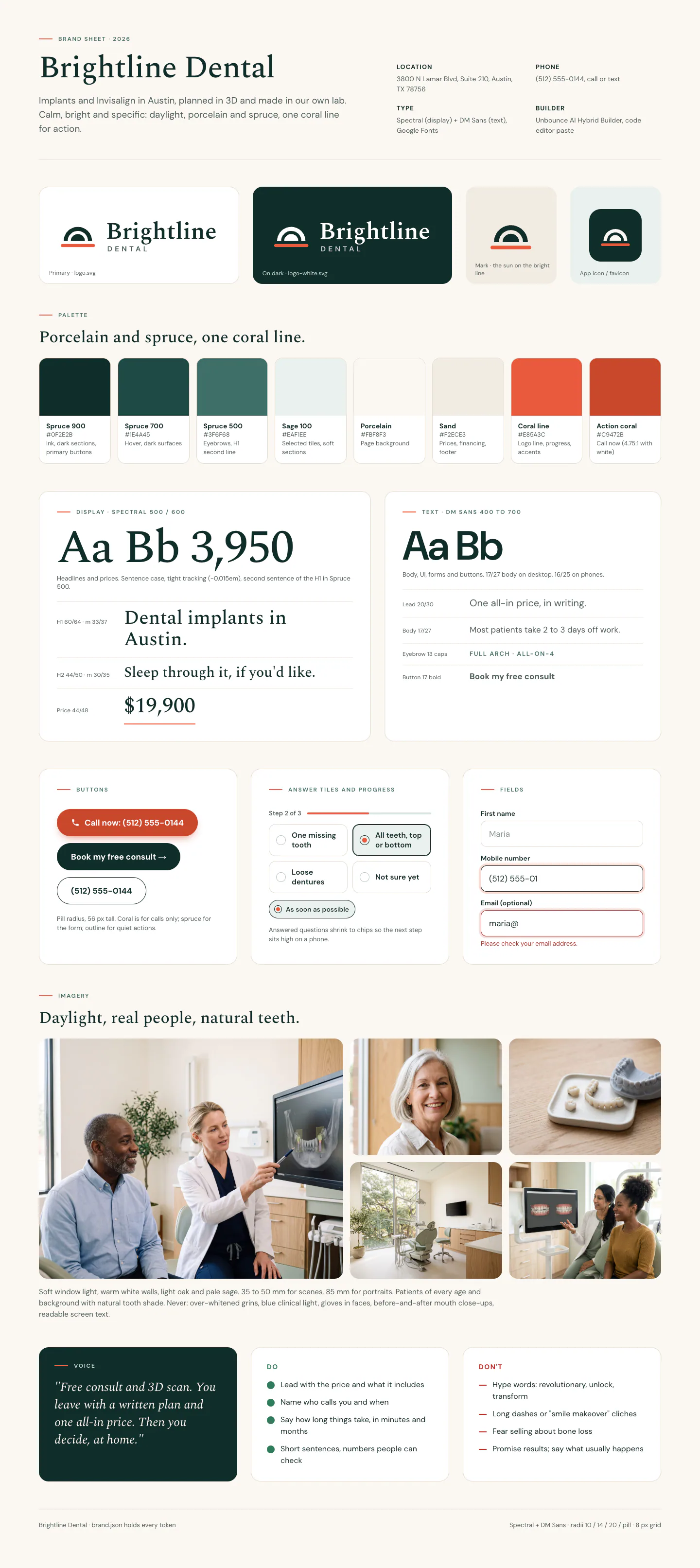
The rising-arch mark, spruce and coral on porcelain, Spectral for headlines and warm photos of patients and the team.
- Spruce
#0F2E2BHeadlines, dark sections - Coral
#E85A3CCall now and the main button - Porcelain
#FBF8F3Page background - Sand
#F2ECE3Cards, FAQ, alternate sections
What's built
What's built in Unbounce
- Two projects, six pagesImplants LP: two variants, Thanks and the cost guide. Invisalign LP: Home and Thanks.
- A native A/B testConsult first as champion, Price first as challenger, 50/50.
- Dynamic Text ReplacementOn the H1 of both implant variants and the Invisalign page: parameter kw, a safe default.
- Forms and hidden fieldsUTM, gclid, kw and the variant ride along; submit goes to each Thanks page.
- Lightbox and page scriptThe cost guide in a native lightbox; exit intent and the sticky bar timing in Custom HTML.
- Conversion goalsPhone calls and form submissions; the guide link left out so it can't skew the test.
- SEO settingsTitles, descriptions and noindex on every page.
- Layers and My LibraryNative sections and containers, all 19 photos from the account's library.
- Desktop and mobileHeadline, Call now and the first form step in the first phone screen.
My part
What I did, start to finish
- Strategy
- Two ad groups, two angles: an all-in price for implants, a preview of the new smile for Invisalign.
- Brand
- Logo, palette, Spectral with a clean sans, photo direction.
- Copy
- Both pages, variant B and its test plan, the DTR table, emails, texts and ads.
- Design
- Six pages on desktop and phone, the form steps, the sticky bar and the guide pop-up.
- Build
- Both projects in Unbounce: the A/B test, DTR, forms, lightbox and goals.
- Growth assets
- An 18-page cost guide, Meta and Google ads, three follow-up flows.
FAQ
Is everything built in Unbounce?
Yes: both projects, six pages, the A/B test, Dynamic Text Replacement, the forms with hidden fields, the lightbox, the page script and the conversion goals. The ads and follow-up messages are designed for the practice's ad accounts and CRM.
How long does a landing page like this take?
It depends on the variants and content. After a short call I send a fixed quote and a schedule.
Can my team edit the pages?
Yes. Everything is native Unbounce sections and elements, editable in the builder.
Do you write the copy?
Yes: both pages, the variant, the ads, the emails and the texts.

Conversion designer. I design and build whole websites, funnels and landing pages in Unbounce and other page builders, write the copy and set up the tracking and A/B tests. CXL certified.